The concept of a smart home has evolved beyond simple voice commands and smartphone apps. Imagine stepping into a virtual replica of your living space, effortlessly adjusting lights, temperature, or even rearranging furniture with a mere glance or gesture. Virtual reality (VR), augmented reality (AR), and mixed reality (MR) headsets are rapidly transforming this vision into a tangible reality, offering unparalleled immersion and intuitive control over your connected environment. This guide will walk you through the essential considerations for selecting the perfect VR headset to elevate your smart home experience, ensuring you make an informed decision that aligns with your needs and budget.
VR Headsets: An Overview and Their Role in Smart Homes
Virtual reality headsets immerse you in entirely digital worlds, while augmented reality overlays digital information onto your real environment, and mixed reality seamlessly blends the two, allowing virtual objects to interact dynamically with your physical space. These immersive technologies function by displaying high-resolution images to each eye, coupled with advanced tracking systems that monitor your head and body movements, translating them into the virtual domain.
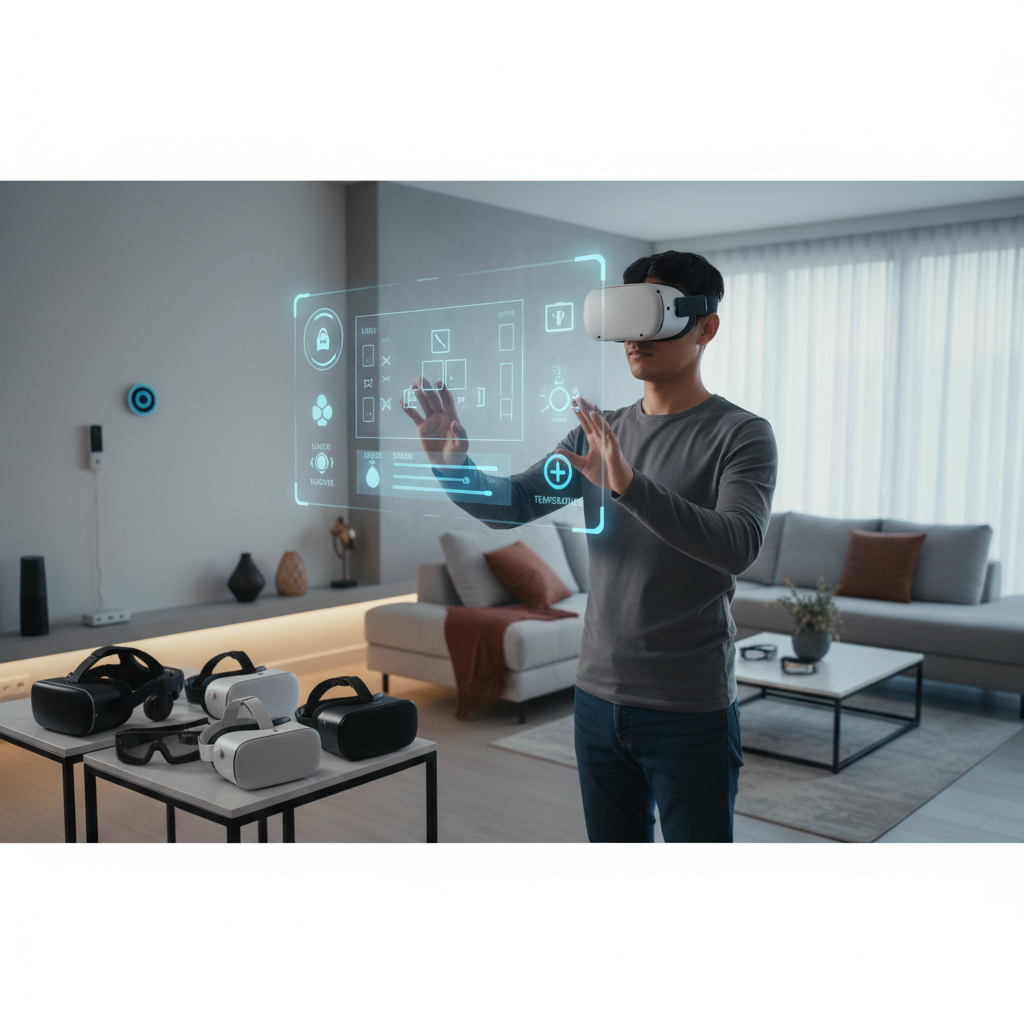
In the context of smart homes, these headsets offer a revolutionary way to interact with your living space. Beyond traditional entertainment and gaming, they enable detailed visualization for home design and renovation, offering virtual tours of potential changes before any physical work begins. More profoundly, they facilitate intuitive, touch-free control over smart devices, from lighting and thermostats to security systems and entertainment hubs, often through gestures or voice commands within a virtual interface. The benefits are clear: enhanced immersion, convenience through intuitive control, and increased efficiency in managing your smart environment.
Types of VR Headsets for Smart Home Integration
When considering a VR headset for your smart home, understanding the different types available is crucial, as each offers distinct advantages and trade-offs in terms of performance, portability, and user experience.
Standalone VR Headsets
Standalone VR headsets are all-in-one devices, housing their own processors, screens, and batteries. This untethered design offers complete freedom of movement without being connected to a PC or console, making them incredibly user-friendly and easy to set up. They are excellent for casual use, shared experiences with family and friends, and applications where portability is key. While their processing power is generally lower than PC-connected counterparts, newer models are increasingly capable.
- Pros: Wireless freedom, easy setup, portable, often more affordable.
- Cons: Lower graphical fidelity compared to PC-powered headsets, battery life limitations.
- Popular Models: Meta Quest 3, Meta Quest 3S, Pico Neo 3.
|
Our Picks for the Best VR headset in 2026
As an Amazon Associate I earn from qualifying purchases.
|
||
| Num | Product | Action |
|---|---|---|
| 1 | HTC Vive XR Elite with Deluxe Pack — Mixed Reality and PC VR Headset + Controllers |

|
| 2 | Meta Quest 3S 128GB | VR Headset — Thirty-Three Percent More Memory — 2X Graphical Processing Power — Virtual Reality Without Wires — Access to 40+ Games with a 3-Month Trial of Meta Horizon+ Included |
|
| 3 | TECKNET VR Headset for Phone with Bluetooth Controller, 4.7-7.2" VR Headsets with HD 110°FOV Anti-Blue Light Lenses & Adjustable Gears, 3D VR Headset for Kids Compatible iPhone Samsung Android |
|
| 4 | Meta Quest 3S 128GB | VR Headset — Thirty-Three Percent More Memory — Virtual Reality Without Wires — Access to 40+ Games with a 3-Month Trial of Meta Horizon+ Included (Renewed Premium) |
|
| 5 | DESTEK V5 VR Headset for Kids & Phone w/Controller & 100+ Apps, Anti-Blue Light HD Lenses, 110° FOV, Compatible with iPhone & Android, Ideal for Family Entertainment & Gifting - Black |
|
| 6 | Pimax Crystal Light VR Headset for PC, 2880x2880 per Eye, 8K QLED Display with Local-Dimming, Inside-Out Tracking, PC VR Headset for Flight Sims, iRacing & Gaming (Full Payment Version) |
|
| 7 | Meta Quest Pro Headset with Virtual Reality Field Trips 1-Month Subscription |
|
| 8 | HTC Vive Focus Vision — Mixed Reality and PC VR Headset + Controllers — Consumer Edition |
|
| 9 | Meta Quest 2 128GB - Advanced All-in-One Virtual Reality Headset (Renewed) |
|
| 10 | Meta Quest 3 512GB | VR Headset — Thirty Percent Sharper Resolution — 2X Graphical Processing Power — Virtual Reality Without Wires — Access to 40+ Games with a 3-Month Trial of Meta Horizon+ Included |
|
PC-Connected VR Headsets
For those seeking the pinnacle of visual fidelity and graphical complexity, PC-connected headsets are the go-to option. These devices serve as high-resolution displays and sensor hubs, relying on a powerful external computer to render stunning visuals and run complex software. This symbiotic relationship allows for incredibly detailed and immersive virtual worlds, making them suitable for high-end simulations, professional design applications, and intricate smart home visualization projects.
- Pros: Superior graphics and performance, access to a vast library of PC VR content, high refresh rates.
- Cons: Requires a powerful gaming PC, wired connection limits movement, generally more expensive.
- Popular Models: HTC Vive Pro 2, Valve Index.
Mixed Reality (MR) Headsets
Mixed Reality headsets represent a hybrid approach, seamlessly integrating virtual objects into the real world in an interactive and dynamic manner. Unlike pure VR, which completely isolates you, MR devices often feature high-quality passthrough cameras, allowing you to see your physical surroundings while digital elements are overlaid. This makes them particularly compelling for smart home applications, enabling intuitive interaction with IoT devices through gestures and voice commands, and visualizing smart solutions directly within their physical context.
- Pros: Blends virtual and physical realities, ideal for interactive smart home control, often wireless.
- Cons: Can be very expensive, technology is still evolving, might require specific developer support for smart home integration.
- Popular Models: Apple Vision Pro, HTC Vive XR Elite, Meta Quest 3 (with its color passthrough).
Comparing Top VR Headsets for Smart Home Use
Choosing the right headset involves balancing features with your specific smart home needs and budget. Here’s a comparison of some leading VR and MR headsets, highlighting their relevance for smart home integration.
| Product | Resolution (per eye) | Refresh Rate (Hz) | Field of View (FoV) | Type | Price Range (USD) | Smart Home Strengths | Drawbacks |
|---|---|---|---|---|---|---|---|
| Meta Quest 3 | 2064×2208 | 90/120 | 110° | Standalone MR | $500-650 | Excellent mixed reality passthrough for real-world interaction, good ecosystem, wireless. | Not as powerful as PC VR, lower FoV than some premium headsets. |
| Apple Vision Pro | 3660×3200 | 90-100 | 100°–105° | Standalone MR | $3500+ | Unparalleled passthrough and display quality, intuitive eye/hand tracking, powerful OS. | Extremely high price, heavier design, shorter battery life. |
| HTC Vive XR Elite | 1920×1920 | 90 | 110° | Standalone MR/PC VR | $1100-1400 | Convertible design (standalone/PC VR), good passthrough, modular. | Higher price than Quest, less established consumer content library. |
| HTC Vive Pro 2 | 2448×2448 | 120 | 120° | PC-Connected VR | $800-1400 | Highest resolution and FoV for pure VR visualization, precise tracking. | Requires powerful PC and external base stations, wired. |
Essential Factors When Selecting a VR Headset for Smart Home Integration (Buying Guide)
Making the right choice involves more than just picking a popular model. Consider these crucial factors to ensure your VR headset perfectly complements your smart home ecosystem.
Display Quality (Resolution & Refresh Rate)
For smart home use, especially for visualizing designs or interacting with detailed interfaces, high resolution is paramount. Clear text and crisp visuals enhance usability and reduce eye strain during extended sessions. Look for headsets with at least 2K per eye resolution. A high refresh rate (90Hz or above) ensures smooth motion and reduces the likelihood of motion sickness, which is vital for a comfortable experience as you navigate virtual spaces.
Field of View (FoV)
The Field of View dictates how much of the virtual world you can see at any given moment without turning your head. A wider FoV, typically 100-120 degrees, significantly increases the feeling of immersion, making virtual environments feel more expansive and realistic. This is particularly beneficial for virtual home tours, allowing you to take in more of a room at once.
Tracking Capabilities
Precise tracking is essential for interacting with virtual smart home controls. Most modern standalone headsets use “inside-out” tracking, where cameras on the headset map your environment. PC-connected systems often use “outside-in” tracking with external base stations, offering highly accurate, room-scale tracking. For gesture-based control and seamless movement within your home, robust and reliable tracking is non-negotiable.
Mixed Reality (Passthrough) Quality
If your goal is to blend virtual controls with your real-world environment, the quality of the mixed reality passthrough is critical. Look for headsets with high-resolution, color passthrough cameras that render your physical surroundings clearly. This allows you to interact with virtual interfaces superimposed onto your living room, without losing awareness of your physical space.
Comfort and Ergonomics
Long smart home visualization or control sessions demand a comfortable headset. Consider the weight distribution, strap design, and adjustability. Some headsets offer counterweights or alternative head straps for better balance. Ensure the facial interface is made of breathable materials and that the headset can accommodate glasses if needed.
Platform and Ecosystem
The availability of applications and the overall software ecosystem are important. Some platforms offer dedicated smart home apps or integrations. For instance, an app might allow you to control your specific smart home hub directly from VR. Research existing apps or potential development tools if you plan a custom smart home VR experience.
Connectivity (Wireless vs. Wired)
Wireless headsets provide unparalleled freedom to move around your home, essential for visualizing different rooms or controlling devices from various vantage points. PC-connected headsets, while offering superior power, require cables that can limit movement and create trip hazards. For smart home use, wireless freedom often outweighs the graphical advantages of a wired connection.
Price and Budget
VR headsets range widely in price, from budget-friendly standalone options to high-end mixed reality devices. Determine your budget and balance it against the features most important for your smart home use case. Entry-level standalone headsets can offer a great starting point for basic visualization and control, while premium MR headsets cater to a more integrated and sophisticated experience.
Maximizing Your Smart Home VR Experience: Usage and Maintenance
Once you’ve chosen your VR headset, proper setup, safe usage, and diligent maintenance will ensure you get the most out of your smart home immersive experience.
Begin by setting up your headset according to the manufacturer’s instructions. This usually involves defining a safe play area, especially for wireless headsets, to prevent accidental collisions with furniture or walls. For smart home control applications, ensure your headset is connected to the same network as your smart home hub and that any necessary apps or integrations are installed and configured. Optimize your physical space by clearing obstacles.
When using the headset, take regular breaks to prevent eye strain or motion sickness. Many smart home VR applications are designed for more stationary use, such as viewing a virtual control panel, but always be aware of your physical surroundings if you are moving. Utilize gesture and voice controls as much as possible for an intuitive, touch-free interaction with your smart home devices.
For maintenance, always clean the lenses with a microfiber cloth designed for optics, wiping from the center outwards to avoid scratches. Never use harsh chemicals. Protect your headset from direct sunlight, as the lenses can magnify sunlight and damage the internal displays. Store your headset in a protective case or covered when not in use to prevent dust accumulation and accidental damage.
Complementary Accessories for Smart Home VR
While most VR headsets come with essential components, certain accessories can significantly enhance your smart home VR experience, improving immersion, interaction, and usability.
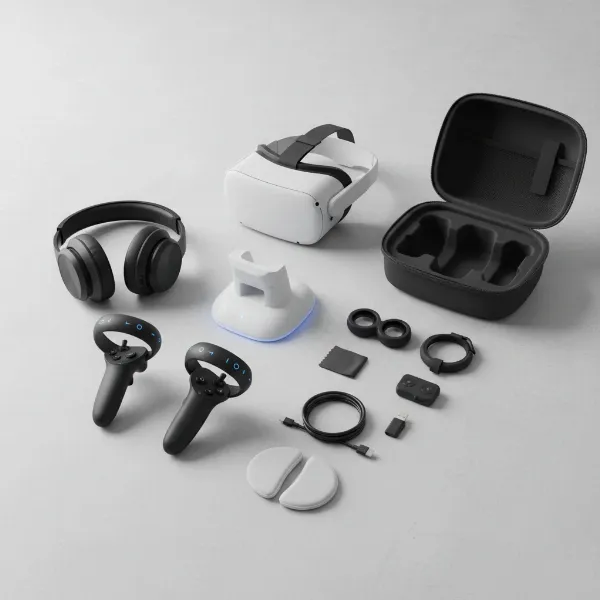
High-quality audio solutions are crucial for an immersive experience. While many headsets include built-in speakers, a good pair of over-ear headphones can provide superior sound isolation and audio fidelity, enhancing virtual home tours or making voice commands clearer. Many headsets come with controllers that allow for precise interaction in virtual environments. Look for controllers that offer intuitive haptic feedback and ergonomic designs suitable for extended use. For MR headsets, advanced hand-tracking without physical controllers provides a truly touch-free interface. Finally, ensure you have reliable charging cables and power banks for standalone headsets, especially if you plan for longer sessions or want to use your headset throughout different parts of your home without interruption. A strong, dedicated Wi-Fi network is also an unstated accessory, critical for seamless communication between your wireless headset and smart home devices.
“The true power of VR in smart homes lies in its ability to humanize technology, allowing us to intuitively connect with our living spaces in ways that were once only science fiction.” – Alex Chen, Lead Smart Home Architect
Conclusion
The intersection of VR and smart home technology presents an exciting frontier for how we interact with our living environments. Choosing the ideal VR headset involves a thoughtful consideration of display quality, Field of View, tracking accuracy, and the crucial mixed reality capabilities for seamless integration with your physical space. Whether you prioritize wireless freedom for casual control, or high-fidelity graphics for detailed design visualization, a diverse range of headsets exists to meet your specific needs. By carefully evaluating these factors and understanding the unique benefits each type offers, you can unlock a new dimension of intuitive control, immersive visualization, and enhanced comfort within your smart home. Which features will you prioritize to bring your smart home vision to life?
Câu Hỏi Thường Gặp
Can I control all my smart home devices with a VR headset?
While dedicated apps and integrations are emerging, a VR headset’s ability to control all your smart home devices depends on the headset’s ecosystem and the compatibility of your smart home hub. Many allow control of lights, thermostats, and entertainment, but comprehensive universal control is still developing.
Is VR for smart homes mainly about gaming?
No, while gaming is a primary application for VR, its use in smart homes extends far beyond. It’s increasingly leveraged for virtual home tours, interior design visualization, remote monitoring, and intuitive, gesture-based control of various smart devices, offering practical benefits for everyday living.
What are the privacy concerns with VR in smart homes?
VR headsets in smart homes may raise privacy concerns as they collect data about your environment, movements, and potentially even eye-tracking or voice commands. It’s important to choose reputable brands, understand their data policies, and be mindful of what information is being shared or processed.
Do I need a powerful computer for smart home VR?
It depends on the headset type and your intended use. Standalone VR headsets like the Meta Quest 3 are entirely self-contained and do not require a PC. However, PC-connected VR headsets, which offer higher graphical fidelity for complex visualizations, do require a powerful gaming computer.