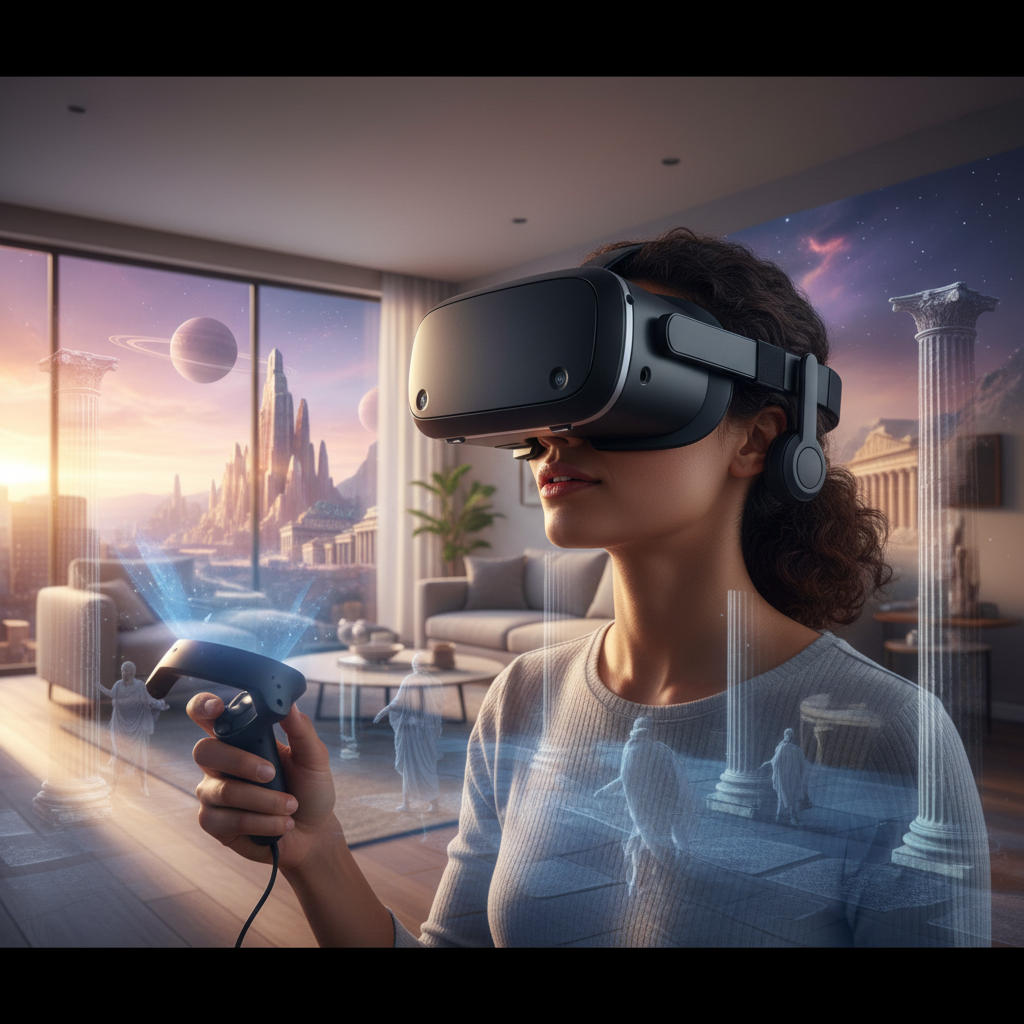
Stepping into a virtual world, interacting with digital environments, and experiencing games or professional simulations with unprecedented immersion—this is the promise of a VR headset. But in an evolving technological landscape, many wonder: is a VR headset truly worth the investment in 2024? This comprehensive guide will explore the current state of virtual reality, compare leading devices, and help you determine if now is the right time to dive into this exciting technology.
VR Headset: Overview and Benefits
A VR headset is a device worn over the eyes, typically enclosing the user’s field of vision, to provide an immersive virtual reality experience. It works by displaying distinct images to each eye, creating a stereoscopic 3D effect, while head-tracking technology allows the user to look around the virtual environment naturally. Advanced optics and displays transport you to virtual worlds, making digital content feel tangible and immediate.
The applications of VR headsets are diverse and rapidly expanding, extending far beyond traditional gaming. In entertainment, VR offers unparalleled experiences in gaming, interactive stories, and virtual concerts. Educational platforms utilize VR for immersive learning simulations, allowing students to explore historical sites, conduct virtual lab experiments, or even practice complex surgical procedures. For professionals, VR headsets are becoming powerful tools for remote collaboration, 3D modeling, product design, and virtual training simulations.
The benefits of embracing VR technology are compelling. Users report an enhanced sense of presence and immersion, making experiences more engaging and memorable. For learning and training, VR can significantly improve retention rates by providing hands-on, experiential learning that traditional methods often cannot replicate. Furthermore, in work environments, VR opens new avenues for productivity by creating virtual multi-monitor setups or facilitating realistic remote meetings that foster stronger connections than traditional video calls.
Popular VR Headset Types Today
The VR market currently offers a variety of headset types, each catering to different needs and budgets. Understanding these categories is crucial for making an informed decision about your virtual reality journey.
Standalone VR Headsets
Standalone VR headsets are self-contained units that do not require a PC or external console to operate. They feature built-in processors, displays, and batteries, offering unparalleled freedom of movement and ease of setup. This portability makes them ideal for casual users, travel, or quick social VR sessions.
- Advantages: Portability, ease of use, no cables (mostly wireless), generally more affordable entry point.
- Disadvantages: Limited processing power compared to PC-powered VR, often a smaller game and app library without PC tethering, can feel heavy after extended use.
- Popular Models: The Meta Quest 3 and Meta Quest 2 are leading examples, offering excellent all-in-one experiences. The Pico 4 is another notable contender in this category.
|
Our Picks for the Best VR headset in 2026
As an Amazon Associate I earn from qualifying purchases.
|
||
| Num | Product | Action |
|---|---|---|
| 1 | Meta Quest 3 512GB | VR Headset — Thirty Percent Sharper Resolution — 2X Graphical Processing Power — Virtual Reality Without Wires — Access to 40+ Games with a 3-Month Trial of Meta Horizon+ Included |

|
| 2 | Pimax Crystal Light VR Headset for PC, 2880x2880 per Eye, 8K QLED Display with Local-Dimming, Inside-Out Tracking, PC VR Headset for Flight Sims, iRacing & Gaming (Full Payment Version) |
|
| 3 | TECKNET VR Headset for Phone with Bluetooth Controller, 4.7-7.2" VR Headsets with HD 110°FOV Anti-Blue Light Lenses & Adjustable Gears, 3D VR Headset for Kids Compatible iPhone Samsung Android |
|
| 4 | Meta Quest 3S 128GB | VR Headset — Thirty-Three Percent More Memory — 2X Graphical Processing Power — Virtual Reality Without Wires — Access to 40+ Games with a 3-Month Trial of Meta Horizon+ Included |
|
| 5 | DESTEK V5 VR Headset for Kids & Phone w/Controller & 100+ Apps, Anti-Blue Light HD Lenses, 110° FOV, Compatible with iPhone & Android, Ideal for Family Entertainment & Gifting - Black |
|
| 6 | HTC Vive Focus Vision — Mixed Reality and PC VR Headset + Controllers — Consumer Edition |
|
| 7 | HTC Vive XR Elite with Deluxe Pack — Mixed Reality and PC VR Headset + Controllers |
|
| 8 | Meta Quest 3S 128GB | VR Headset — Thirty-Three Percent More Memory — Virtual Reality Without Wires — Access to 40+ Games with a 3-Month Trial of Meta Horizon+ Included (Renewed Premium) |
|
| 9 | Meta Quest Pro Headset with Virtual Reality Field Trips 1-Month Subscription |
|
| 10 | Meta Quest 2 128GB - Advanced All-in-One Virtual Reality Headset (Renewed) |
|
PC-Powered VR Headsets
PC-powered VR headsets connect directly to a powerful computer, leveraging its graphics processing unit (GPU) and central processing unit (CPU) for superior performance and visual fidelity. These headsets deliver the most detailed graphics, complex simulations, and access to the largest libraries of high-end VR games and applications.
- Advantages: Best-in-class graphics, higher refresh rates, wider field of view, access to a vast library of PC VR games (e.g., via SteamVR), more accurate tracking systems.
- Disadvantages: Requires a high-end gaming PC, less portable due to cables (though some offer wireless adapters), generally more expensive overall investment, more complex setup.
- Popular Models: The Valve Index is renowned for its premium experience, while the Sony PlayStation VR2 offers a console-specific high-fidelity experience when paired with a PlayStation 5, and can be adapted for PCVR.
Mobile VR Headsets
Once a popular entry point, mobile VR headsets utilize a smartphone as their display and processor. While largely phased out by standalone devices, they offered a very accessible way to experience basic VR content. Modern standalone headsets have largely replaced mobile VR due to their dedicated hardware and superior user experience.
Comparing Top VR Headsets
Choosing the right VR headset involves weighing various technical specifications against your personal preferences and budget. Here’s a comparison of some prominent models that users often consider.
| Product | Resolution (per eye) | Refresh Rate (Hz) | Field of View (FoV) | Price (Approx.) | Advantages | Disadvantages | Overall Evaluation |
|---|---|---|---|---|---|---|---|
| Meta Quest 3 | 2064×2208 | 90/120 | 110° horizontal | $500 | Excellent mixed reality with color passthrough, powerful Snapdragon XR2 Gen 2, good game library, comfortable. | Battery life can be shorter, accessories often needed for optimal comfort, still a significant investment. | A strong all-rounder for immersive VR and cutting-edge mixed reality. |
| Meta Quest 2 | 1832×1920 | 90/120 | 97° horizontal | $250 | Best value, vast game library, wireless freedom, robust ecosystem, accessible entry point. | Black and white passthrough, older processor, slightly less sharp visuals than Quest 3. | An excellent entry-level VR headset, especially at its current price. |
| PlayStation VR2 | 2000×2040 | 90/120 | 110° | $550 | Stunning OLED display, haptic feedback in controllers and headset, eye tracking, seamless PS5 integration, exclusive titles. | Requires a PS5, limited PC compatibility (with adapter), cable tether, smaller dedicated game library than Quest. | Ideal for PS5 owners seeking premium, console-based VR gaming. |
| Valve Index | 1440×1600 | 80/90/120/144 | 130° | $999 (Headset+Controllers+Base Stations) | Industry-leading tracking, wide FoV, comfortable design, excellent audio, finger tracking controllers. | Very expensive, requires high-end PC, complex setup with external base stations, wired. | Offers the most premium, high-fidelity PC VR experience for enthusiasts. |
| Apple Vision Pro | 3660×3200 (estimated) | 90/96/100 | 100° (estimated) | $3500 | Ultra-high resolution, advanced eye and hand tracking, seamless integration with Apple ecosystem, spatial computing. | Extremely high price point, heavy, limited app ecosystem for traditional VR gaming, battery pack. | A luxury device focused on spatial computing and media consumption, less on traditional VR gaming. |
Key Factors When Choosing a VR Headset (Buying Guide)
Selecting the ideal VR headset requires careful consideration of several technical and ergonomic factors to ensure it aligns with your expectations and usage patterns.
Resolution and Refresh Rate
These two specifications significantly impact visual quality and comfort. Resolution determines the clarity and detail of the virtual world. Higher resolutions reduce the “screen door effect,” where individual pixels are noticeable. Refresh rate refers to how many times per second the display updates. A higher refresh rate (90Hz or more) provides smoother motion, reducing motion sickness and enhancing immersion. Aim for a resolution of at least 1832×1920 per eye and a refresh rate of 90Hz or higher for a comfortable experience.
Field of View (FoV)
The Field of View is the extent of the observable virtual world at any given moment. A wider FoV makes the virtual experience feel more natural and immersive, akin to our peripheral vision in the real world. Headsets with a narrow FoV can create a “binocular” effect, reminding you that you’re looking through lenses. A wider FoV, typically above 100 degrees, is generally preferred for a truly immersive experience.
Tracking
Tracking technology allows the headset to monitor your head and controller movements, translating them into the virtual environment.
- Inside-out tracking (used by Meta Quest, Pico) uses cameras on the headset itself to track your position and controllers within the room. It’s easy to set up and portable.
- Outside-in tracking (used by Valve Index) uses external sensors (base stations) placed in your room to track the headset and controllers. This often provides more precise and consistent tracking, especially for large play areas.
- Hand tracking is an emerging technology that allows you to interact with virtual environments using only your bare hands, though it often lacks the tactile feedback of physical controllers.
Ergonomics and Comfort
Comfort is paramount, especially for extended VR sessions. Consider the headset’s weight distribution, strap design (head strap vs. halo strap), and the materials used for the facial interface. A well-balanced headset reduces strain on your neck and face. Many users opt for third-party accessories like improved head straps or softer facial interfaces to enhance comfort. If a headset feels like “a brick on your face,” as some users describe, it detracts from the experience.
Platform and Content
The ecosystem a VR headset belongs to dictates the available content. Meta Quest headsets run on Meta Horizon OS, offering a vast library of standalone games and apps, and can also connect to a PC for PC VR content. PSVR 2 has its own exclusive PlayStation titles. PC-powered headsets like the Valve Index primarily access content through platforms like SteamVR. Ensure the headset you choose has access to the games and applications you are interested in.
Price
VR headset prices vary significantly, from budget-friendly options to high-end luxury devices. Entry-level standalone headsets like the Quest 2 offer great value for those curious about VR without a huge investment. Mid-range options like the Quest 3 provide a significant upgrade in technology. High-end PC VR setups or specialized devices like the Apple Vision Pro represent a substantial financial commitment.
“The true ‘worth’ of a VR headset often boils down to how well its capabilities align with your desired applications and willingness to explore a still-evolving medium.” – Dr. Alistair Finch, VR Technology Analyst
How to Use and Maintain Your VR Headset
Once you’ve acquired your VR headset, proper setup and care are essential for an optimal and long-lasting experience.
Setting up most modern standalone VR headsets, such as the Meta Quest series, is relatively straightforward. You typically start by downloading a companion app on your smartphone, which guides you through Wi-Fi connectivity, account creation, and establishing your “guardian” or play boundary. For PC-powered headsets, the process usually involves installing software (e.g., SteamVR), connecting the headset to your PC via cables, and setting up any external tracking sensors. Always ensure your play space is clear of obstructions to prevent accidents.
To use your VR headset safely and effectively, always be aware of your surroundings, even with advanced guardian systems. Take regular breaks, especially if you are new to VR, to avoid eye strain or motion sickness. Adjust the headset’s straps and interpupillary distance (IPD) to ensure a clear and comfortable viewing experience. Some games and experiences are more prone to causing motion sickness than others, so start with stationary or slower-paced content if you are susceptible.
Proper maintenance will extend the life of your VR headset. Always store your headset away from direct sunlight, as UV rays can damage the lenses and display. Use a microfiber cloth specifically designed for optics to clean the lenses, never use abrasive materials or chemical cleaners. Wipe down the facial interface and straps regularly with a gentle, non-abrasive cleaner suitable for electronics, especially if multiple people use the headset. Keeping software updated also ensures optimal performance and access to the latest features.
Useful VR Headset Accessories
While most VR headsets come ready to use out of the box, several accessories can significantly enhance your virtual reality experience.
High-quality headphones are a crucial accessory. While many headsets have built-in audio, dedicated over-ear or in-ear headphones can provide superior sound immersion, delivering rich spatial audio that fully draws you into the virtual world. This is particularly important for games and cinematic experiences where audio cues contribute heavily to the atmosphere.
Improved controllers or specialized input devices can also elevate interaction. Standard VR controllers are versatile, but accessories like haptic gloves or more ergonomic grips can improve comfort and realism. For specific applications like flight simulators or racing games, dedicated joysticks or steering wheels offer a much more authentic control experience.
Other practical accessories include longer cables for PC-powered headsets, offering more freedom of movement, or portable chargers/battery packs for standalone headsets to extend playtime. Comfort modifications, such as upgraded head straps or alternative facial interfaces, can distribute weight better and improve ventilation, making long sessions much more enjoyable.
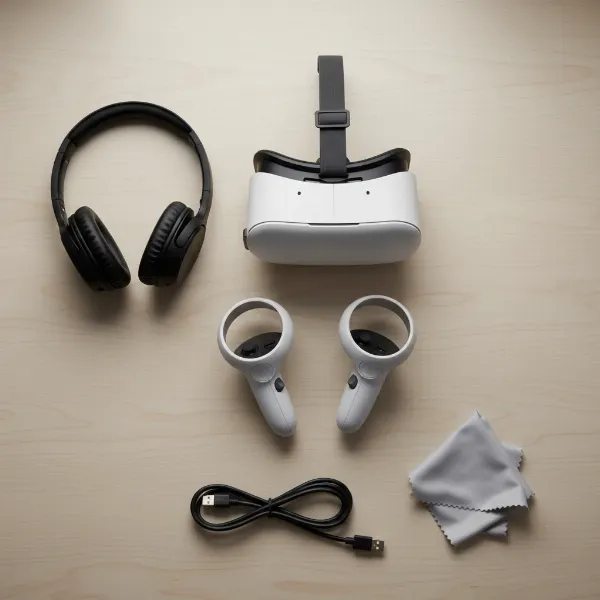 Essential VR headset accessories like headphones, controllers, and charging cables arranged for optimal setup
Conclusion
The question of “is a VR headset worth it?” in 2024 doesn’t have a simple yes or no answer; it hinges on individual needs, budget, and desired experiences. With significant advancements in standalone headsets like the Meta Quest 3 and continued innovation in high-fidelity PC VR and console VR with PSVR 2, virtual reality is more accessible and immersive than ever before. While the technology is still evolving, and some may find the content library to be nascent compared to traditional gaming, the unique experiences offered, from transformative gaming to innovative productivity tools, make a compelling case for investment.
Ultimately, if you’re seeking unparalleled immersion, innovative entertainment, or powerful new ways to work and learn, a VR headset can certainly be a worthwhile purchase. However, careful consideration of the cost, available content, and your personal comfort preferences is key. Are you ready to step into the future of immersive computing?
Câu Hỏi Thường Gặp
Is VR still considered an experimental technology in 2024?
While VR has matured significantly, especially with user-friendly standalone headsets, it can still be considered experimental in terms of its full potential and widespread integration into daily life. The industry is constantly innovating, leading to new hardware, software, and applications.
Is the Meta Quest 2 still a good VR headset to buy in 2024?
Yes, the Meta Quest 2 remains an excellent value proposition in 2024. Despite newer models like the Quest 3, the Quest 2 offers a vast game library, wireless freedom, and a solid VR experience at a significantly lower price point, making it ideal for those new to VR or on a budget.