Stepping into the world of immersive technology can feel like navigating a new dimension, filled with dazzling possibilities and complex terminology. For many, the terms “Virtual Reality” (VR) and “Mixed Reality” (MR) are often used interchangeably, yet they represent distinct technologies offering unique experiences. If you’ve ever wondered whether to dive headfirst into a fully digital realm or seamlessly blend virtual elements with your physical surroundings, understanding these differences is crucial. This article will demystify VR headsets and mixed reality devices, compare their leading models, and guide you through the essential factors to consider, helping you determine which technology best suits your needs and budget.
VR Headsets: Overview and Benefits
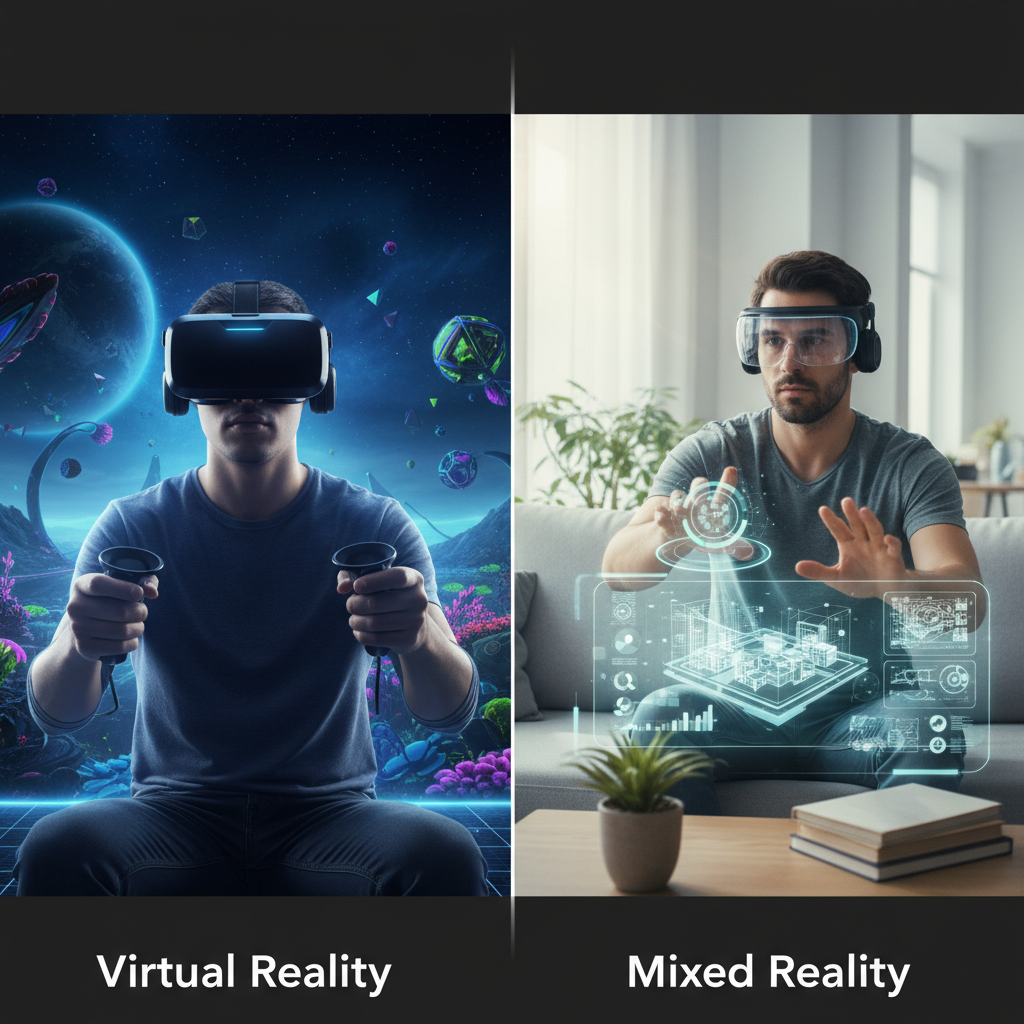
Virtual Reality (VR) headsets transport users into entirely simulated environments, completely replacing their view of the real world. By utilizing screens placed close to the eyes and sophisticated optics, these devices create a stereoscopic image that gives the illusion of depth and presence within a digital space. This immersive experience is often enhanced with motion tracking, allowing users to move and interact within the virtual world as if they were physically there.
VR headsets have a broad range of applications across various sectors. In entertainment, they deliver unparalleled gaming experiences, allowing players to step inside their favorite titles or explore breathtaking virtual worlds. For educational purposes, VR offers interactive learning environments, from virtual field trips to intricate surgical simulations, making complex subjects more accessible and engaging. Professionals also leverage VR for training, product design visualization, and architectural walkthroughs. The primary benefit of using a VR headset is the profound sense of presence and immersion it provides, offering an escape from reality or a deeply focused training ground that enhances learning, entertainment, and skill development.
Mixed Reality: Blending the Real and Virtual
Mixed Reality (MR) represents a more advanced form of immersive technology that intelligently blends virtual content with the real physical world, allowing digital objects to interact with and respond to the user’s actual environment. Unlike VR, which isolates you from your surroundings, MR devices use cameras and advanced sensors to capture the real world and overlay persistent virtual elements onto it, enabling a rich, interactive experience where digital and physical realities coexist. This technology often provides a “passthrough” view of the real world, augmented with computer-generated imagery.
The applications of mixed reality are incredibly diverse, spanning far beyond pure entertainment into productivity and practical problem-solving. In industrial settings, MR can superimpose maintenance instructions onto machinery, guide assembly processes, or allow remote experts to collaborate on physical tasks by drawing directly onto a live view of the workspace. Healthcare professionals use MR for surgical planning, anatomy visualization, and training simulations that integrate with real medical equipment. Educators can bring interactive 3D models into classrooms, transforming learning into an experiential journey. The core benefit of mixed reality is its ability to enhance rather than replace reality, offering a powerful tool for collaboration, visualization, and context-aware interaction that revolutionizes work, learning, and communication.
Comparing Leading VR Headsets and Mixed Reality Devices
When comparing VR headsets and mixed reality devices, it’s essential to look at key specifications and the intended use cases for each. While some devices are blurring the lines by incorporating color passthrough (often called “passthrough mixed reality” or “spatial computing”), their primary design philosophy still leans towards one end of the spectrum. The table below outlines some of the leading devices in both categories, highlighting their strengths and core specifications.
| Product Name | Type | Resolution (per eye) | Refresh Rate | Field of View (approx.) | Price Range | Key Strengths | Key Considerations |
|---|---|---|---|---|---|---|---|
| Meta Quest 3 | VR (with MR passthrough) | 2064 x 2208 | 90Hz (120Hz experimental) | 110 degrees | $499 – $649 | Affordable, excellent passthrough MR, large content library, wireless. | Passthrough quality for text can be limited, battery life. |
| Valve Index | PC VR | 1440 x 1600 | 120Hz (144Hz experimental) | 130 degrees | $999 | Industry-leading audio, wide FoV, precise tracking, knuckle controllers. | Requires powerful PC, external base stations, higher cost. |
| PlayStation VR2 | Console VR | 2000 x 2040 | 90Hz / 120Hz | 110 degrees | $549 | Stunning OLED display, haptic feedback, eye tracking, easy setup with PS5. | Exclusively for PS5, limited PC compatibility, fixed cable. |
| Apple Vision Pro | Spatial Computer (MR) | 3660 x 3200 | 90Hz (up to 100Hz) | 100 degrees | $3499 | High-resolution passthrough, intuitive eye/hand tracking, seamless Apple ecosystem integration. | Very high price point, heavy, limited app ecosystem at launch. |
| Microsoft HoloLens 2 | MR (enterprise focus) | 2K 3:2 light engines | 60Hz | 43 degrees | $3500 | Robust enterprise features, hand tracking, suitable for industrial use. | Narrow FoV, not consumer-focused, high cost, older tech. |
“The distinction between VR and MR is blurring, with many new devices offering advanced passthrough capabilities. However, true mixed reality excels when digital content consistently interacts with and understands the physical world.” – Dr. Alistair Finch, Lead Researcher in Immersive Technologies
Key Factors When Choosing Between VR and Mixed Reality
Deciding between a VR headset and a mixed reality device requires careful consideration of several crucial factors, aligning your choice with your primary needs and how you intend to use the technology.
Resolution and Refresh Rate
- Resolution determines the clarity and detail of the virtual environment. Higher resolution reduces the “screen door effect” (seeing individual pixels) and makes text more legible. For VR, high resolution enhances immersion. For MR, it’s critical for clear overlay of digital content onto the real world.
- Refresh rate (measured in Hertz, Hz) indicates how many times the screen updates per second. A higher refresh rate leads to smoother motion and can significantly reduce motion sickness, creating a more comfortable and believable experience in both VR and MR. Aim for at least 90Hz for a good experience.
|
Our Picks for the Best VR headset in 2026
As an Amazon Associate I earn from qualifying purchases.
|
||
| Num | Product | Action |
|---|---|---|
| 1 | DESTEK V5 VR Headset for Kids & Phone w/Controller & 100+ Apps, Anti-Blue Light HD Lenses, 110° FOV, Compatible with iPhone & Android, Ideal for Family Entertainment & Gifting - Black |

|
| 2 | Meta Quest 3 512GB | VR Headset — Thirty Percent Sharper Resolution — 2X Graphical Processing Power — Virtual Reality Without Wires — Access to 40+ Games with a 3-Month Trial of Meta Horizon+ Included |
|
| 3 | Meta Quest Pro Headset with Virtual Reality Field Trips 1-Month Subscription |
|
| 4 | HTC Vive XR Elite with Deluxe Pack — Mixed Reality and PC VR Headset + Controllers |
|
| 5 | TECKNET VR Headset for Phone with Bluetooth Controller, 4.7-7.2" VR Headsets with HD 110°FOV Anti-Blue Light Lenses & Adjustable Gears, 3D VR Headset for Kids Compatible iPhone Samsung Android |
|
| 6 | Pimax Crystal Light VR Headset for PC, 2880x2880 per Eye, 8K QLED Display with Local-Dimming, Inside-Out Tracking, PC VR Headset for Flight Sims, iRacing & Gaming (Full Payment Version) |
|
| 7 | Meta Quest 3S 128GB | VR Headset — Thirty-Three Percent More Memory — Virtual Reality Without Wires — Access to 40+ Games with a 3-Month Trial of Meta Horizon+ Included (Renewed Premium) |
|
| 8 | Meta Quest 2 128GB - Advanced All-in-One Virtual Reality Headset (Renewed) |
|
| 9 | Meta Quest 3S 128GB | VR Headset — Thirty-Three Percent More Memory — 2X Graphical Processing Power — Virtual Reality Without Wires — Access to 40+ Games with a 3-Month Trial of Meta Horizon+ Included |
|
| 10 | HTC Vive Focus Vision — Mixed Reality and PC VR Headset + Controllers — Consumer Edition |
|
Field of View (FoV)
The Field of View refers to the extent of the observable world seen at any given moment, typically measured in degrees. A wider FoV makes the virtual or mixed reality experience more immersive and less like looking through binoculars. While a wider FoV is generally desirable for deeper immersion, it can sometimes come with trade-offs in resolution or headset design.
Tracking
Tracking is the technology that monitors your movements and position, translating them into the virtual or mixed reality space.
- Inside-out tracking (common in standalone VR and MR devices) uses cameras and sensors on the headset itself to map your environment and track your position, offering greater freedom of movement without external sensors.
- Outside-in tracking (often used by PC VR systems like Valve Index) relies on external base stations placed around your play space to track the headset and controllers, providing highly precise tracking.
For MR, accurate tracking is paramount for anchoring virtual objects stably in your real environment.
Ergonomics and Comfort
Given that immersive experiences can last for extended periods, the ergonomics and comfort of the headset are vital. Consider the device’s weight distribution, the quality of its head straps, and how easily it can be adjusted to fit different head sizes and accommodate glasses. A well-designed headset minimizes pressure points and ensures prolonged use without discomfort, which is particularly important for professional MR applications.
Platform and Content Ecosystem
The platform and content ecosystem are perhaps the most critical considerations.
- VR headsets like Meta Quest boast vast libraries of games, fitness apps, and social experiences. PC VR platforms (SteamVR, Oculus PC) offer high-fidelity experiences but require a powerful computer.
- Mixed reality devices often have more specialized content, particularly in enterprise or professional applications, though consumer-focused MR (like Apple Vision Pro) is building a unique app ecosystem. Research the available content that aligns with your intended use before committing to a platform.
Price Point
Price is always a significant factor. VR headsets vary widely, from budget-friendly standalone options to high-end PC-tethered systems. Mixed reality devices, especially those designed for enterprise, tend to be more expensive due to their advanced sensor arrays and specialized software. Evaluate your budget against the features and experiences each category offers.
How to Use and Maintain Immersive Headsets
Proper use and maintenance are essential for maximizing the lifespan and enjoyment of your VR headset or mixed reality device. Setting up your device correctly and adhering to safety guidelines will ensure a seamless and comfortable experience.
Begin by carefully following the manufacturer’s setup instructions. This typically involves charging the device, connecting any necessary cables (for PC VR), and setting up your play boundary to prevent collisions with physical objects. Ensure your play area is clear of obstacles and well-lit if using inside-out tracking. When using the headset, take regular breaks to avoid eye strain or motion sickness. Adjust the interpupillary distance (IPD) to match the distance between your pupils for optimal visual clarity and comfort.
For maintenance, always store your headset in a safe place, away from direct sunlight, which can damage the lenses. Clean the lenses with a microfiber cloth designed for optics; never use abrasive materials or harsh chemicals. Regularly wipe down the foam padding and straps with a mild, non-abrasive cleaner suitable for electronics, especially if sharing the device. Keep software updated to benefit from the latest features, performance improvements, and security patches.
Useful Accessories for Immersive Headsets
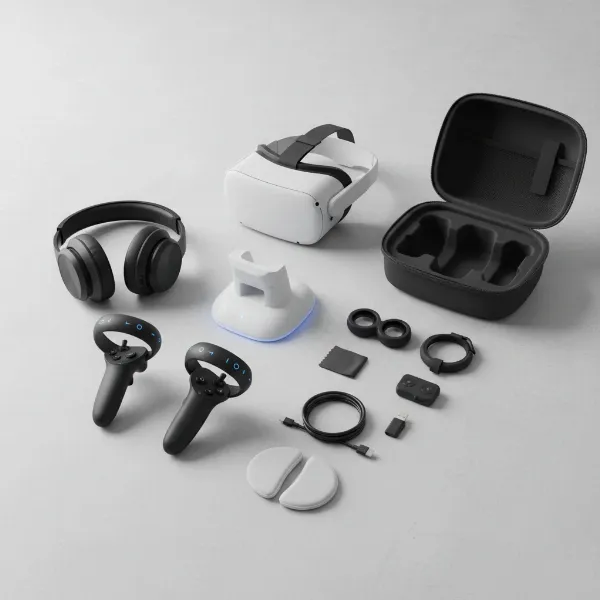
Enhancing your immersive experience often involves investing in complementary accessories that can improve audio, control, and overall usability.
- Audio Headphones: While many headsets include built-in speakers or integrated audio, a good pair of over-ear headphones can significantly elevate immersion. They block out external noise, deliver richer soundscapes, and provide a more private audio experience, which is crucial for deep immersion in VR games or clear communication in MR collaboration.
- Controllers: Most VR and MR systems come with their own controllers, but some users might explore third-party options for improved ergonomics, haptic feedback, or specific application needs. For PC VR, full-body tracking accessories can add another layer of immersion, allowing your avatar to mimic your full physical movements.
- Cables and Chargers: For tethered headsets, high-quality, long-reach USB-C or DisplayPort cables are essential for comfortable movement. Standalone headsets benefit from extended battery packs or charging docks, allowing for longer sessions without interruption and convenient storage.
- Facial Interfaces and Straps: Aftermarket facial interfaces made from different materials (e.g., silicone) can improve hygiene, comfort, and light blocking. Adjustable elite straps can provide better weight distribution and stability, making prolonged use more comfortable, especially for heavier devices.
Conclusion
Choosing between a VR headset and a mixed reality device ultimately comes down to your desired experience and practical applications. Virtual reality excels at delivering unparalleled immersion, transporting you completely into digital worlds for gaming, entertainment, and focused training. Mixed reality, on the other hand, empowers you to augment your existing environment, seamlessly blending virtual objects with your physical surroundings for collaboration, productivity, and innovative interaction.
Consider whether you seek pure escapism and deep digital immersion or if you need to integrate digital tools and information within your real-world context. By carefully evaluating factors such as resolution, field of view, tracking capabilities, comfort, and the available content ecosystem, you can confidently select the technology that best aligns with your goals. What kind of reality do you want to explore next?
Frequently Asked Questions
What is the primary difference between virtual reality and mixed reality?
Virtual reality fully immerses you in a simulated digital environment, blocking out the real world entirely, often for gaming or escapism. Mixed reality blends digital content with your real-world view, allowing virtual objects to appear and interact within your physical space, making it ideal for productivity and context-aware applications.
Can VR headsets also do mixed reality?
Some modern VR headsets, like the Meta Quest 3, feature advanced “passthrough” capabilities that allow you to see your real surroundings through cameras and overlay digital content. While this creates a mixed reality-like experience, dedicated MR devices often have more sophisticated environmental understanding and object interaction.
Is mixed reality the future of immersive technology?
Many experts believe mixed reality holds significant potential for the future of computing and interaction, offering a seamless integration of digital information into our daily lives. Its ability to enhance rather than replace reality makes it highly versatile for both consumer and enterprise applications.
Which is better for gaming, VR or MR?
For deep, fully immersive gaming experiences that transport you to entirely new worlds, traditional VR headsets are generally superior. While some MR devices may offer gaming, their strength lies more in augmenting real-world games or interactive experiences where the physical environment is part of the gameplay.
Are mixed reality devices more expensive than VR headsets?
Generally, high-end mixed reality devices designed for enterprise or advanced consumer use, such as the Apple Vision Pro or Microsoft HoloLens, tend to be significantly more expensive than most consumer-grade VR headsets due to the complex array of sensors and advanced processing required for seamless real-world integration.
What are common applications for mixed reality in the workplace?
In the workplace, mixed reality is used for remote assistance and collaboration, allowing experts to guide technicians remotely by drawing on their view. It’s also used for 3D design and prototyping, surgical planning, architectural visualization, and interactive training simulations that integrate with physical equipment.