Have you ever dreamed of stepping into another world, where the boundaries of reality melt away? Virtual Reality (VR) headsets are making this dream a reality, transforming how we game, learn, work, and connect. With an explosion of options available, choosing the right VR headset can feel like a daunting quest. This comprehensive guide is designed to cut through the complexity, helping you understand the technology, compare leading models, and select the perfect device to unlock your personal gateway to immersive digital realms.
VR Headsets: Overview and Benefits
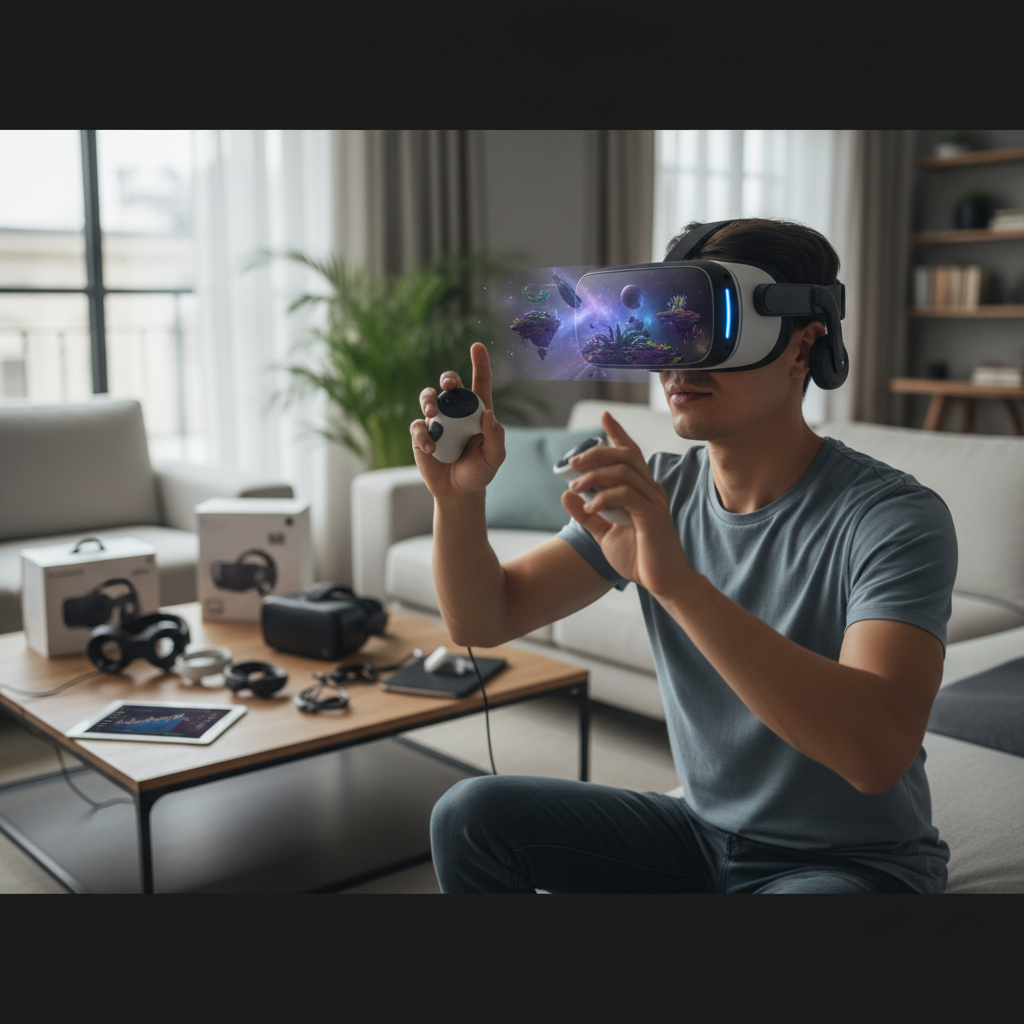
A VR headset is a device worn over the eyes, creating an immersive, three-dimensional virtual environment. By integrating high-resolution displays, advanced optics, and sophisticated tracking systems, these headsets trick your brain into believing you are present in a simulated space. The technology works by presenting slightly different images to each eye, generating a sense of depth and scale, while head-tracking sensors ensure the virtual world moves seamlessly with your physical head movements.
The applications of VR headsets span far beyond mere entertainment, though gaming remains a powerful driver. In education, VR offers interactive field trips to historical sites or detailed simulations for medical training. Professionals utilize VR for architectural visualization, product design, virtual meetings, and even therapeutic treatments. The benefits are profound: VR enhances user engagement, provides hands-on learning in risk-free environments, boosts productivity through virtual workspaces, and delivers unparalleled immersion that traditional screens simply cannot match.
Popular Types of VR Headsets
The VR landscape is diverse, primarily categorized into three main types, each offering distinct advantages and trade-offs in performance, portability, and cost. Understanding these categories is crucial for making an informed decision about your virtual reality journey.
Standalone VR Headsets
Standalone VR headsets are entirely self-contained, meaning they operate without needing a connection to a PC or gaming console. These devices feature built-in processors, displays, and batteries, offering unparalleled freedom of movement and ease of use. You simply charge them, put them on, and dive into virtual worlds anywhere you choose.
- Pros: Exceptional portability, quick and easy setup, untethered experience, generally more affordable entry point.
- Cons: Processing power is limited compared to PC-driven systems, resulting in simpler graphics and a more restricted library of graphically intensive games.
- Popular Models: Meta Quest 3, Meta Quest 2, Pico 4.
|
Our Picks for the Best VR headset in 2026
As an Amazon Associate I earn from qualifying purchases.
|
||
| Num | Product | Action |
|---|---|---|
| 1 | Meta Quest 2 128GB - Advanced All-in-One Virtual Reality Headset (Renewed) |

|
| 2 | HTC Vive Focus Vision — Mixed Reality and PC VR Headset + Controllers — Consumer Edition |
|
| 3 | HTC Vive XR Elite with Deluxe Pack — Mixed Reality and PC VR Headset + Controllers |
|
| 4 | DESTEK V5 VR Headset for Kids & Phone w/Controller & 100+ Apps, Anti-Blue Light HD Lenses, 110° FOV, Compatible with iPhone & Android, Ideal for Family Entertainment & Gifting - Black |
|
| 5 | Pimax Crystal Light VR Headset for PC, 2880x2880 per Eye, 8K QLED Display with Local-Dimming, Inside-Out Tracking, PC VR Headset for Flight Sims, iRacing & Gaming (Full Payment Version) |
|
| 6 | Meta Quest 3 512GB | VR Headset — Thirty Percent Sharper Resolution — 2X Graphical Processing Power — Virtual Reality Without Wires — Access to 40+ Games with a 3-Month Trial of Meta Horizon+ Included |
|
| 7 | Meta Quest Pro Headset with Virtual Reality Field Trips 1-Month Subscription |
|
| 8 | Meta Quest 3S 128GB | VR Headset — Thirty-Three Percent More Memory — 2X Graphical Processing Power — Virtual Reality Without Wires — Access to 40+ Games with a 3-Month Trial of Meta Horizon+ Included |
|
| 9 | TECKNET VR Headset for Phone with Bluetooth Controller, 4.7-7.2" VR Headsets with HD 110°FOV Anti-Blue Light Lenses & Adjustable Gears, 3D VR Headset for Kids Compatible iPhone Samsung Android |
|
| 10 | Meta Quest 3S 128GB | VR Headset — Thirty-Three Percent More Memory — Virtual Reality Without Wires — Access to 40+ Games with a 3-Month Trial of Meta Horizon+ Included (Renewed Premium) |
|
PC-Powered VR Headsets
For those seeking the pinnacle of visual fidelity and complex virtual experiences, PC-powered (or tethered) VR headsets are the ultimate choice. These devices connect to a high-end gaming PC, leveraging its superior processing power and graphics card to render incredibly detailed graphics and run the most demanding VR applications.
- Pros: Unmatched graphical quality, access to the widest and most graphically advanced VR game libraries (e.g., Half-Life: Alyx, flight simulators), higher refresh rates for ultra-smooth visuals.
- Cons: Requires a powerful and often expensive gaming PC, limited by a physical cable connecting to the PC (though wireless adapters exist), less portable, more complex setup involving external sensors.
- Popular Models: HTC Vive Pro 2, Valve Index, Pimax Crystal.
Console VR Headsets
Console VR headsets bridge the gap, offering a dedicated VR experience optimized for specific gaming consoles. Currently, the most prominent example is the PlayStation VR2 (PSVR2) for the PlayStation 5, which provides a high-quality, streamlined VR experience for console gamers.
- Pros: Seamless integration with a familiar gaming ecosystem, optimized performance for the console, impressive visuals and haptic feedback specific to the platform.
- Cons: Exclusivity to a single console, limiting content breadth, typically requires the latest console model, which can add to the overall cost.
- Popular Models: PlayStation VR2.
Comparing Top VR Headsets (2024)
The VR market is dynamic, with new innovations consistently pushing the boundaries of immersion. In 2024, several headsets stand out for their performance, features, and value. Here’s a comparison of some leading models to help you identify which might best suit your needs.
| Product | Resolution (per eye) | Refresh Rate (Hz) | Field of View (FOV) | Price (Approx.) | Pros | Cons | Overall Evaluation |
|---|---|---|---|---|---|---|---|
| Meta Quest 3 | 2064 x 2208 | 90 (120 experimental) | 110 degrees | $500 | Excellent mixed reality, powerful standalone, good value, vast content library. | More expensive than Quest 2. | A versatile choice for most users, offering a significant upgrade in graphics and mixed reality capabilities, suitable for both gaming and productivity without needing a PC. |
| Meta Quest 2 | 1832 x 1920 | 90 (120 experimental) | 90 degrees | $200 | Budget-friendly, good entry point, standalone, can connect to PC for PCVR. | Lower resolution than Quest 3, no real passthrough capabilities. | Remains a strong budget option for those new to VR, providing a high-quality experience and an extensive game library at an accessible price. |
| Apple Vision Pro | 3660 x 3200 | 90 (96/100 for video) | 100 degrees | $3500 | Unparalleled image quality, industry-leading passthrough and object permanence, productivity focus. | Extremely expensive, limited app library, comfort issues reported for long use. | Designed for spatial computing and productivity within the Apple ecosystem, offering a glimpse into the future of AR/VR, though at a premium price point and with a first-gen software experience. |
| Pico 4 | 2160 x 2160 | 90 | 105 degrees | $475 | Very comfortable, higher resolution than Quest 2, good standalone and tethered performance. | Smaller standalone game library, not officially sold in the US. | A comfortable and capable standalone headset offering a strong alternative to the Meta Quest 2, especially for users outside the US looking for improved hardware specifications. |
| HTC Vive Pro 2 | 2448 x 2448 | 120 | 120 degrees | $700 | Stunning display, wide FOV, superb PC VR experience, excellent tracking. | Requires a powerful gaming PC, high cost for full setup, tethered. | Ideal for PC VR enthusiasts demanding the highest visual fidelity and smooth gameplay, provided they have a high-end gaming rig to power it. |
“The Meta Quest 3 sets a new benchmark for standalone VR, blending accessibility with impressive mixed-reality features, truly redefining what a single headset can achieve.” – Dr. Alistair Finch, Lead VR Analyst at Virtual Horizons
Important Factors When Choosing a VR Headset (Buying Guide)
Selecting the ideal VR headset involves weighing several technical specifications and user experience elements against your personal needs and budget. Here’s a detailed look at the factors that truly matter.
Resolution and Refresh Rate
The clarity and smoothness of your virtual world depend heavily on these two factors. Resolution refers to the number of pixels on the display, usually expressed per eye (e.g., 2064 x 2208 pixels). Higher resolution means sharper images and text, reducing the “screen door effect” where the gaps between pixels become visible. Pixels Per Degree (PPD) offers a more accurate measure of image sharpness by considering pixel density relative to the field of view. Aim for at least 1080p resolution and a PPD of 20 or more for clear visuals.
The refresh rate measures how many times per second the headset’s display updates, expressed in Hertz (Hz). A higher refresh rate, such as 90Hz, 120Hz, or even 144Hz, results in smoother motion and significantly reduces the likelihood of motion sickness, making for a more comfortable and immersive experience. Generally, a minimum of 90Hz is recommended for a good VR experience.
Field of View (FOV)
The Field of View (FOV) dictates how much of the virtual environment you can see at any given moment, akin to your peripheral vision. A wider FOV, typically ranging from 100° to 120° in high-end headsets, creates a more expansive and natural viewing experience. A narrow FOV can feel like looking through binoculars, breaking immersion. A broader FOV is crucial for feeling truly present in the virtual world.
Tracking Technology
Accurate tracking is paramount for a convincing VR experience, translating your physical movements into the virtual space. There are two primary types:
- Inside-out tracking: Utilizes cameras or sensors built directly into the headset to monitor your position and controller movements relative to your surroundings. This offers easier setup and greater portability, as no external sensors are required. Meta Quest headsets are prime examples.
- Outside-in tracking: Relies on external sensors (base stations) placed in your physical play space that track the headset and controllers. While more complex to set up, outside-in tracking can offer superior precision and cover larger play areas, minimizing occlusion. The HTC Vive Pro 2 uses this method.
Ergonomics and Comfort
VR experiences can last for hours, so headset comfort is a critical, yet often overlooked, factor. Consider the headset’s weight distribution, the quality and breathability of its padding (especially around the face and forehead), and the adjustability of its straps. A well-designed headset will distribute weight evenly, reducing pressure points and preventing discomfort or fatigue during prolonged use. Look for adjustable straps and soft, replaceable facial interfaces.
Platform and Content Ecosystem
The headset itself is only part of the equation; the available content heavily influences your overall experience. Different VR platforms have distinct game libraries, applications, and exclusive titles. Research the ecosystem your chosen headset belongs to (e.g., Meta Quest Store, SteamVR, PlayStation Store, Pico Store) and ensure it offers the types of games and experiences you’re interested in. Compatibility with various platforms can also expand your content options.
Price and Budget
VR headset prices vary widely, from budget-friendly entry-level models to high-end professional devices. Set a realistic budget that accounts not only for the headset but also for any necessary accessories (like powerful gaming PCs for PC VR, or comfort upgrades). While cheaper options offer a taste of VR, investing a bit more can significantly enhance your experience with better visuals, performance, and comfort.
How to Use and Maintain Your VR Headset
To ensure a seamless and lasting VR journey, proper setup, safe usage, and diligent maintenance are essential. Treating your VR headset with care will prolong its lifespan and keep your virtual experiences crystal clear.
Initial Setup and Calibration
Most modern standalone VR headsets offer straightforward setup: simply power on, connect to Wi-Fi, and follow the on-screen instructions. Many will guide you through creating a “guardian system” or “play space boundary” – a virtual perimeter that warns you if you get too close to physical obstacles. For PC-powered headsets, setup involves installing software (like SteamVR), connecting cables, and calibrating external sensors if applicable. Always ensure your play area is clear of obstructions before starting any VR session.
Safe and Effective Use
Prioritize safety by ensuring adequate space for movement and wearing any included safety straps for controllers. Take regular breaks, especially during intense sessions, to prevent eye strain or motion sickness. If you experience discomfort, remove the headset and rest. Adjusting comfort settings and using a headset with a higher refresh rate can also help mitigate motion sickness. Keep the headset’s firmware and software updated for optimal performance and access to the latest features.
Care and Cleaning
Maintaining hygiene and optical clarity is crucial for your VR headset. Sweat, oils, and dust can degrade your experience and damage components over time.
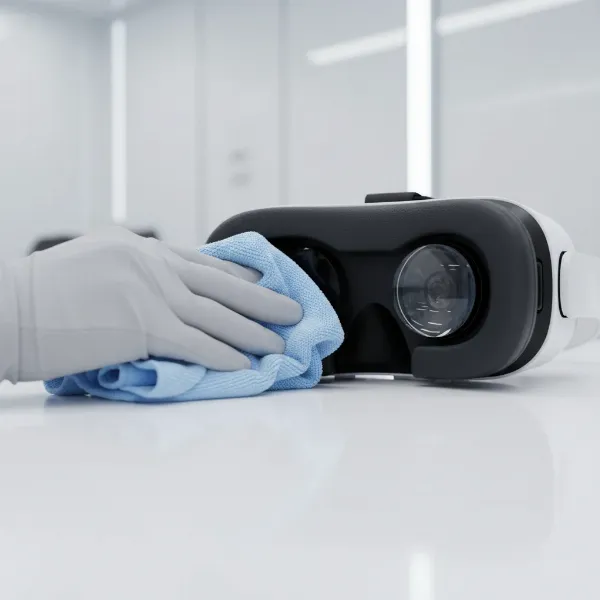
- Lenses: These are the most delicate part. Use a dry, clean microfiber cloth specifically designed for lenses to gently wipe away dust and smudges. For stubborn grime, a specialized lens cleaning solution (non-abrasive, alcohol-free) can be used sparingly with a microfiber cloth. Never use alcohol wipes, paper towels, or abrasive materials directly on the lenses, as they can cause permanent scratches or damage coatings. Compressed air can safely remove loose dust.
- Headset and Controllers (Plastic Parts): Wipe down hard plastic surfaces with a damp cloth or non-abrasive anti-bacterial wipes (e.g., Lysol wipes) after each use, especially if sharing the device. Ensure the surface remains wet for about 10 minutes for disinfection, then let it air dry completely before storage.
- Face Foam and Straps: These absorb the most sweat and grime. If removable, handwash fabric straps with mild soap and warm water, then air dry thoroughly. Rinse sponges with clean water but avoid soaking. For leather or PU leather facial interfaces, a simple wipe-down with a damp cloth is sufficient. Consider replacing face foam and straps every one to two years, or more frequently for heavy or shared use, as they can lose elasticity and accumulate bacteria.
Essential Accessories for Your VR Headset
While a VR headset provides the core experience, a range of accessories can significantly enhance comfort, immersion, and practicality. Investing in the right add-ons can transform a good VR session into an unforgettable one.
Enhanced Comfort
Long VR sessions can lead to discomfort, making comfort accessories invaluable. Premium facial interfaces made from materials like PU leather, memory foam, or velour offer a more comfortable, breathable, and hygienic fit than standard foam. Many are also sweat-resistant and easy to clean. Advanced head straps with rigid halo designs or integrated counterweights (often combined with battery packs) redistribute the headset’s weight, reducing pressure on your face and improving overall balance for extended play.
Improved Interaction
Beyond standard motion controllers, several accessories deepen your interaction with virtual worlds. Haptic feedback vests and suits use an array of actuators to translate in-game events into physical sensations, letting you feel impacts, vibrations, and movements. Knuckle-style controller straps secure controllers to your hands, allowing you to open your palms naturally without dropping them, enhancing hand presence and realism. For advanced users, proprioceptive foot and hand trackers enable full-body tracking, allowing your avatar to mirror your entire physical movement, from dancing to kicking.
Safety and Maintenance
Protecting your investment and ensuring a safe play environment are paramount. Cable management systems, such as retractable pulleys mounted on the ceiling, keep PC VR cables out of your way, preventing tangles and trip hazards. VR mats or play area rugs provide a tactile boundary on the floor, allowing you to feel your position in the physical space without having to look down at chaperone lines. Lens protection comes in the form of plastic spacers (for glasses wearers) or custom prescription lens inserts that magnetically attach, eliminating the need for glasses inside the headset and preventing scratches. Lastly, lens cleaning kits with microfiber cloths and safe cleaning solutions are essential for maintaining optical clarity, while hard shell cases and active drying stands protect your headset from dust, sunlight, and damage during storage.
Extended Play and Audio Immersion
For standalone and wireless PC VR headsets, extended battery packs or power banks are crucial, significantly increasing playtime and preventing sessions from being cut short. A robust wireless adapter kit for PC VR can liberate you from the tether, transmitting video and audio with minimal latency for true untethered freedom. Finally, VR-compatible headphones offer superior sound quality, noise isolation, and directional audio, immersing you deeper into the virtual soundscape and enhancing situational awareness in games.
Conclusion
The journey into virtual reality is a deeply personal and evolving one. Choosing the right VR headset means carefully considering the type of experience you seek, whether it’s the untethered freedom of a standalone device, the cutting-edge graphics of a PC-powered system, or the streamlined console experience. Factors like resolution, refresh rate, comfort, and content library are vital, alongside investing in essential accessories that enhance immersion and longevity. By understanding these elements, you can confidently select a VR headset that perfectly aligns with your needs and budget. The metaverse is calling, and your perfect gateway awaits. What incredible new worlds will you explore first?
Frequently Asked Questions
What is the difference between PC VR and standalone VR?
PC VR headsets connect to a powerful computer to render high-fidelity graphics and complex experiences, while standalone VR headsets have built-in processors, offering portability and ease of use without external hardware, typically with more limited graphical capabilities.
What is FOV in VR?
FOV, or Field of View, refers to the angular extent of the virtual world visible through the VR headset at any given moment. A wider FOV provides a more immersive and natural viewing experience, making you feel more present in the virtual environment.
Why is refresh rate important for VR?
The refresh rate measures how many times per second the headset’s display updates. A higher refresh rate (e.g., 90Hz or 120Hz) is crucial for smooth visuals, reducing motion blur, and minimizing motion sickness, leading to a more comfortable and believable VR experience.
How often should I clean my VR headset?
You should clean your VR headset, especially the facial interface and controllers, after each use, particularly if shared. Lenses should be gently wiped with a microfiber cloth as needed, and straps or removable foam pads can be hand-washed periodically.
Can I use my glasses with a VR headset?
Many VR headsets are designed to accommodate glasses, but compatibility varies. For optimal comfort and to prevent scratching both your glasses and the headset lenses, consider using plastic lens spacers or investing in custom-made prescription lens inserts.