Step into worlds beyond imagination, where every movement matters and every vista takes your breath away. Virtual Reality (VR) gaming has evolved from a niche curiosity into a powerful medium, offering experiences that transcend traditional screens and immerse you deeply within digital realms. Yet, with a burgeoning market of VR headsets, choosing the perfect device for truly immersive gaming can feel overwhelming. This guide cuts through the noise, providing the insights and comparisons you need to select a VR headset that delivers unparalleled immersion and elevates your gaming adventures.
VR Headset: Overview and Benefits
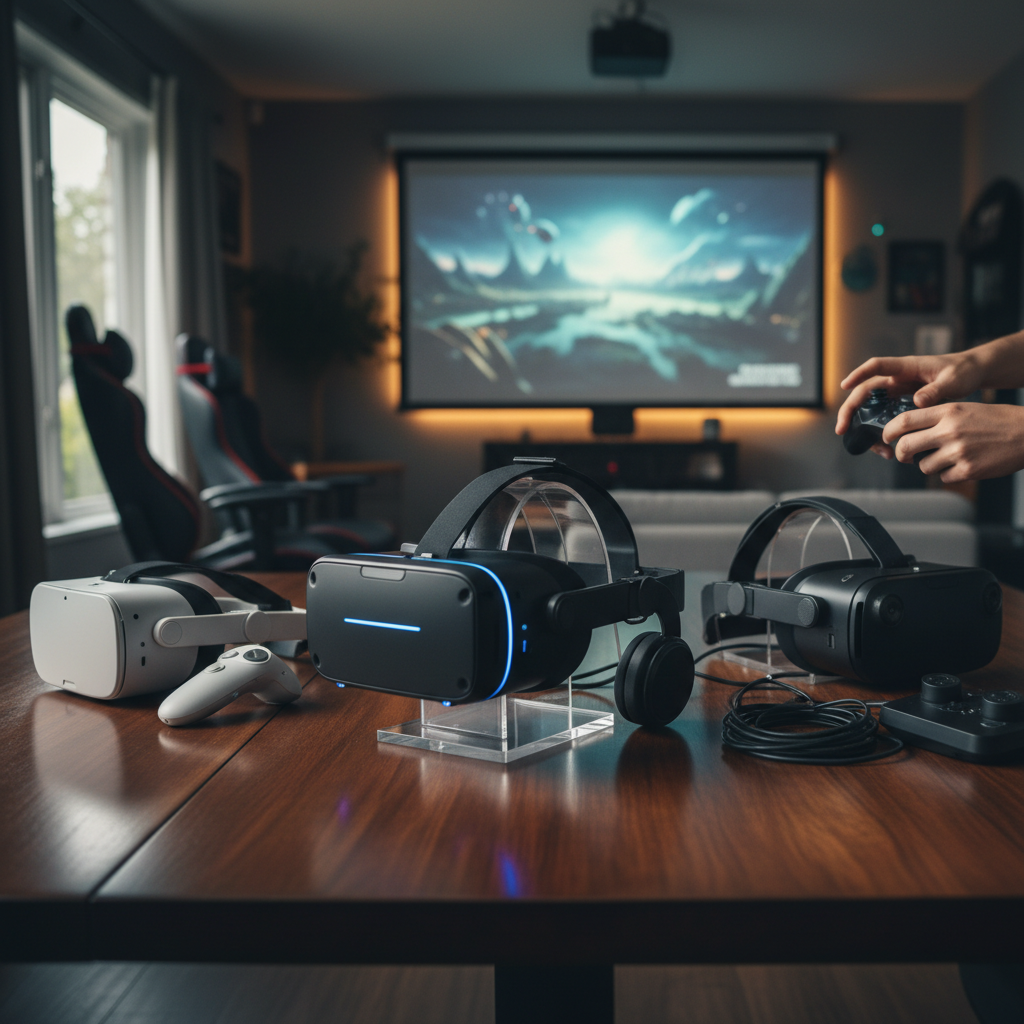
A VR headset is a wearable device that provides an immersive virtual experience by delivering digital content directly to your eyes and ears, often coupled with motion tracking to sense your head and body movements. It typically consists of a stereoscopic display (one screen per eye), lenses that focus and magnify the image, and sensors that track your position and orientation in a physical space. This technology effectively tricks your brain into believing it’s present within a virtual environment.
While VR headsets are finding applications in diverse fields like education, healthcare, and professional training, their most prominent and exciting use case remains gaming. For gamers, VR transforms traditional play into active participation, allowing you to inhabit the role of your character, interact with virtual objects, and explore breathtaking landscapes as if you were truly there. The benefits extend beyond novelty; VR gaming enhances engagement, offers unique gameplay mechanics, and deepens emotional connections to virtual narratives, providing an unparalleled sense of presence and immersion.
Popular Types of VR Headsets Today
The VR headset market offers distinct categories, each with its own advantages, catering to different user needs and budgets. Understanding these types is crucial for making an informed decision.
Standalone VR Headsets
Standalone VR headsets are self-contained units that do not require a PC, console, or external sensors to operate. They feature built-in processors, storage, and batteries, offering unmatched portability and ease of use.
- Pros: Highly portable, quick setup, no cables to trip over, often more affordable entry points.
- Cons: Generally less graphical power than PC-powered options, smaller game libraries compared to SteamVR or PlayStation.
- Popular Models: The Meta Quest 3 stands out as a leading standalone option, offering a compelling blend of affordability and cutting-edge technology with improved processing power and higher-resolution displays. Its predecessor, the Meta Quest 2, remains an excellent budget-friendly choice, providing a quality VR experience with an extensive game library. The HTC Vive XR Elite also offers a standalone, portable experience known for its comfort and lightweight design.
|
Our Picks for the Best VR headset in 2026
As an Amazon Associate I earn from qualifying purchases.
|
||
| Num | Product | Action |
|---|---|---|
| 1 | HTC Vive Focus Vision — Mixed Reality and PC VR Headset + Controllers — Consumer Edition |

|
| 2 | Pimax Crystal Light VR Headset for PC, 2880x2880 per Eye, 8K QLED Display with Local-Dimming, Inside-Out Tracking, PC VR Headset for Flight Sims, iRacing & Gaming (Full Payment Version) |
|
| 3 | Meta Quest 3 512GB | VR Headset — Thirty Percent Sharper Resolution — 2X Graphical Processing Power — Virtual Reality Without Wires — Access to 40+ Games with a 3-Month Trial of Meta Horizon+ Included |
|
| 4 | DESTEK V5 VR Headset for Kids & Phone w/Controller & 100+ Apps, Anti-Blue Light HD Lenses, 110° FOV, Compatible with iPhone & Android, Ideal for Family Entertainment & Gifting - Black |
|
| 5 | Meta Quest 3S 128GB | VR Headset — Thirty-Three Percent More Memory — 2X Graphical Processing Power — Virtual Reality Without Wires — Access to 40+ Games with a 3-Month Trial of Meta Horizon+ Included |
|
| 6 | HTC Vive XR Elite with Deluxe Pack — Mixed Reality and PC VR Headset + Controllers |
|
| 7 | Meta Quest 3S 128GB | VR Headset — Thirty-Three Percent More Memory — Virtual Reality Without Wires — Access to 40+ Games with a 3-Month Trial of Meta Horizon+ Included (Renewed Premium) |
|
| 8 | Meta Quest 2 128GB - Advanced All-in-One Virtual Reality Headset (Renewed) |
|
| 9 | TECKNET VR Headset for Phone with Bluetooth Controller, 4.7-7.2" VR Headsets with HD 110°FOV Anti-Blue Light Lenses & Adjustable Gears, 3D VR Headset for Kids Compatible iPhone Samsung Android |
|
| 10 | Meta Quest Pro Headset with Virtual Reality Field Trips 1-Month Subscription |
|
PC-Powered VR Headsets
PC-powered VR headsets connect to a high-end gaming computer, leveraging its processing power to deliver superior graphics, higher refresh rates, and a wider field of view. These systems often utilize external base stations for precise room-scale tracking.
- Pros: Best-in-class visual fidelity and performance, access to vast SteamVR libraries, high refresh rates for smooth experiences, often more precise tracking.
- Cons: Requires a powerful and often expensive gaming PC, tethered experience with cables (though wireless adapters exist), typically higher overall cost.
- Popular Models: The Valve Index VR Kit is a top choice for enthusiasts, known for its stunning visuals, industry-leading refresh rate, and innovative finger-tracking controllers. For those prioritizing visual clarity, the Pimax Vision 8K Plus boasts an impressive 8K resolution and a wide field of view, though it demands a robust PC. The Bigscreen Beyond offers a high-end, extremely lightweight option with excellent per-eye resolution, targeting users who want the ultimate visual immersion from their PC. The HP Reverb G2 is another strong contender for sharp visuals, also requiring a powerful PC.
Console-Powered VR Headsets
Designed exclusively for specific gaming consoles, these headsets offer a streamlined, optimized experience within a dedicated ecosystem.
- Pros: Seamless integration with the console, exclusive game titles, optimized performance for the console’s hardware.
- Cons: Limited to a single console platform, less versatile than standalone or PC VR.
- Popular Models: The PlayStation VR2 (PS VR2) is the premier console-powered VR headset, taking full advantage of the PlayStation 5’s capabilities. It features 4K HDR visuals, a wide field of view, and advanced haptic feedback, along with a growing library of exclusive titles, setting the standard for console-based VR gaming.
Comparing Top VR Headsets
Choosing the ideal VR headset involves weighing various specifications against your budget and desired experience. Here’s a comparison of some of the leading models for immersive gaming:
| Product | Type | Resolution (per eye) | Refresh Rate (Hz) | Field of View (approx.) | Price (USD) | Pros | Cons |
|---|---|---|---|---|---|---|---|
| Meta Quest 3 | Standalone | Approx. 2064×2208 | 90/120 | 110 degrees | $499 | Excellent standalone performance, mixed reality, comfortable, wide game library, backward compatible | Head strap could be better, battery life similar to Quest 2 |
| Meta Quest 2 | Standalone | 1832×1920 | 90/120 | 90 degrees | $199 | Best value, easy setup, portable, extensive standalone library | Older optics, slightly less powerful than Quest 3 |
| PlayStation VR2 | Console (PS5) | 2000×2040 | 99/120 | 110 degrees | $549 | 4K HDR, eye tracking, advanced haptics, exclusive PS5 titles, strong visuals | PS5 exclusive, higher price point, limited portability |
| Valve Index VR Kit | PC-Powered | 1440×1600 | 80/90/120/144 | 130 degrees | $999 | Industry-leading refresh rate, wide FoV, precise tracking, finger-tracking controllers, SteamVR | Expensive, requires powerful PC, wired |
| Pimax Vision 8K Plus | PC-Powered | 3840×2160 | 90/110/120 | 170-200 degrees | $899-999 | Unparalleled 8K resolution, exceptionally wide FoV, great visual clarity | Demands very robust PC, potentially complex setup, heavier |
| Bigscreen Beyond | PC-Powered | 2560×2560 | 75/90 | 93-100 degrees | $1000+ | Ultra-lightweight, custom fit, high pixel density, excellent comfort | Very expensive (headset only), requires external tracking and PC, lower FoV than some high-end |
“The Meta Quest 3 strikes an impressive balance, delivering robust standalone performance and mixed reality features that make it accessible for most gamers, while still offering a pathway to PC VR.” – Alex Chen, VR Gaming Reviewer
Key Factors When Choosing a VR Headset (Buying Guide)
Selecting the best VR headset for immersive gaming involves considering several technical specifications and user experience factors.
Resolution and Refresh Rate
These two factors significantly impact visual fidelity and comfort.
- Resolution refers to the number of pixels displayed per eye. Higher resolution results in sharper images, reduced “screen door effect” (where you can see the individual pixels), and finer details, which is crucial for immersion.
- Refresh Rate is how many times per second the image on the screen is updated (measured in Hertz). A higher refresh rate (e.g., 90Hz, 120Hz, or even 144Hz) provides smoother motion and reduces motion sickness, making for a much more comfortable and fluid gaming experience. Aim for at least 90Hz for serious gaming.
Field of View (FoV)
Field of view (FoV) is the extent of the observable world seen at any given moment. A wider FoV makes the virtual world feel larger and more encompassing, reducing the feeling of looking through binoculars and increasing immersion. Headsets like the Pimax Vision 8K Plus are renowned for their exceptionally wide FoV, which can make a significant difference in panoramic virtual environments.
Tracking
Tracking technology determines how your movements are translated into the virtual world.
- Inside-out tracking (e.g., Meta Quest headsets) uses cameras on the headset itself to map your environment and track controllers. It’s easy to set up and offers great freedom of movement without external sensors.
- Outside-in tracking (e.g., Valve Index) uses external base stations placed in your room to track the headset and controllers. This often provides more precise and robust tracking, especially for large play areas or fast movements, but requires more setup.
Ergonomics and Comfort
You’ll be wearing this device for extended gaming sessions, so comfort is paramount. Consider:
- Weight distribution: A balanced headset prevents strain on your neck and face.
- Strap design: Adjustable straps and headrests can significantly improve comfort.
- Face gasket material: Breathable and easily replaceable materials are preferable.
- IPD adjustment: Interpupillary distance (IPD) adjustment, which aligns the lenses with your eye spacing, is vital for clear vision and comfort.
- Glasses compatibility: If you wear glasses, check if the headset accommodates them comfortably or if prescription lens inserts are available.
Platform and Content
The headset you choose dictates the ecosystem you’ll access.
- Standalone headsets have their own curated app stores (like Meta Quest Store).
- PC-powered headsets primarily use SteamVR, offering the largest and most diverse library of games.
- Console-powered headsets (e.g., PS VR2) have their dedicated storefronts with exclusive titles.
Evaluate the content libraries and ensure your desired games are available on your chosen platform.
Price
VR headsets range widely in price, from budget-friendly standalone units to premium PC-powered systems.
- Entry-level (Under $300): Often standalone, great for beginners (e.g., Meta Quest 2).
- Mid-range ($300-$600): Strong standalone options or console-specific (e.g., Meta Quest 3, PlayStation VR2).
- High-end ($700+): Typically PC-powered, offering cutting-edge performance (e.g., Valve Index, Bigscreen Beyond).
Factor in not just the headset cost, but also potential costs for a powerful PC, accessories, and games.
How to Use and Maintain Your VR Headset
To maximize your immersive gaming experience and ensure the longevity of your VR headset, proper setup, usage, and maintenance are essential.
Setup and Configuration
Most modern VR headsets are designed for relatively straightforward setup.
- Clear your play space: Ensure you have enough room for safe movement, free of obstacles.
- Charge or connect: For standalone headsets, ensure they’re fully charged. For PC-powered, connect all necessary cables to your PC and power outlets.
- Software installation: Install the required companion software (e.g., Meta Quest App, SteamVR, PlayStation VR app) on your phone or PC.
- Pair controllers: Follow on-screen prompts to pair your motion controllers.
- Room setup: Calibrate your play boundary and floor height within the VR software. This is crucial for safe room-scale experiences.
- IPD adjustment: Adjust the interpupillary distance until the image is clear and comfortable for both eyes.
Safe and Effective Use
- Take breaks: VR can be intense. Take regular breaks (10-15 minutes every hour) to prevent eye strain or motion sickness.
- Stay hydrated: Especially during active gaming sessions.
- Be aware of surroundings: Even with boundary systems, it’s wise to remain aware of your physical environment, especially if playing near walls or furniture.
- Adjust straps for comfort: Don’t overtighten, but ensure the headset is secure.
Maintenance Tips
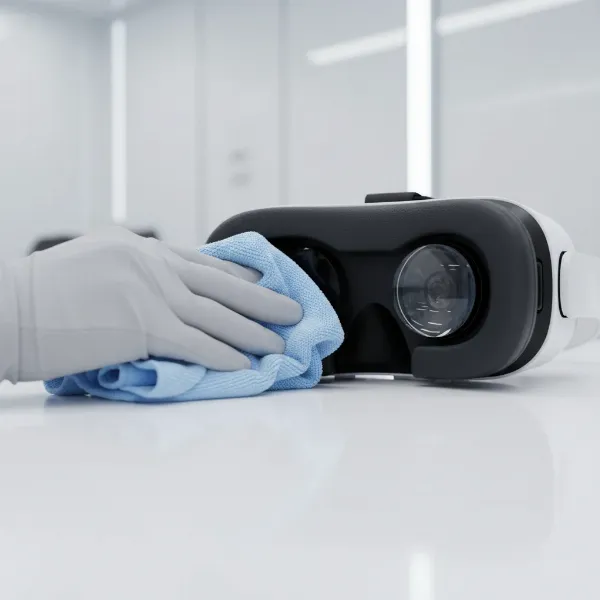
- Clean lenses carefully: Use a microfiber cloth specifically designed for optics. Never use abrasive materials or harsh chemicals, which can scratch or damage the lenses.
- Wipe down facial interfaces: Use a damp, soft cloth to clean the foam or silicone interface after use, especially if sharing the headset, to prevent sweat and oils build-up.
- Store properly: Keep your headset out of direct sunlight, which can damage the lenses and internal displays. Store it in a cool, dry place, ideally in a protective case.
- Keep software updated: Regularly update your headset’s firmware and associated software for optimal performance and new features.
Useful Accessories for VR Headsets
While a VR headset alone offers a fantastic experience, certain accessories can significantly enhance your immersion, comfort, and functionality.
- Headphones: Integrated audio is common, but a good pair of over-ear headphones can provide superior sound quality, deeper bass, and better spatial audio, pulling you further into the game world. Consider comfortable headphones that don’t interfere with the headset’s fit.
- Elite Straps and Comfort Upgrades: Many headsets, particularly standalone ones, can benefit from upgraded head straps. Accessories like the Meta Quest Elite Strap improve weight distribution and comfort, allowing for longer, more enjoyable gaming sessions. Third-party facial interfaces made from breathable materials can also enhance comfort and hygiene.
- External Battery Packs: For standalone headsets, an external battery pack can significantly extend playtime, allowing for marathon gaming sessions without interruption. Many even integrate into the head strap for balanced weight.
- Controller Grips and Covers: Silicone grips or covers for your controllers can improve ergonomics, provide better tactile feel, and protect them from sweat and accidental drops during intense gameplay.
- Link Cables (for Standalone VR): While standalone headsets are wireless, a high-quality USB-C link cable allows them to connect to a gaming PC, transforming them into PC VR headsets and granting access to the vast SteamVR library.
Conclusion
Choosing the best VR headset for immersive gaming sessions boils down to a balance of desired performance, budget, and convenience. Whether you prioritize the untethered freedom of a standalone device like the Meta Quest 3, the cutting-edge visual fidelity of a PC-powered system such as the Valve Index or Pimax Vision 8K Plus, or the exclusive titles of the PlayStation VR2, there’s a perfect headset waiting to transport you to incredible virtual worlds. By considering factors like resolution, refresh rate, field of view, and comfort, you can make an informed decision that will profoundly enhance your gaming experience. Are you ready to dive headfirst into the next generation of interactive entertainment?
Câu Hỏi Thường Gặp
What is the primary difference between standalone and PC-powered VR headsets?
Standalone VR headsets are all-in-one devices with built-in processors and batteries, offering portability without needing a computer. PC-powered headsets connect to a high-end gaming PC, leveraging its superior processing power for enhanced graphics and performance, but require a tethered connection.
How important is the refresh rate for VR gaming?
The refresh rate is very important for VR gaming as it dictates how smoothly images appear. A higher refresh rate (e.g., 90Hz or more) provides a more fluid and comfortable visual experience, significantly reducing motion sickness and improving overall immersion during fast-paced gameplay.
Can I play PC VR games on a Meta Quest 3?
Yes, you can play PC VR games on a Meta Quest 3. While it is primarily a standalone headset, you can connect it to a gaming PC via a USB-C cable (using Meta Link) or wirelessly (using Air Link or third-party solutions like Virtual Desktop) to access PC VR titles from platforms like SteamVR.
What is the “screen door effect” and how can I avoid it?
The “screen door effect” is when you can see the tiny lines or gaps between pixels on the display, making it look like you’re viewing the world through a screen door. It’s common in lower-resolution VR headsets. To avoid it, opt for headsets with higher resolutions and pixel densities, such as the Meta Quest 3 or Pimax Vision 8K Plus.
Are VR headsets comfortable for people who wear glasses?
Many modern VR headsets are designed with glasses wearers in mind, offering adjustable straps and sometimes even spacers to create more room. However, comfort can vary. Some users prefer prescription lens inserts that magnetically attach to the headset lenses, eliminating the need to wear glasses inside the headset.