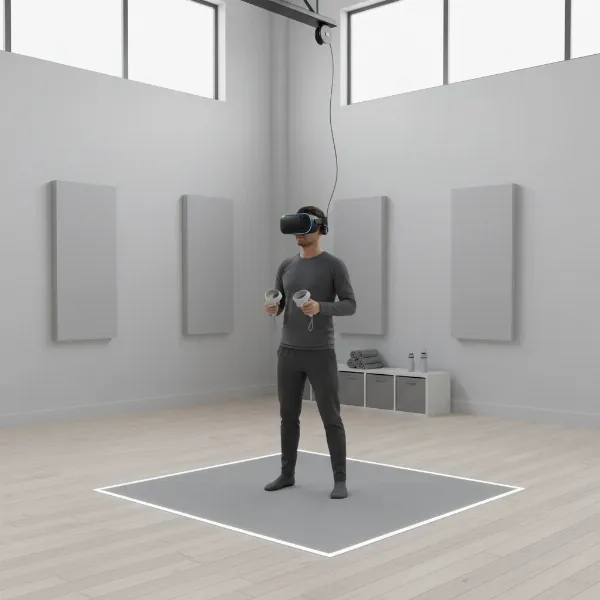
Stepping into the world of immersive technologies can feel like navigating a maze of futuristic jargon and rapidly evolving devices. Are you seeking to completely escape into a new digital realm, or would you prefer to enhance your immediate surroundings with intelligent digital overlays? The choice between a VR headset and augmented reality (AR) often hinges on this fundamental question, shaping vastly different experiences and applications. As an admin with over a decade of experience in virtual reality, I understand the nuances that differentiate these powerful technologies. This article will demystify VR and AR, exploring their core functionalities, popular devices, and crucial factors to consider, helping you make an informed decision tailored to your needs and budget.

VR Headsets: An Overview and Their Benefits
Virtual Reality (VR) headsets offer a profound escape, transporting users into entirely simulated, three-dimensional digital environments. Unlike traditional screens, VR completely envelops your field of vision, making you feel physically present within the virtual world. This immersion is achieved through specialized headsets that contain lenses and screens, often coupled with motion tracking sensors that respond to your head and body movements, creating a deeply interactive experience. Whether you turn your head to gaze at a virtual horizon or reach out to manipulate digital objects with hand controllers, the system adjusts the display in real-time to maintain the illusion of presence.
The applications of VR headsets span a wide array of fields, moving far beyond mere entertainment. In gaming, VR provides unparalleled immersion, allowing players to step directly into fantasy worlds or high-octane action. For education, VR offers virtual field trips to historical sites, realistic science labs, or complex anatomical explorations, enhancing learning through experiential engagement. Professionals utilize VR for training simulations in high-risk environments, such as surgical procedures, pilot training, or industrial safety protocols, enabling practice without real-world consequences. Architects and designers use VR to visualize and walk through models of buildings or products before physical construction, refining designs with realistic perspectives. The primary benefit of VR lies in its ability to create a controlled, distraction-free “laboratory” for experience, offering enhanced interaction, effective learning, and the expansion of possibilities in both work and play.
Popular Types of VR Headsets Today
The VR landscape is diverse, offering various headset types designed to cater to different needs and budgets, each with distinct advantages and limitations.
Standalone VR Headsets: These devices are self-contained, meaning they operate without needing to be tethered to a powerful computer or console. They house all necessary components—processor, storage, display, and battery—directly within the headset.
- Pros: Exceptional portability, ease of setup, and freedom of movement without restrictive cables. They are generally more affordable and accessible for a broader audience.
- Cons: Often have less graphical processing power compared to PC-tethered options, which can result in lower visual fidelity for highly demanding applications.
- Popular Models (2024): The Meta Quest 3 stands out as a leading standalone headset, praised for its improved resolution, processing power, and robust mixed-reality capabilities. The Meta Quest 2 remains a strong budget-friendly option, offering great value for its price.
PC-Powered VR Headsets: These headsets connect to a high-end gaming PC via a cable, leveraging the computer’s superior processing power to deliver high-fidelity graphics and complex simulations.
- Pros: Offer the highest possible visual quality, refresh rates, and the most expansive content libraries with graphically intensive games and applications.
- Cons: Require a powerful and often expensive gaming PC, limit mobility due to the tethering cable (though wireless adapters exist for some), and are generally more costly overall.
- Popular Models (2024): The Valve Index VR Kit is a top choice for PC VR enthusiasts, known for its wide field of view and precise tracking. The HTC Vive Pro 2 also offers excellent image quality and comfort, targeting users who prioritize a premium PC VR experience.
Console-Powered VR Headsets: Similar to PC-powered VR, these headsets connect to a specific gaming console to run VR experiences.
- Pros: Optimized for specific console ecosystems, providing a streamlined user experience and access to exclusive titles.
- Cons: Limited to a single console, often less powerful than high-end PC VR, and typically tethered, restricting movement.
- Popular Models (2024): The PlayStation VR2 (PSVR2) is designed specifically for the PlayStation 5, offering impressive visuals and haptic feedback for an immersive gaming experience.
Augmented Reality: An Overview and Its Benefits
Augmented Reality (AR) distinguishes itself by enhancing the real world rather than replacing it. Instead of immersing users in a completely virtual environment, AR overlays digital information, such as images, videos, sounds, or 3D models, directly onto your view of the physical world in real-time. This technology blends the digital with the physical, allowing users to interact with computer-generated elements while remaining fully aware of their actual surroundings. AR can be experienced through various devices, including smartphones, tablets, and specialized smart glasses or headsets.
The core benefit of AR lies in its ability to provide contextual information and enhance real-world tasks. Imagine navigating a new city with digital arrows projected onto the street in front of you, or trying on virtual furniture in your living room before making a purchase. In healthcare, AR can assist surgeons by overlaying patient data during operations or provide remote assistance for complex procedures. For industrial workers, AR glasses can display step-by-step assembly instructions or diagnostic data directly onto machinery, boosting efficiency and reducing errors. AR fosters a more informed and interactive engagement with the physical world, offering practical advantages in sectors like retail, education, field service, and navigation.
Comparing VR Headsets and Augmented Reality Devices
While both VR and AR fall under the umbrella of immersive technologies, their fundamental approaches and primary goals differ significantly. Understanding these distinctions is crucial for selecting the right technology for your specific needs.
| Aspect | Virtual Reality (VR) | Augmented Reality (AR) |
|---|---|---|
| Environment | Fully virtual, computer-generated world | Real-world enhanced with digital overlays |
| Immersion Level | High; user is completely isolated from physical surroundings | Low to Medium; user remains connected to the physical world |
| Primary Goal | Escapism, deep simulation, creating new realities | Enhancing reality, providing contextual information |
| Typical Devices | Headsets (e.g., Meta Quest 3, PSVR2, Valve Index) | Smartphones, tablets, smart glasses (e.g., XREAL Air, Apple Vision Pro, HoloLens) |
| Interaction | Interact with virtual objects and environments | Interact with digital overlays and real-world objects |
| Mobility | Can be restricted by cables (PC VR), standalone offers freedom | Highly mobile (smartphones, lightweight glasses) |
| Key Applications | Gaming, training simulations, virtual tourism, design review, entertainment | Navigation, retail (try-before-you-buy), maintenance, education, remote assistance, interactive marketing |
| Accessibility | Requires dedicated headset, sometimes powerful PC | Often accessible via smartphones, increasingly via smart glasses |
| Potential Drawbacks | Motion sickness, high cost for high-end systems, isolation | Limited immersion, potential for visual distraction, battery life concerns |
VR excels when the objective is total immersion and a distraction-free environment for training or entertainment. AR, on the other hand, thrives in scenarios where understanding and interacting with the real world is paramount, with digital enhancements serving to augment reality rather than replace it.
Key Factors When Choosing Between VR and AR
Selecting the right immersive technology involves more than just comparing technical specifications; it requires a deep understanding of your intended use case, budget, and desired user experience.
1. Primary Goal and Context: This is the most critical factor. Ask yourself: Is the physical environment a distraction or an asset to the experience?
- Choose VR if your goal is deep focus, complete escapism, or simulating environments that are impossible, dangerous, or impractical to visit physically (e.g., surgical training, exploring distant galaxies).
- Choose AR if the experience’s value is derived from interacting with or understanding the real world (e.g., technicians repairing an engine need to see the actual engine, not a virtual one).
2. Desired Level of Immersion: VR provides total immersion, cutting you off from your surroundings. AR maintains your connection to the real world, overlaying digital content. Your choice impacts how deeply users engage and whether they need to remain aware of their physical environment.
3. Device Accessibility and Cost:
- AR is often more accessible as it can leverage existing smartphones and tablets, making it a more budget-friendly entry point. Dedicated AR glasses are emerging but can still be costly.
- VR typically requires a dedicated headset, which can range from affordable standalone options to expensive PC-tethered systems requiring additional high-end computer hardware.
4. Content Ecosystem and Platform Compatibility: Consider the availability of applications, games, or educational content for your chosen device. Some VR headsets are tied to specific ecosystems (e.g., PlayStation VR2 to PS5), while standalone VR and smartphone AR offer broader content libraries. Ensure the platform supports your specific needs.
5. Ergonomics and Comfort: Prolonged use of any headset requires comfort. Factors like weight distribution, padding, adjustability, and even prescription lens inserts can significantly impact the user experience. VR headsets, being larger and heavier, often prioritize secure fit and weight balance, while AR glasses aim for a more discreet, everyday eyewear feel.
6. Technical Specifications (Resolution, Refresh Rate, Field of View, Tracking):
- Resolution and Refresh Rate: Higher resolution leads to clearer visuals, reducing the “screen door effect.” A higher refresh rate (e.g., 90Hz-120Hz) creates smoother motion, which is crucial for comfort and reducing motion sickness in VR.
- Field of View (FOV): A wider FOV means a more expansive visual experience, making the virtual or augmented world feel more natural and less like looking through binoculars.
- Tracking: Accurate head, hand, and body tracking is vital for seamless interaction. VR typically uses inside-out (cameras on the headset) or outside-in (external sensors) tracking. AR uses spatial tracking to accurately anchor digital content to the real world.
Ultimately, the optimal choice depends on whether you seek a transformative escape or an enhanced reality.
Using and Maintaining Your VR/AR Devices
Proper usage and maintenance are essential to maximize the lifespan and ensure the best experience from your VR or AR device.
Installation and Setup:
- VR Headsets: For standalone units like the Meta Quest 3, setup is usually straightforward: charge, connect to Wi-Fi, and follow on-screen instructions. PC-powered VR systems require installing software and drivers on your computer, along with setting up external sensors if applicable. Always ensure adequate clear space for movement to prevent accidents.
- AR Devices: Smartphone-based AR only requires downloading an app. Smart glasses like XREAL Air often connect via a cable to a smartphone or computer, with minimal setup. More advanced AR headsets like the Apple Vision Pro involve calibrating for your eyes and environment.
Safe and Effective Use:
- Take regular breaks: To prevent eye strain, motion sickness, or fatigue, especially with VR, take 10-15 minute breaks every hour.
- Clear your play space: Before using VR, ensure your physical environment is clear of obstacles. Use guardian systems or virtual boundaries to stay safe.
- Adjust for comfort: Properly adjust straps and interpupillary distance (IPD) settings to ensure a clear image and comfortable fit.
- Mind your surroundings (AR): While AR keeps you connected to reality, be mindful of distractions or potential hazards, especially if you are using devices in public.
Maintenance Tips:
- Clean lenses carefully: Use a microfiber cloth specifically designed for optics. Never use harsh chemicals or abrasive materials, as they can scratch delicate lenses. Breathe gently on the lenses to create condensation before wiping if needed.
- Keep sensors clean: Dirt or smudges on external cameras and sensors can impair tracking performance. Use a clean, dry cloth to gently wipe them.
- Store properly: Store your headset in a cool, dry place away from direct sunlight, which can damage lenses and screens. Many devices come with protective cases; use them to prevent dust and scratches.
- Manage battery life: For standalone devices, avoid fully discharging the battery frequently, as this can reduce its overall lifespan.
Essential Accessories for VR/AR Experiences
Enhancing your VR and AR journey often involves a few key accessories that can significantly improve comfort, audio, interaction, and longevity.
1. Audio Solutions (Headphones/Earbuds): While many VR headsets have built-in audio, dedicated headphones or earbuds can dramatically improve the immersive experience. High-quality audio is crucial for positional sound cues in games and for clear communication in social or professional VR/AR environments. Choosing comfortable, lightweight options that don’t interfere with the headset’s fit is key.
2. Controllers and Input Devices:
- VR Controllers: Most VR systems come with motion controllers that allow for intuitive hand tracking and interaction with virtual objects. Consider additional or upgraded controllers for specific games or applications that benefit from different input methods.
- AR Input: For AR smart glasses, gesture control, voice commands, or even smartphone-based input are common.
- Haptic Feedback: Advanced controllers with haptic feedback can provide realistic sensations, making interactions feel more tangible, whether it’s the recoil of a virtual weapon or the texture of a digital object.
3. Comfort and Ergonomics Accessories:
- Head Straps and Counterweights: Many users find that aftermarket head straps or counterweights improve comfort and balance, especially during extended VR sessions. This can reduce pressure on the face and alleviate fatigue.
- Facial Interfaces and Pads: Replaceable facial interfaces made from different materials (e.g., silicone, PU leather) can enhance hygiene, comfort, and even improve the field of view by allowing your eyes to sit closer to the lenses.
4. Power and Connectivity Solutions:
- Extended Battery Packs: For standalone VR and AR devices, external battery packs or power banks are invaluable for extending usage time, allowing for longer gaming sessions or work periods without interruption.
- Longer Cables/Wireless Adapters: For PC-tethered VR, a longer cable can offer more freedom of movement. Wireless adapters, though an additional investment, completely untether the experience, mimicking standalone VR’s mobility while retaining PC VR’s graphical power.
Conclusion
The choice between a VR headset and augmented reality is not about one being inherently “better,” but rather about aligning the technology with your specific goals and desired experiences. VR offers unparalleled immersion, transporting you completely into digital worlds for gaming, training, and escapism. AR seamlessly overlays digital information onto your physical surroundings, enhancing real-world tasks, navigation, and practical applications. Each technology presents unique benefits and is suited for distinct purposes.
By carefully considering factors such as your primary objective, the required level of immersion, budget, and device accessibility, you can confidently navigate the exciting landscape of immersive technology. Whether you opt for the deep dive of virtual reality or the reality-enhancing capabilities of augmented reality, both promise to reshape how we interact with digital content and the world around us. What kind of reality will you choose to explore first?
Câu Hỏi Thường Gặp
What is the fundamental difference between VR and AR?
|
Our Picks for the Best VR headset in 2026
As an Amazon Associate I earn from qualifying purchases.
|
||
| Num | Product | Action |
|---|---|---|
| 1 | Meta Quest 3S 128GB | VR Headset — Thirty-Three Percent More Memory — 2X Graphical Processing Power — Virtual Reality Without Wires — Access to 40+ Games with a 3-Month Trial of Meta Horizon+ Included |

|
| 2 | Pimax Crystal Light VR Headset for PC, 2880x2880 per Eye, 8K QLED Display with Local-Dimming, Inside-Out Tracking, PC VR Headset for Flight Sims, iRacing & Gaming (Full Payment Version) |
|
| 3 | DESTEK V5 VR Headset for Kids & Phone w/Controller & 100+ Apps, Anti-Blue Light HD Lenses, 110° FOV, Compatible with iPhone & Android, Ideal for Family Entertainment & Gifting - Black |
|
| 4 | Meta Quest 3 512GB | VR Headset — Thirty Percent Sharper Resolution — 2X Graphical Processing Power — Virtual Reality Without Wires — Access to 40+ Games with a 3-Month Trial of Meta Horizon+ Included |
|
| 5 | Meta Quest 2 128GB - Advanced All-in-One Virtual Reality Headset (Renewed) |
|
| 6 | HTC Vive Focus Vision — Mixed Reality and PC VR Headset + Controllers — Consumer Edition |
|
| 7 | Meta Quest 3S 128GB | VR Headset — Thirty-Three Percent More Memory — Virtual Reality Without Wires — Access to 40+ Games with a 3-Month Trial of Meta Horizon+ Included (Renewed Premium) |
|
| 8 | Meta Quest Pro Headset with Virtual Reality Field Trips 1-Month Subscription |
|
| 9 | TECKNET VR Headset for Phone with Bluetooth Controller, 4.7-7.2" VR Headsets with HD 110°FOV Anti-Blue Light Lenses & Adjustable Gears, 3D VR Headset for Kids Compatible iPhone Samsung Android |
|
| 10 | HTC Vive XR Elite with Deluxe Pack — Mixed Reality and PC VR Headset + Controllers |
|
VR fully immerses users in a simulated digital environment, isolating them from the real world, typically requiring a headset. AR, conversely, overlays digital content onto the user’s real-world view, enhancing it rather than replacing it, often accessible via smartphones or smart glasses.
Can AR headsets provide a fully immersive experience like VR?
No, AR headsets are designed to augment the real world, meaning you always see your physical surroundings. While some advanced AR devices offer significant digital overlays, they do not block out reality to create a fully immersive, virtual environment in the way VR headsets do.
Which technology is more accessible for everyday users?
Augmented Reality is generally more accessible for everyday users because many AR experiences can be accessed through common devices like smartphones and tablets. Virtual Reality, in contrast, typically requires dedicated VR headsets, which can be a higher barrier to entry for some users.
Are there devices that combine both VR and AR?
Yes, some modern headsets offer “mixed reality” (MR) capabilities, which blend elements of both VR and AR. These devices use passthrough cameras to show the real world with digital overlays, and can also fully immerse the user in a virtual environment. The Apple Vision Pro and Meta Quest 3 are prominent examples of devices with strong mixed reality features.
Which is better for gaming, VR or AR?
For deep, immersive gaming experiences where you want to feel completely transported to another world, VR is generally superior due to its full immersion. AR gaming often involves overlaying characters or elements onto your real-world environment, offering a different, less immersive but often more physically active playstyle.
How do prices compare between VR and AR devices?
Entry-level AR can be very inexpensive as it often uses existing smartphones. Dedicated AR glasses vary widely, with high-end models like the Apple Vision Pro being very costly. VR headsets also range in price, from budget-friendly standalone units (like Meta Quest 2) to more expensive PC-tethered systems requiring additional hardware investment.
Which technology has more practical applications for businesses?
Both VR and AR have significant business applications. VR is excellent for detailed training simulations, virtual prototyping, and remote collaboration in virtual spaces. AR excels in real-time guidance, maintenance, logistics, and interactive marketing, where augmenting the physical workspace is beneficial.