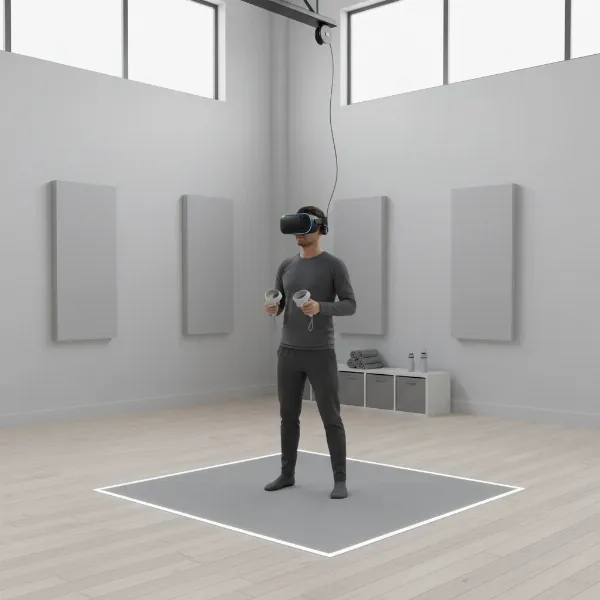
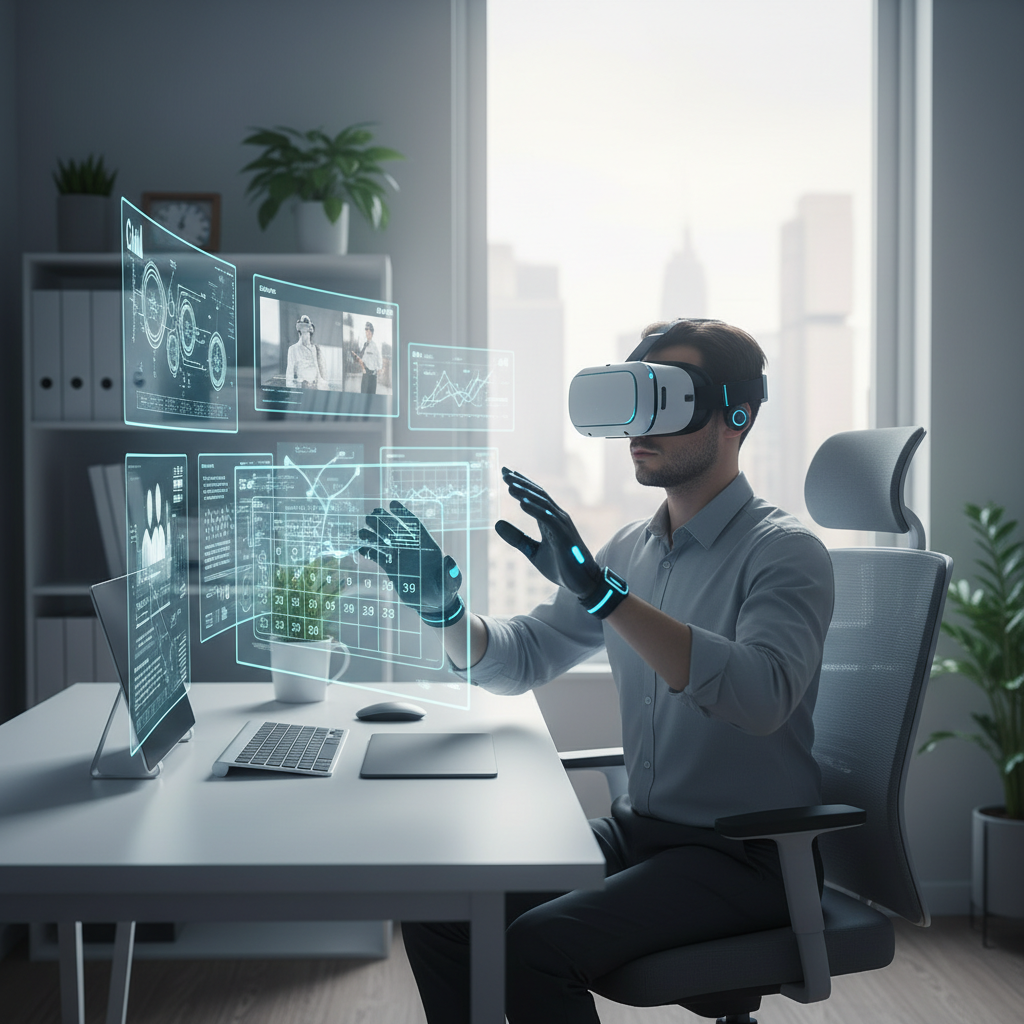
Stepping into a virtual office might sound like a scene from a sci-fi movie, but for many professionals today, it’s becoming a tangible reality. Imagine ditching your physical monitors for an expansive, customizable digital workspace where screens float around you, distractions melt away, and collaboration feels truly immersive. Virtual reality (VR) headsets are no longer just for gaming; they are evolving into powerful tools that can redefine productivity and remote work. This guide will navigate the exciting landscape of VR headsets, helping you understand their benefits, key features, and the top models best suited to elevate your home office experience.
VR Headset: Overview and Benefits
A VR headset is a device worn on the head that creates an immersive, three-dimensional virtual environment, blocking out the real world or blending it with digital elements. These devices use advanced optics and displays to project computer-generated images directly into your field of view, making you feel present in a digital space. Tracking technology, typically 6 degrees of freedom (6DoF), allows you to move and interact naturally within this virtual world.
While often associated with entertainment, VR headsets are increasingly finding practical applications across various professional sectors. In education, they offer realistic simulations for complex training, allowing medical students to practice surgery or engineers to troubleshoot equipment virtually. For creative professionals, VR provides an unparalleled canvas for 3D design and visualization, enabling architects to walk through virtual buildings or product designers to interact with prototypes before they are physically built.
The benefits of integrating a VR headset into your home office are numerous. One of the most compelling advantages is the ability to create an unlimited virtual screen real estate, freeing you from the physical constraints of multiple monitors. This boundless workspace can significantly enhance multitasking and organization. Furthermore, VR can provide a distraction-free environment, allowing users to immerse themselves fully in their tasks. For remote teams, VR collaboration platforms foster a heightened sense of presence and engagement, moving beyond the limitations of traditional video conferencing by enabling shared interaction with 3D models and data, ultimately improving communication and problem-solving.
Popular VR Headset Types Today
The VR headset market offers diverse options, each with distinct advantages and disadvantages tailored to different user needs and budgets. Understanding these categories is crucial when choosing the right device for your home office setup.
Standalone VR Headsets
Standalone VR headsets are all-in-one devices that do not require external hardware like a PC or smartphone to operate. They contain their own processors, displays, and batteries, offering unparalleled freedom of movement and ease of setup. This self-contained nature makes them highly portable and convenient for users who want to switch between different environments or travel frequently.
- Pros: High portability, no cables, easy setup, often more affordable for entry-level models.
- Cons: Generally less graphical processing power than PC-powered headsets, which can affect visual fidelity for demanding applications. Battery life is typically limited to a few hours.
- Popular Models: Meta Quest 3, Meta Quest 3S, PICO 4 Enterprise, HTC Vive Focus Vision. The Meta Quest 3, for instance, is praised for its high resolution and color passthrough cameras, enabling quality augmented reality experiences. The PICO 4 Enterprise and HTC Vive Focus Vision are designed with enterprise features, emphasizing management and deployment.
|
Our Picks for the Best VR headset in 2026
As an Amazon Associate I earn from qualifying purchases.
|
||
| Num | Product | Action |
|---|---|---|
| 1 | DESTEK V5 VR Headset for Kids & Phone w/Controller & 100+ Apps, Anti-Blue Light HD Lenses, 110° FOV, Compatible with iPhone & Android, Ideal for Family Entertainment & Gifting - Black |

|
| 2 | Meta Quest Pro Headset with Virtual Reality Field Trips 1-Month Subscription |
|
| 3 | Meta Quest 3S 128GB | VR Headset — Thirty-Three Percent More Memory — Virtual Reality Without Wires — Access to 40+ Games with a 3-Month Trial of Meta Horizon+ Included (Renewed Premium) |
|
| 4 | Pimax Crystal Light VR Headset for PC, 2880x2880 per Eye, 8K QLED Display with Local-Dimming, Inside-Out Tracking, PC VR Headset for Flight Sims, iRacing & Gaming (Full Payment Version) |
|
| 5 | TECKNET VR Headset for Phone with Bluetooth Controller, 4.7-7.2" VR Headsets with HD 110°FOV Anti-Blue Light Lenses & Adjustable Gears, 3D VR Headset for Kids Compatible iPhone Samsung Android |
|
| 6 | Meta Quest 2 128GB - Advanced All-in-One Virtual Reality Headset (Renewed) |
|
| 7 | Meta Quest 3 512GB | VR Headset — Thirty Percent Sharper Resolution — 2X Graphical Processing Power — Virtual Reality Without Wires — Access to 40+ Games with a 3-Month Trial of Meta Horizon+ Included |
|
| 8 | HTC Vive XR Elite with Deluxe Pack — Mixed Reality and PC VR Headset + Controllers |
|
| 9 | Meta Quest 3S 128GB | VR Headset — Thirty-Three Percent More Memory — 2X Graphical Processing Power — Virtual Reality Without Wires — Access to 40+ Games with a 3-Month Trial of Meta Horizon+ Included |
|
| 10 | HTC Vive Focus Vision — Mixed Reality and PC VR Headset + Controllers — Consumer Edition |
|
PC-Powered VR Headsets
PC-powered VR headsets, also known as tethered headsets, connect directly to a high-performance computer. They leverage the PC’s superior graphics processing unit (GPU) to deliver stunning visual fidelity, wider fields of view, and more complex virtual environments. These headsets are often favored by professionals requiring the highest resolution and graphical performance for tasks like detailed design reviews, simulations, or extensive virtual desktop use.
- Pros: Best graphical quality and performance, wider field of view, access to a vast library of PC VR content and applications.
- Cons: Requires a powerful gaming PC, cables can restrict movement, often more expensive, and less portable. Some models require external base stations for tracking.
- Popular Models: HTC Vive Pro 2, Pimax Crystal. The HTC Vive Pro 2, for example, offers one of the highest resolutions for PC VR, ideal for users prioritizing visual sharpness.
Mobile VR Headsets
Mobile VR headsets utilize a smartphone as their display and processor. While once a popular entry point into virtual reality, this category has largely diminished in prominence as standalone headsets have become more accessible and capable. Some “smart glasses” are emerging that act as wearable external monitors, which might be considered a modern evolution for mobile productivity.
- Pros: Extremely affordable, highly portable, easy to use with an existing smartphone.
- Cons: Limited immersion, lower graphical fidelity, relies heavily on smartphone capabilities, often lacks 6DoF tracking, fewer productivity-focused applications compared to standalone or PC VR.
- Popular Models: While traditional mobile VR headsets are less relevant for home office work, devices like Nreal Air (now Xreal Air) can function as portable external monitors, offering a high pixels-per-degree (PPD) for text clarity, though with a smaller field of view.
Comparing Top VR Headsets
Choosing the ideal VR headset for your home office means balancing various factors like visual clarity, comfort, mixed reality capabilities, and cost. Here’s a comparison of some leading VR headsets that stand out for productivity applications:
| Product | Resolution (per eye) | Refresh Rate | Field of View (FoV) | Price | Pros | Cons | Overall Rating (Productivity) |
|---|---|---|---|---|---|---|---|
| Apple Vision Pro | 23 million pixels (total) | 100 Hz | ~100-105° | $3,499 | Class-leading AR/VR interface, intuitive eye/hand tracking, sharp display, outstanding video passthrough, expansive virtual workspace | Very expensive, short battery life (2 hours), can be front-heavy, gaps in app compatibility | Excellent |
| Meta Quest 3 | 2,064 x 2,208 | 120 Hz | 110° (H), 96° (V) | ~$500 | High resolution, powerful processor, color passthrough for AR, comfortable design, broad app ecosystem, works standalone or tethered | Shorter battery life (2-3 hours), lacks eye-tracking in consumer version | Very Good |
| Meta Quest Pro | 1,800 x 1,920 | 90 Hz | 106° (H), 96° (V) | ~$999 | High PPD (approx. 19), excellent pancake lenses for clarity, eye-tracking, face tracking, good for multi-monitor setups with apps like Immersed | More expensive than Quest 3, comfort can be average for some, discontinued product | Good |
| HTC Vive Focus Vision | 2,448 x 2,448 (combined 5K) | 90 Hz | 120° | $999-$1,200 | Sharp 5K visuals, eye/face tracking, full-color passthrough, strong enterprise ecosystem, comfortable for long sessions | Premium price, optional PC tethering can add complexity | Excellent (Enterprise) |
| PICO 4 Ultra Enterprise | 2,160 x 2,160 | 90/120 Hz | 105° | ~$799 | Snapdragon XR2 Gen 2, dual 32 MP passthrough cameras, Wi-Fi 7, balanced weight, wide sweet spot, enterprise features | Wi-Fi 7 infrastructure needed for full benefits | Very Good (Enterprise) |
| Lenovo ThinkReality VRX | 2,280 x 2,280 | 90 Hz | N/A | ~$1,299 | Best-in-class resolution, dual full-color passthrough (clearer than Quest Pro), pancake lenses, strong enterprise support | Heavier than some alternatives, lacks eye/face tracking in current models | Good (Enterprise) |
“The ability to summon multiple screens, make them as large as you want, and place them anywhere in your environment is a game-changer for desk-bound workers. It’s often cheaper than buying multiple physical monitors, and it drastically reduces office clutter.”
Important Factors When Choosing a VR Headset (Buying Guide)
Selecting the right VR headset for your home office involves careful consideration of several technical specifications and comfort features to ensure an optimal and productive experience.
Resolution and Refresh Rate
These two factors are paramount for text-based work. Resolution dictates the clarity and sharpness of the virtual display. For reading text for extended periods, a higher resolution (and especially a higher PPD – pixels per degree) is critical to minimize the “screen-door effect” and eye strain. Headsets like the Pimax Crystal with 40 PPD or Varjo Aero with 35 PPD are designed with extreme clarity in mind, though they often come at a premium. The refresh rate refers to how many times the image on the screen is updated per second. A higher refresh rate (e.g., 90 Hz or 120 Hz) results in smoother motion and can reduce motion sickness and visual fatigue, which is important for long work sessions.
Field of View (FoV)
The field of view is the extent of the observable virtual world at any given moment. A wider FoV creates a more immersive experience, making the virtual environment feel more expansive and natural. While a wide FoV is excellent for gaming and general immersion, for productivity, a comfortable balance is key. Some smart glasses, like the Nreal Air, offer a smaller FoV but high PPD, which is acceptable for single virtual screens where peripheral vision isn’t as critical.
Tracking
Tracking refers to how accurately the headset monitors your head and hand movements. Most modern VR headsets use 6 degrees of freedom (6DoF) tracking, allowing you to move freely in all directions within the virtual space, which is essential for interactive virtual desktops and collaboration. Advanced features like eye tracking can enhance interaction, enable foveated rendering (where only the area you’re looking at is rendered in full detail to save processing power), and even be used for subtle navigation. Hand tracking allows you to interact with virtual objects using your bare hands, eliminating the need for physical controllers, which can feel more intuitive for certain tasks, especially in mixed reality environments.
Ergonomics and Comfort
For a device worn for hours, comfort is non-negotiable. Factors to consider include the weight and weight distribution (many prioritize balance with rear-mounted batteries), head strap design (halo straps often distribute weight better than traditional elastic straps), and facial interface materials (breathable and easily cleanable materials are preferred). Adjustable features like IPD (interpupillary distance) adjustment are crucial for aligning the lenses with your eyes, preventing eye strain. The HTC Vive Focus 3, for example, is noted for its comfortable weight distribution despite its overall weight, thanks to its battery placement and built-in fans.
Platform and Content
The software ecosystem supporting your VR headset is as important as the hardware. For home office use, look for headsets compatible with virtual desktop applications like Immersed or Virtual Desktop, which allow you to create multiple virtual monitors from your PC or Mac. Collaboration platforms like Horizon Workrooms, Arthur, or MeetinVR are vital for remote team interactions. Also, consider the headset’s operating system (e.g., Meta’s Horizon OS, Apple’s visionOS, PICO OS) and the availability of business-focused apps or enterprise solutions (e.g., Meta Quest for Business, Vive Business ecosystem) for device management and security.
Price
VR headsets range significantly in price, from a few hundred to several thousand dollars. While high-end headsets like the Apple Vision Pro offer cutting-edge technology, more affordable options like the Meta Quest 3 can provide a robust productivity experience. Determine your budget and prioritize the features most critical for your specific workflow. Sometimes, a slightly older model, like the Meta Quest Pro, can offer excellent value if you prioritize features like eye-tracking and clarity with pancake lenses.
How to Use and Maintain Your VR Headset
Integrating a VR headset into your daily workflow requires proper setup and ongoing care to ensure a seamless and lasting experience.
Installation and Setup
Upon unboxing your new VR headset, the initial setup typically involves charging the device, connecting it to your Wi-Fi network, and installing any required companion apps on your computer or smartphone. For standalone headsets like the Meta Quest 3, this process is usually straightforward, guiding you through creating a virtual boundary (Guardian system) to ensure safe movement within your physical space. PC-powered headsets, such as the HTC Vive Pro 2, require connection to a powerful gaming PC, often via DisplayPort, and may involve setting up external base stations for precise room-scale tracking. For productivity, consider installing virtual desktop applications like Immersed, which allows you to extend your computer’s display into multiple virtual monitors within VR.
Safe and Effective Use
To maximize comfort and effectiveness during long work sessions, ensure the headset is fitted correctly with the straps adjusted for even weight distribution. Take regular breaks to prevent eye strain and discomfort, especially when reading text. Utilize the passthrough camera feature, available on many mixed reality headsets, to see your physical keyboard, mouse, or surroundings without removing the headset. This capability is crucial for seamlessly blending your virtual workspace with your real-world tools. Experiment with virtual environments offered by productivity apps; some users find specific backdrops or dark modes reduce visual fatigue.
Maintenance Tips
Regular cleaning is essential to maintain optical clarity and hygiene. Use a microfiber cloth to gently clean the lenses, avoiding abrasive materials or liquids that could damage coatings. For the headset’s exterior and facial interface, wipe with a damp cloth or specialized VR cleaning wipes, especially if multiple users share the device. Store your VR headset in a cool, dry place away from direct sunlight, which can damage the lenses and display. Always use a protective case if traveling with your headset. Keeping the software and firmware updated is also vital for optimal performance, security, and access to new features and bug fixes.
Useful Accessories For VR Headsets
To truly optimize your VR headset for a productive home office environment, a few key accessories can significantly enhance your experience.
Headphones: While many VR headsets include integrated audio, external headphones can drastically improve sound quality and immersion. High-fidelity headphones, especially those with noise-canceling capabilities, allow you to focus more intently on virtual meetings or deep work by blocking out real-world distractions. Spatial audio support in some headphones can also enhance the realism of virtual soundscapes within your digital workspace.
Controllers: Most VR headsets come with controllers, but for productivity, their design and functionality are particularly important. Ergonomic controllers that are comfortable for long sessions and offer precise input are crucial. Some enterprise-focused headsets like the Sony SRH-S1 offer specialized stylus and ring controllers for highly accurate 3D model manipulation. For mixed reality, seamless hand tracking (without controllers) is also becoming increasingly vital, allowing for more natural interaction with virtual objects.
Cables and Chargers: For standalone headsets, extended battery life is a common concern during long workdays. Consider investing in high-capacity external battery packs or longer USB-C cables for continuous charging while in use. Headsets with swappable batteries, such as the HTC Vive Focus 3, offer indefinite runtime if you have charged spares. For PC-powered headsets or those that can tether to a PC (like the Meta Quest 3), a high-quality, long USB-C cable (e.g., Link cable) is essential for optimal performance and charging while connected.
Conclusion
The shift towards virtual and mixed reality in the home office is no longer a futuristic concept but a burgeoning reality. VR headsets offer the transformative potential to create limitless virtual workspaces, reduce distractions, and foster deeply immersive collaboration, moving beyond the constraints of traditional monitors. From the cutting-edge spatial computing of the Apple Vision Pro to the versatile and accessible Meta Quest 3, and the enterprise-focused powerhouses like the HTC Vive Focus Vision and PICO 4 Ultra Enterprise, there’s a headset designed to meet diverse professional needs. When selecting your ideal VR headset, prioritize high resolution for text clarity, comfort for extended use, robust passthrough capabilities for real-world awareness, and a strong software ecosystem for virtual desktops and collaboration.
Embracing a VR headset for your home office can unlock new levels of productivity and engagement, fundamentally changing how you work. Are you ready to step into your next-generation virtual workspace?
Câu Hỏi Thường Gặp
What are the main benefits of using a VR headset for work instead of traditional monitors?
The primary benefits include virtually unlimited screen real estate, allowing for multiple customizable large displays in a compact physical space. VR can also reduce distractions by immersing you in a dedicated virtual environment, and advanced mixed reality features enable seamless integration of virtual content with your physical surroundings, enhancing focus and efficiency.
Which VR headset is best for reading text documents for long periods?
For reading text, headsets with high pixels-per-degree (PPD) and clear optics are crucial to minimize eye strain. Models like the Apple Vision Pro and Pimax Crystal are often cited for their exceptional clarity, though consumer-friendly options like the Meta Quest Pro (with its pancake lenses) are also noted by users for serviceable text clarity when paired with apps like Immersed.
Can I really replace my physical monitors with a VR headset for daily work?
While VR headsets offer compelling advantages for multi-monitor setups, replacing physical monitors entirely depends on individual tolerance and specific work tasks. Many users find them excellent for specific tasks, travel, or supplementing their existing setup. Key challenges include potential discomfort over extended periods and the need for excellent passthrough to interact with physical keyboards and mice.
What software do I need to use a VR headset for productivity and virtual desktops?
For creating virtual multi-monitor setups, applications like Immersed are highly recommended as they allow users to generate multiple virtual screens from their computer. For collaborative virtual office spaces, apps like Horizon Workrooms, Arthur, and MeetinVR enable shared virtual environments for meetings and team interaction.
Are VR headsets comfortable enough for an 8-hour workday?
Comfort for an 8-hour workday varies greatly by headset design and individual fit. Factors like weight distribution, head strap ergonomics, and breathability of materials are critical. Some enterprise-grade headsets, such as the HTC Vive Focus 3, are designed with comfort for prolonged use in mind, sometimes featuring balanced battery placement and built-in fans.
What is “passthrough” and why is it important for home office VR?
Passthrough refers to the feature that uses external cameras on the VR headset to show you a view of your real-world surroundings. Full-color passthrough creates a mixed reality experience, allowing you to see your physical keyboard, mouse, or even interact with people in your room without removing the headset. This is vital for blending your virtual workspace with your actual environment and preventing isolation.
Do I need a powerful computer to use a VR headset for work?
For standalone VR headsets (e.g., Meta Quest 3, PICO 4 Enterprise), a powerful computer is not strictly necessary as they have built-in processing. However, if you plan to use a PC-powered VR headset (e.g., HTC Vive Pro 2) or leverage a standalone headset to display multiple virtual monitors from your PC (e.g., with Virtual Desktop or Immersed), a reasonably powerful computer with a dedicated graphics card will significantly enhance performance and visual quality.