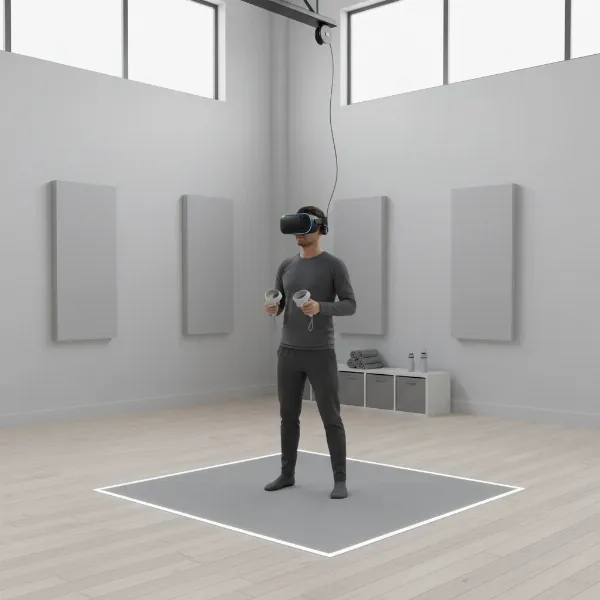
Stepping into the realm of virtual reality can feel like glimpsing the future itself, a thrilling fusion of technology and imagination. With over a decade of personal experience navigating hundreds of VR headsets, from entry-level gadgets to cutting-edge professional systems, the question “Is a VR headset worth it?” resonates deeply. It’s not a simple yes or no, but rather a journey through unparalleled immersion balanced against practical considerations and evolving technology. Let’s peel back the layers of hype and uncover what truly awaits you in the captivating world of VR. This comprehensive guide will help you determine if a VR headset is the right investment for your needs and budget, drawing on real-world insights to inform your decision.
VR Headsets: An Overview and Their Benefits
Virtual Reality (VR) headsets are sophisticated devices designed to transport you into simulated environments, creating a sense of “presence” that makes you feel truly there. They achieve this by presenting separate images to each eye, often combined with motion tracking to adjust the view as you move your head. The goal is to make the digital world respond as if it were physical, creating a deeply immersive experience that traditional screens cannot match.
The applications of VR headsets extend far beyond just gaming, though that remains a significant driver. In entertainment, VR offers breathtaking experiences, from exploring alien planets to participating in intense rhythmic battles. Education leverages VR for interactive learning, allowing medical students to practice complex surgeries or history enthusiasts to walk through ancient cities. For work, VR facilitates virtual meetings, collaborative 3D design, and even remote training simulations, proving its versatility across diverse sectors. The benefits of using a VR headset are manifold: they enhance engagement, foster more effective learning through experiential scenarios, and expand possibilities for remote work and social interaction.
Popular VR Headset Categories Today
The VR market has diversified significantly, offering headsets tailored to various budgets and technical preferences. Understanding the main categories is crucial for making an informed choice.
Standalone VR Headsets
Standalone VR headsets are all-in-one devices that contain their own processing power, display, and battery, requiring no external PC or console. They offer unparalleled freedom of movement, as you’re completely untethered.
- Advantages: Exceptional portability, easy setup, no need for a powerful gaming PC, and typically more affordable. They are ideal for casual users, fitness enthusiasts, and those new to VR.
- Disadvantages: Generally have less graphical power than PC-powered counterparts, which can mean slightly lower visual fidelity in demanding games. Battery life is also a consideration, often lasting only a couple of hours.
- Popular Models: The Meta Quest 3 is a leading example, praised for its improved resolution, pancake lenses, and mixed reality capabilities. The Meta Quest 2 remains a strong budget-friendly option, offering excellent value. The Pico 4 also offers a compelling standalone experience.
|
Our Picks for the Best VR headset in 2026
As an Amazon Associate I earn from qualifying purchases.
|
||
| Num | Product | Action |
|---|---|---|
| 1 | Meta Quest 3S 128GB | VR Headset — Thirty-Three Percent More Memory — Virtual Reality Without Wires — Access to 40+ Games with a 3-Month Trial of Meta Horizon+ Included (Renewed Premium) |

|
| 2 | TECKNET VR Headset for Phone with Bluetooth Controller, 4.7-7.2" VR Headsets with HD 110°FOV Anti-Blue Light Lenses & Adjustable Gears, 3D VR Headset for Kids Compatible iPhone Samsung Android |
|
| 3 | Pimax Crystal Light VR Headset for PC, 2880x2880 per Eye, 8K QLED Display with Local-Dimming, Inside-Out Tracking, PC VR Headset for Flight Sims, iRacing & Gaming (Full Payment Version) |
|
| 4 | Meta Quest 3 512GB | VR Headset — Thirty Percent Sharper Resolution — 2X Graphical Processing Power — Virtual Reality Without Wires — Access to 40+ Games with a 3-Month Trial of Meta Horizon+ Included |
|
| 5 | Meta Quest Pro Headset with Virtual Reality Field Trips 1-Month Subscription |
|
| 6 | Meta Quest 2 128GB - Advanced All-in-One Virtual Reality Headset (Renewed) |
|
| 7 | DESTEK V5 VR Headset for Kids & Phone w/Controller & 100+ Apps, Anti-Blue Light HD Lenses, 110° FOV, Compatible with iPhone & Android, Ideal for Family Entertainment & Gifting - Black |
|
| 8 | Meta Quest 3S 128GB | VR Headset — Thirty-Three Percent More Memory — 2X Graphical Processing Power — Virtual Reality Without Wires — Access to 40+ Games with a 3-Month Trial of Meta Horizon+ Included |
|
| 9 | HTC Vive XR Elite with Deluxe Pack — Mixed Reality and PC VR Headset + Controllers |
|
| 10 | HTC Vive Focus Vision — Mixed Reality and PC VR Headset + Controllers — Consumer Edition |
|
PC-Powered VR Headsets
PC-powered (or “tethered”) VR headsets connect to a high-performance gaming PC, leveraging its immense processing power to deliver superior graphics and complex virtual environments.
- Advantages: Unmatched visual fidelity, wider field of view, higher refresh rates, and access to the most graphically demanding VR games and simulations. They offer the most premium, immersive experiences.
- Disadvantages: Require a powerful and often expensive gaming PC, are tethered by cables (though wireless adapters exist for some), and typically have a higher initial cost for the headset itself. Setup can also be more complex, often involving external base stations for tracking.
- Popular Models: The Valve Index VR Kit is renowned for its wide field of view, high refresh rate, and precise external tracking. The HTC Vive Pro 2 boasts one of the highest resolutions available, delivering stunning clarity. For console gamers, the PlayStation VR2 offers a high-fidelity experience exclusively for the PS5, featuring haptic feedback and eye tracking.
Mobile VR Headsets
Mobile VR headsets utilize a smartphone inserted into a holder, using the phone’s screen and gyroscope for a basic VR experience.
- Advantages: Extremely affordable and highly portable, making them a low-barrier entry point into virtual reality.
- Disadvantages: Offer a significantly less immersive and often uncomfortable experience compared to dedicated headsets. They lack proper positional tracking, meaning you can only look around, not move within the virtual space, which can induce motion sickness. The image quality is highly dependent on the phone’s screen, and content is generally limited. While once popular, these are largely outdated and not recommended for those seeking a true VR experience.
Top VR Headsets Compared
Choosing the right VR headset involves weighing various technical specifications against your budget and intended use. Here’s a comparison of some leading models to help clarify the options.
| Product | Resolution (per eye) | Refresh Rate (Hz) | Field of View (approx.) | Price (USD) | Pros | Cons | Overall Rating |
|---|---|---|---|---|---|---|---|
| Meta Quest 3 | 2064 x 2208 | 90/120 | 110 degrees | $499 | Excellent value, wireless freedom, mixed reality, great controllers, extensive library | Shorter battery life, comfort could be better with stock strap | 4.8/5 |
| Meta Quest 2 | 1832 x 1920 | 90/120 | 90 degrees | $199 | Most affordable, large content library, wireless, good entry point | Fresnel lenses (god rays), less powerful processor, no color passthrough | 4.0/5 |
| PlayStation VR2 | 2000 x 2040 | 90/120 | 110 degrees | $549 | OLED display, haptic feedback, eye tracking, PS5 exclusive games | Requires PS5, wired connection, limited PC compatibility | 4.5/5 |
| Valve Index VR Kit | 1440 x 1600 | 120/144 | 130 degrees | $999 | Widest FoV, high refresh rate, superior audio, precise tracking | High cost, requires powerful PC, wired, external base stations | 4.7/5 |
| HTC Vive Pro 2 | 2448 x 2448 | 90/120 | 120 degrees | $799 (headset only) | Highest resolution, clear visuals, good FoV, solid tracking | Very expensive, requires powerful PC, wired, complex setup | 4.6/5 |
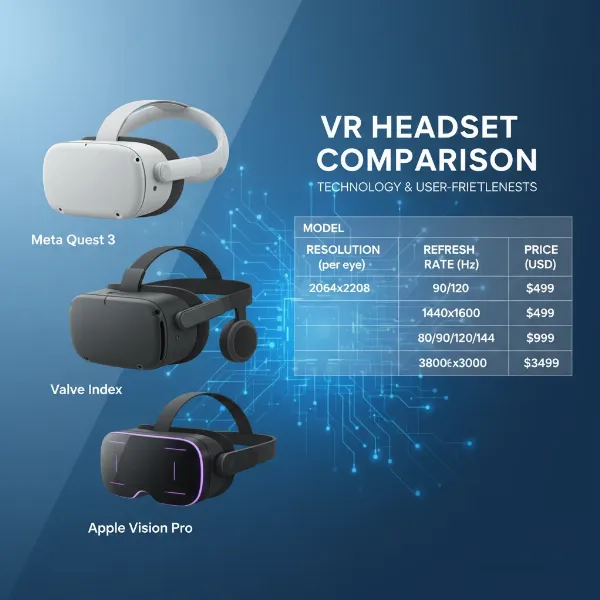 An illustrative graphic of different VR headsets being compared, showing key specifications like resolution and price.
Essential Factors When Choosing a VR Headset (Buying Guide)
Selecting the ideal VR headset can feel daunting, but focusing on a few critical factors will simplify your decision.
Resolution and Refresh Rate
These two specifications significantly impact your visual experience. Resolution refers to the number of pixels displayed per eye; higher resolution means sharper images and less “screen-door effect” (the visible gaps between pixels). For media consumption and detailed virtual environments, a high resolution is paramount. Refresh rate is how many times the screen updates per second, measured in Hertz (Hz). A higher refresh rate (90Hz, 120Hz, or even 144Hz) results in smoother motion, reducing judder and motion sickness, which is crucial for fast-paced games and fluid interactions.
Field of View (FoV)
The Field of View measures how much of the virtual world you can see at once. A wider FoV makes the experience feel more expansive and natural, reducing the feeling of “looking through binoculars.” While narrower FoVs can be acceptable for some experiences, a broader FoV (100 degrees or more) enhances immersion, making the virtual environment feel more physically present around you.
Tracking
VR tracking systems determine your position and orientation in the virtual space.
- Inside-out tracking uses cameras on the headset itself to map your environment and track your movement and controllers. It’s common in standalone headsets like the Meta Quest line, offering easy setup and portability.
- Outside-in tracking (or “external base station tracking”) uses external sensors placed in your room to track the headset and controllers. This method, used by headsets like the Valve Index, often provides the most precise and robust tracking, especially for large play spaces, but requires more complex setup.
Ergonomics and Comfort
You can’t enjoy VR if the headset is uncomfortable to wear. Factors to consider include weight distribution, the material of the facial interface, and the design of the head strap. Some headsets allow for IPD (Interpupillary Distance) adjustment, which aligns the lenses with the distance between your pupils for optimal clarity and reduced eye strain. Many users find investing in an upgraded head strap (like those from BoboVR) significantly improves long-session comfort.
Platform and Content Ecosystem
Consider the platform your VR headset is tied to and the content available within its ecosystem. Meta Quest headsets, for example, have a vast and diverse library of standalone games and apps. PlayStation VR2 is exclusive to the PS5, offering high-quality, console-optimized titles. PC-powered headsets like the Valve Index tap into SteamVR, providing access to an enormous library of PC VR games. The availability of games, social applications, and productivity tools specific to each platform will heavily influence your long-term satisfaction.
Price and Hidden Costs
The initial purchase price of the headset is just one part of the investment. For PC-powered headsets, you’ll need a capable gaming PC, which can significantly add to the total cost. Even standalone headsets might benefit from accessories like upgraded head straps, carrying cases, or prescription lens inserts. Factor in the cost of games and applications, which can quickly add up, to get a realistic picture of your overall budget.
“Investing in a VR headset is about more than just the device itself; it’s about buying into an experience. The real value comes when the hardware fades away, and you’re truly present in a new, immersive world.”
Using and Maintaining Your VR Headset
Once you’ve chosen your VR headset, getting started and keeping it in top condition will maximize your enjoyment and longevity.
Setup and Configuration
Most standalone VR headsets are designed for straightforward setup, guiding you through initial pairing, guardian (play area) setup, and account linking. PC-powered headsets involve connecting to your computer, installing drivers, and potentially positioning external base stations. Carefully follow the manufacturer’s instructions to ensure optimal performance and tracking accuracy. Always ensure your play space is clear of obstacles before starting a session to prevent accidents.
Safe and Effective Use
While VR offers incredible experiences, it’s essential to use it safely.
- Motion Sickness: Some individuals experience VR motion sickness, especially in experiences with artificial locomotion. Starting with stationary or slow-moving games and gradually building your “VR legs” can help. Taking breaks and using a fan can also mitigate discomfort.
- Eye Strain: Take regular breaks, typically every 20-30 minutes, to rest your eyes. Ensure the headset is properly adjusted for your IPD and that the lenses are clean.
- Play Space: Always use the guardian system (a virtual boundary) to define your safe play area. Remain aware of your surroundings, even with passthrough cameras, and consider a spotter for active room-scale experiences.
Maintenance Tips
Proper care ensures your VR headset lasts.
- Cleaning Lenses: Use a microfiber cloth specifically designed for optics. Never use liquids or abrasive materials, as this can damage the delicate lenses. Wipe gently from the center outwards.
- Cleaning Facial Interface: Many headsets have removable and washable facial interfaces. For non-removable parts, use a mild, damp cloth (not wet) and avoid harsh chemicals. Ensure it’s completely dry before use.
- Storage: Store your headset in a cool, dry place away from direct sunlight, which can damage the lenses and screens. A dedicated carrying case can protect it from dust and accidental damage.
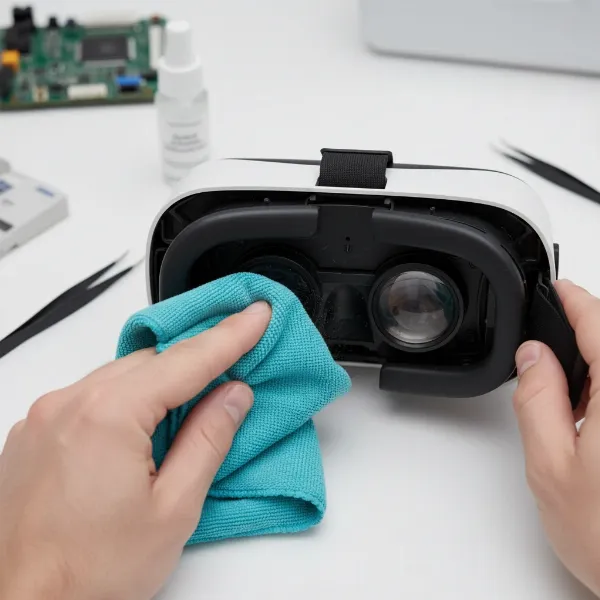 A person carefully cleaning the lenses of a VR headset with a microfiber cloth, highlighting gentle care.
Useful Accessories for Your VR Headset
While VR headsets offer a complete experience out of the box, several accessories can significantly enhance comfort, immersion, and functionality.
Headphones
Integrated headset speakers are convenient, but external headphones, particularly over-ear gaming headsets, can dramatically improve audio immersion. They provide richer sound, better bass, and often clearer spatial audio, allowing you to pinpoint virtual sounds more accurately and deepen your sense of presence in the virtual world.
Controllers
Most VR headsets come with proprietary controllers, but some PC VR setups allow for third-party options. While typically included, understanding their ergonomic design and button layout is key. For certain applications like flight or racing simulators, specialized accessories such as steering wheels or flight sticks can replace standard controllers for a more authentic experience.
Upgraded Headstraps
The stock head straps included with many VR headsets are often basic. An aftermarket head strap, like those from BoboVR, can vastly improve comfort by distributing weight more evenly, offering better adjustability, and sometimes even integrating external battery packs for extended playtime. This is often one of the first and most impactful upgrades for serious VR users.
Cables and Chargers
For standalone headsets, extra-long USB-C cables and portable battery packs can extend playtime. For PC-powered headsets, ensuring you have high-quality, high-speed cables is essential for reliable connection and optimal performance. For wireless PCVR streaming, a dedicated high-speed Wi-Fi 6E router is a critical “accessory” to minimize latency and maximize visual quality.
Prescription Lens Inserts
If you wear glasses, prescription lens inserts are a game-changer. These custom lenses fit directly into your VR headset, allowing you to use VR without your glasses, improving comfort and preventing potential scratches to both your glasses and the headset lenses.
Conclusion
The journey into virtual reality is a deeply personal one, shaped by your expectations, needs, and budget. For those craving unparalleled immersion in gaming, seeking innovative fitness routines, or exploring new frontiers in education and productivity, a VR headset can absolutely be a worthwhile investment. Modern headsets offer increasingly refined experiences, wireless freedom, and vibrant content libraries, overcoming many of the initial hurdles of the technology. While challenges like cost, space requirements, and potential motion sickness persist, the benefits of stepping into these new digital worlds are profound and ever-expanding. As an experienced VR enthusiast, I wholeheartedly believe the right VR headset can unlock experiences you never thought possible, transforming how you play, learn, and connect.
So, are you ready to embark on your own virtual adventure and see what the future holds for you?
Frequently Asked Questions
What is the primary difference between standalone and PC-powered VR headsets?
Standalone VR headsets are self-contained, offering wireless freedom and ease of use without needing a PC. PC-powered headsets leverage a gaming computer’s power for superior graphics and immersion, but require a wired connection and a robust PC.
Can VR headsets cause motion sickness, and how can I prevent it?
Yes, some users experience motion sickness due to the disconnect between visual motion and physical sensation. Starting with gentle experiences, taking frequent breaks, using a fan, and gradually building tolerance can help mitigate it.
What specifications are most important for a great VR experience?
High resolution provides sharper images, while a high refresh rate ensures smoother motion and reduces discomfort. A wider field of view enhances immersion. Comfortable ergonomics and precise tracking are also crucial for overall enjoyment.
Is a powerful gaming PC always necessary for VR?
Not always. Standalone VR headsets like the Meta Quest 3 function completely independently. However, for the most graphically demanding games and highest fidelity experiences, a powerful gaming PC is essential for PC-powered VR headsets.
How much space do I need for a VR setup?
The space requirement varies. Some experiences are seated or standing-only, requiring minimal room. For “room-scale” VR, where you can physically walk around, a clear area of at least 6.5 x 6.5 feet (2 x 2 meters) is generally recommended for safety and full immersion.