Stepping into virtual reality can feel like entering a new dimension, but with a range of options and price points, many wonder: is a VR headset truly worth the investment? Virtual reality (VR) technology has evolved dramatically, offering immersive experiences that transcend traditional screens. This article will guide you through the intricate world of VR headsets, helping you understand their capabilities, the different types available, and the key factors to consider when making a purchase, ultimately allowing you to decide if a VR headset is the right addition to your tech arsenal.
VR Headset: Overview and Benefits
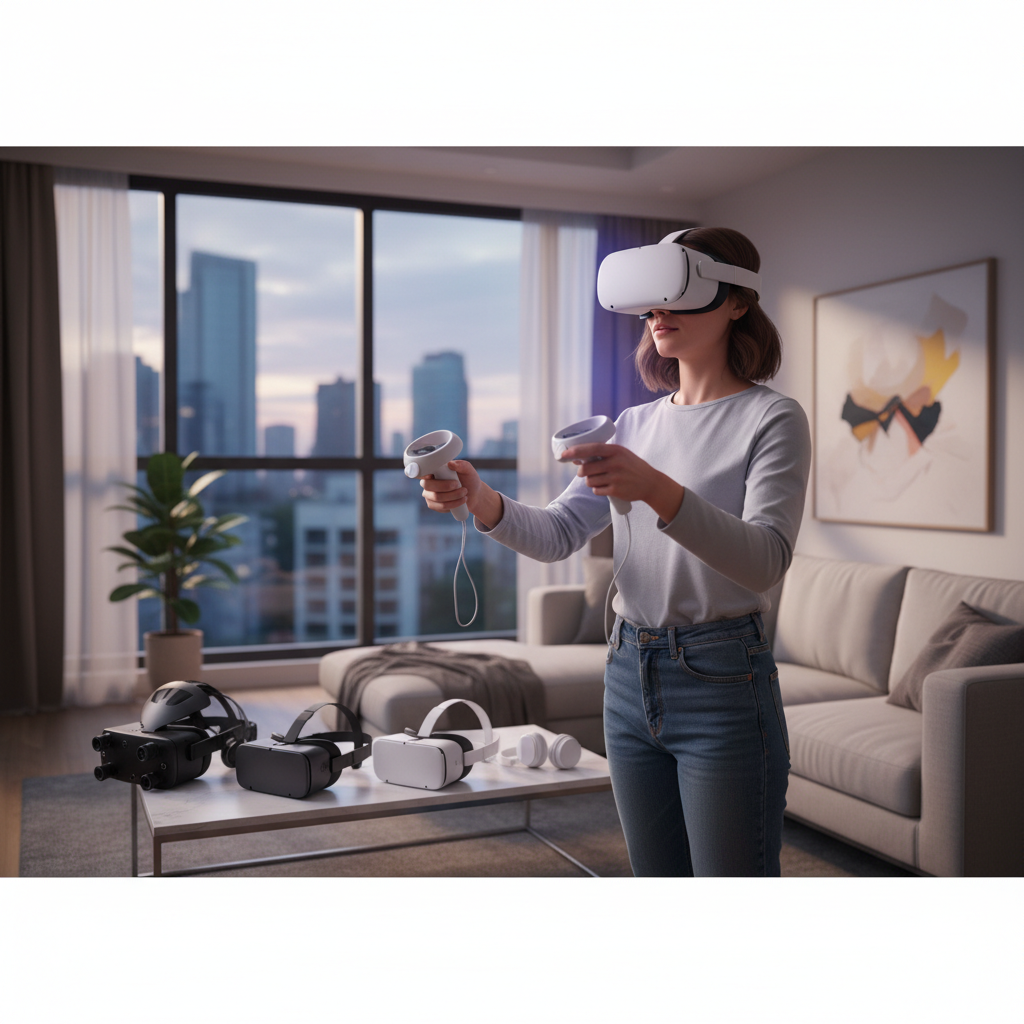
A VR headset is a device worn over the eyes, providing an immersive virtual environment to the user. These headsets work by displaying separate images to each eye, creating a stereoscopic 3D effect, and often include motion tracking sensors that detect head movements, allowing users to look around and interact within the virtual world as if they were physically there. This combination of visual immersion and interactive tracking is what defines the virtual reality experience.
VR headsets have rapidly expanded beyond their initial gaming roots, finding diverse applications across various sectors. In entertainment, they offer unparalleled gaming immersion, allowing players to feel truly present in digital worlds, and provide unique cinematic experiences, from 360-degree films to interactive storytelling. Education benefits from VR by simulating complex scenarios, such as virtual field trips to ancient ruins or hands-on medical training without real-world risks. In the workplace, VR is used for remote collaboration, architectural visualization, product design, and even employee training, offering cost-effective and safe simulated environments.
The benefits of using a VR headset are extensive, enhancing everything from leisure to professional development. They provide an unmatched level of immersion, making games, movies, and simulations incredibly realistic and engaging. For learning, VR creates memorable and effective experiences by allowing users to interact with concepts and environments directly. Professionals can leverage VR to collaborate across distances, refine designs with tangible virtual models, and acquire practical skills in a risk-free setting, ultimately leading to more efficient learning and expanded work capabilities.
Popular Types of VR Headsets Today
The VR market offers a variety of headsets, each designed to cater to different needs and budgets. Understanding the distinctions between these types is crucial for selecting the right device for you. The three primary categories are standalone VR headsets, PC-powered VR headsets, and mobile VR headsets.
Standalone VR headsets, like the Meta Quest series, are self-contained units that do not require any external devices or cables to operate. Their main advantages include exceptional portability and ease of setup, making them ideal for casual users and those who want to experience VR anywhere without being tethered to a computer. However, their processing power and graphical capabilities are typically less robust than PC-powered systems, leading to a narrower selection of high-fidelity games and applications. Popular models include the Meta Quest 3 and Pico 4, known for their user-friendly interfaces and growing content libraries.
[image-1|standalone-vr-headset-user|A person wearing a standalone VR headset in a bright, modern living room, experiencing immersive virtual reality gaming, comfortable and wire-free.|
A person with a contemporary standalone VR headset, like a Meta Quest 3, on their head, hands holding controllers, engaging in a vibrant virtual reality game. The setting is a clean, well-lit modern living room with soft natural light. The user appears comfortable and fully immersed, emphasizing the wire-free experience. Realistic style.]
PC-powered VR headsets, such as the Valve Index and HTC Vive Pro, connect directly to a high-performance computer. Their primary advantages lie in their superior graphical fidelity, higher refresh rates, and precise tracking capabilities, delivering the most realistic and immersive VR experiences possible. This makes them the preferred choice for hardcore gamers and professionals requiring cutting-edge simulations. The main drawbacks are the need for a powerful (and often expensive) gaming PC and the physical tether to the computer, which can limit movement. These headsets offer access to extensive libraries of graphically intensive games and applications on platforms like SteamVR.
Mobile VR headsets utilize a smartphone as their display and processing unit. Devices like the now-discontinued Google Cardboard or Samsung Gear VR once offered an accessible entry point into virtual reality due to their low cost and simplicity. Their main advantages were affordability and the ability to turn a smartphone into a basic VR viewer. However, they suffer from limited tracking, lower resolution (dependent on the phone), and a generally less immersive experience compared to standalone or PC-powered options. While largely phased out by standalone devices, they introduced many to the concept of VR.
Comparing Top VR Headsets
Choosing among the best VR headsets can be challenging without a clear comparison of their technical specifications and user experiences. The market features several strong contenders across different categories, each with unique strengths and weaknesses that appeal to various users.
Here’s a detailed comparison of some leading VR headsets:
| Product Name | Resolution per Eye | Refresh Rate | Field of View (FOV) | Price Range (USD) | Pros | Cons | Overall Assessment |
|---|---|---|---|---|---|---|---|
| Meta Quest 3 | 2064×2208 | 90Hz (120Hz exp) | 110 degrees | $499 – $649 | Excellent mixed reality, comfortable, no PC needed, robust content library, good value | Battery life can be short, not as graphically powerful as PCVR, controllers lack haptic feedback | A fantastic all-rounder for mainstream users and mixed reality enthusiasts, offering a balance of performance, features, and affordability. It’s the go-to for many due to its versatility and content ecosystem. |
| PlayStation VR2 | 2000×2040 | 90Hz, 120Hz | 110 degrees | $549 | Stunning OLED display, eye-tracking, haptic feedback on headset and controllers, PS5 integration | Requires PS5, limited PC compatibility, smaller game library than Quest or PCVR | A premium console VR experience tailored for PlayStation 5 owners. Its visual fidelity and haptics create incredibly immersive gaming, but its exclusivity to the PS5 might be a limiting factor for some. |
| Valve Index | 1440×1600 | 80Hz, 90Hz, 120Hz, 144Hz | 130 degrees | $999 | Industry-leading controllers, wide FOV, high refresh rates, excellent tracking accuracy, immersive audio | Requires powerful PC, expensive, complex setup, tethered | Still a benchmark for high-end PC VR, especially renowned for its “Knuckles” controllers and broad field of view. Best for dedicated PC gamers who prioritize maximum immersion and don’t mind the cost or setup. |
| HTC Vive XR Elite | 1920×1920 | 90Hz | 110 degrees | $1099 | High-resolution, modular design for glasses-free use, PC VR streaming, good passthrough | Very expensive, smaller content library than Quest, comfort can be an issue for some, short battery | A versatile headset with a strong focus on mixed reality and business applications. Its modular design is innovative, but the high price point and still-developing software ecosystem make it a niche choice for specific professional or enthusiast users. |
| Pico 4 | 2160×2160 | 72Hz, 90Hz | 105 degrees | $379 – $499 | Lighter, slim design, higher resolution than Quest 2, comfortable, standalone | Smaller content library than Meta Quest, less advanced mixed reality than Quest 3, limited accessories | A strong competitor in the standalone space, offering a comfortable design and higher resolution display for a compelling price. It’s a great option for users seeking an alternative to Meta’s ecosystem, particularly in regions where it’s more readily available. |
When evaluating these devices, it becomes clear that there is no single “best” VR headset, but rather the best fit for your specific needs. The Meta Quest 3 offers the most balanced experience for the majority of users, providing an accessible entry into both VR and mixed reality without the need for additional hardware. For PlayStation enthusiasts, the PS VR2 delivers stunning visuals and haptic feedback, deeply integrated into the console ecosystem. PC VR purists who demand the highest graphical fidelity and most expansive FOV might still lean towards the Valve Index, despite its higher cost and setup complexity. Meanwhile, devices like the HTC Vive XR Elite cater to professional use cases and enthusiasts looking for advanced mixed reality features, and the Pico 4 provides a competitive alternative for standalone VR with excellent display clarity.
Key Factors When Choosing a VR Headset (Buying Guide)
Selecting the ideal VR headset requires careful consideration of several technical specifications and comfort factors. These elements collectively determine the quality of your virtual experience and how long you can comfortably enjoy it. Understanding what each factor means and how it impacts usage is essential for an informed decision.
Resolution and Refresh Rate
|
Our Picks for the Best VR headset in 2026
As an Amazon Associate I earn from qualifying purchases.
|
||
| Num | Product | Action |
|---|---|---|
| 1 | HTC Vive Focus Vision — Mixed Reality and PC VR Headset + Controllers — Consumer Edition |

|
| 2 | DESTEK V5 VR Headset for Kids & Phone w/Controller & 100+ Apps, Anti-Blue Light HD Lenses, 110° FOV, Compatible with iPhone & Android, Ideal for Family Entertainment & Gifting - Black |
|
| 3 | Meta Quest 3 512GB | VR Headset — Thirty Percent Sharper Resolution — 2X Graphical Processing Power — Virtual Reality Without Wires — Access to 40+ Games with a 3-Month Trial of Meta Horizon+ Included |
|
| 4 | Pimax Crystal Light VR Headset for PC, 2880x2880 per Eye, 8K QLED Display with Local-Dimming, Inside-Out Tracking, PC VR Headset for Flight Sims, iRacing & Gaming (Full Payment Version) |
|
| 5 | TECKNET VR Headset for Phone with Bluetooth Controller, 4.7-7.2" VR Headsets with HD 110°FOV Anti-Blue Light Lenses & Adjustable Gears, 3D VR Headset for Kids Compatible iPhone Samsung Android |
|
| 6 | Meta Quest 3S 128GB | VR Headset — Thirty-Three Percent More Memory — 2X Graphical Processing Power — Virtual Reality Without Wires — Access to 40+ Games with a 3-Month Trial of Meta Horizon+ Included |
|
| 7 | Meta Quest 2 128GB - Advanced All-in-One Virtual Reality Headset (Renewed) |
|
| 8 | Meta Quest 3S 128GB | VR Headset — Thirty-Three Percent More Memory — Virtual Reality Without Wires — Access to 40+ Games with a 3-Month Trial of Meta Horizon+ Included (Renewed Premium) |
|
| 9 | HTC Vive XR Elite with Deluxe Pack — Mixed Reality and PC VR Headset + Controllers |
|
| 10 | Meta Quest Pro Headset with Virtual Reality Field Trips 1-Month Subscription |
|
Resolution and refresh rate are paramount to visual fidelity in VR. Resolution refers to the number of pixels displayed, directly affecting the clarity and sharpness of the virtual world. Higher resolutions reduce the “screen-door effect” (seeing individual pixels), making images appear smoother and more realistic. Refresh rate, measured in Hertz (Hz), indicates how many times the screen updates per second. A higher refresh rate (90Hz or above is generally recommended) leads to smoother motion and significantly reduces motion sickness, which can be a common issue for new VR users. Aim for the highest resolution and refresh rate your budget allows for the most comfortable and immersive visuals.
Field of View (FOV)
The Field of View (FOV) is the extent of the observable virtual world at any given moment, typically measured in degrees. A wider FOV means you can see more of the virtual environment without turning your head, enhancing the sense of presence and reducing the “binocular” or “goggle” effect. A narrow FOV can make you feel like you’re looking through a small window. Most modern VR headsets offer an FOV between 90 to 130 degrees. While a wider FOV generally provides a more immersive experience, it can also place greater demands on graphics processing, so it’s often balanced against resolution and refresh rate.
Tracking
Tracking technology allows the VR headset to monitor your head and controller movements, translating them into the virtual world. There are primarily two types:
- Inside-out tracking: Sensors on the headset itself track your position and controller movements without external base stations. This offers easier setup and greater portability (e.g., Meta Quest series). While convenient, it can sometimes struggle in dimly lit environments or if controllers move out of the headset’s direct view.
- Outside-in tracking: External base stations (like those used with Valve Index) are placed in the room to track the headset and controllers. This typically provides superior precision and a wider tracking volume, even when controllers are behind your back, but requires more complex setup and is less portable.
The choice depends on your priority: convenience and portability (inside-out) or maximum precision and tracking area (outside-in).
Ergonomics and Comfort
Comfort is a critical, yet often overlooked, factor, especially for extended VR sessions. A well-designed VR headset should distribute its weight evenly and fit securely without causing pressure points. Key considerations include:
- Weight: Lighter headsets reduce neck strain.
- Headstrap design: Padded, adjustable straps ensure a snug and comfortable fit for various head sizes.
- Face gasket material: Breathable and easily cleanable materials prevent irritation and maintain hygiene.
- IPD (Interpupillary Distance) adjustment: This allows you to match the lens spacing to the distance between your pupils, crucial for visual clarity and avoiding eye strain.
Trying on a headset, if possible, is the best way to assess its comfort.
[image-2|vr-headset-comfort-fit|A close-up shot of a person adjusting the ergonomic headstrap of a VR headset, highlighting the comfortable padding and secure fit, emphasizing user comfort and adjustability.|
A close-up, eye-level shot of a person’s hands gently adjusting the comfortable, padded headstrap of a sleek VR headset. The focus is on the ergonomic design, showing how the strap cradles the back of the head, and the soft, breathable materials of the face gasket. Lighting is soft and even, highlighting the textures and emphasizing user comfort and adjustability. Realistic editorial style.]
Platform and Content
The available content and platform compatibility are significant drivers for headset choice. Some headsets are tied to specific ecosystems:
- Meta Quest: Has its own store with a vast library of standalone games and apps, plus PC VR streaming capabilities via Link or Air Link.
- PlayStation VR2: Exclusively for PlayStation 5, with a growing library of PS VR2-specific titles.
- PC VR (Valve Index, HTC Vive): Primarily uses SteamVR, which boasts the largest and most diverse library of VR games and experiences, from indie titles to AAA blockbusters.
Consider what kind of experiences you want and ensure the headset you choose has access to a robust library of content that interests you.
Price
VR headset prices vary widely, typically ranging from a few hundred dollars for entry-level standalone units to over a thousand for high-end PC-powered systems. Your budget will naturally narrow down your options, but it’s important to consider what you get at each price point:
- Budget-friendly (under $400): Often standalone, offering a great entry point but with compromises in graphical power or tracking.
- Mid-range ($400-$700): Provides excellent value, blending good performance with advanced features, often including standalone and mixed reality capabilities (e.g., Meta Quest 3).
- High-end ($800+): Delivers the best possible VR experience with cutting-edge displays, tracking, and features, but usually requires a powerful PC and a significant investment.
Decide what features are most important to you and find the best value within your financial comfort zone.
How to Use and Maintain Your VR Headset
Once you’ve chosen your VR headset, proper setup, safe usage, and regular maintenance are key to maximizing your experience and extending the life of your device. Following a few simple guidelines can ensure smooth operation and preserve your investment.
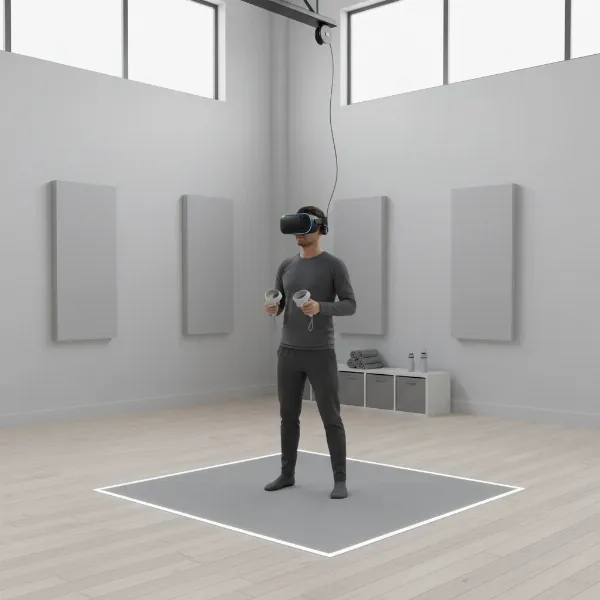
To set up your VR headset, start by clearing an open space in your room, ensuring you have enough room to move freely without hitting objects. For standalone headsets, simply power on and follow the on-screen instructions for initial calibration and guardian setup, which defines your play area. PC-powered headsets require connecting to your gaming PC, installing necessary drivers, and configuring software like SteamVR or the manufacturer’s own platform. Always double-check that all cables are securely plugged in and that your internet connection is stable for software updates and content downloads.
Using your VR headset safely and effectively involves several best practices. Always ensure your play space is clear of obstacles before starting a session to prevent accidents. Take frequent breaks, especially if you’re new to VR, to avoid eye strain or motion sickness. Adjust the headstrap and IPD for optimal comfort and visual clarity. Remember to stay hydrated and be mindful of your surroundings, even while immersed. If you feel any discomfort, take a break immediately.
For optimal longevity, regular maintenance of your VR headset is crucial. Always store the headset in a cool, dry place away from direct sunlight, as UV rays can damage the lenses. Use a microfiber cloth specifically designed for optics to clean the lenses, wiping gently from the center outwards to remove smudges without scratching. Never use abrasive cleaners or harsh chemicals. For the exterior and face cushion, use a soft, slightly damp cloth with mild soap, or specialized cleaning wipes, ensuring the headset is powered off. If your headset has removable face gaskets, wash them regularly or replace them as needed to maintain hygiene, particularly if multiple people are using the device.
Useful Accessories for VR Headsets
While a VR headset provides the core experience, several accessories can significantly enhance immersion, comfort, and functionality. Investing in the right peripherals can elevate your virtual adventures, making them more enjoyable and seamless.
High-quality headphones are often overlooked but are essential for a truly immersive VR experience. While some headsets include integrated audio, dedicated over-ear or in-ear headphones provide superior sound isolation and fidelity. This allows you to fully engage with the virtual soundscape, hearing subtle directional cues in games or feeling the emotional impact of music in experiences. Enhanced audio deepens the sense of presence and makes the virtual world feel more real.
Improved controllers can transform how you interact with virtual environments. Many headsets come with standard controllers, but some third-party options or specialized input devices offer advanced haptics, better ergonomics, or unique tracking capabilities. For example, some controllers feature finger tracking that allows for more natural hand gestures, or stronger, more nuanced haptic feedback that makes virtual actions feel more tactile and impactful. Better controllers can significantly improve gameplay and interaction.
[image-3|vr-headset-accessories-gaming|A set of various VR headset accessories laid out on a clean, futuristic surface: high-fidelity headphones, enhanced ergonomic controllers, and a long, braided USB-C cable, highlighting their role in enhancing the VR experience for gaming.|
A flat lay photo of essential VR headset accessories on a sleek, minimalist, futuristic surface. The items include a pair of high-fidelity, over-ear gaming headphones, two advanced ergonomic VR controllers with textured grips, and a long, durable, braided USB-C cable for charging or PC connection. The arrangement is clean and professional, emphasizing their role in enhancing the VR gaming and user experience. Studio lighting, professional product photography style.]
Other valuable accessories include longer or specialized cables and charging docks. A longer USB-C cable or a dedicated link cable can provide more freedom of movement for tethered VR setups or when connecting a standalone headset to a PC. Charging docks offer a convenient and organized way to keep your headset and controllers fully charged and ready for use, eliminating the need to constantly plug in individual cables. Protective cases are also highly recommended to keep your VR headset safe during storage or travel, shielding it from dust, scratches, and impacts.
“The true value of a VR headset isn’t just in its hardware specs, but in its ability to transport you, to redefine how you interact with digital content. It’s an investment in experiences, whether for gaming, learning, or connecting.” – Alex Chen, Lead VR Experience Designer
Conclusion
Deciding whether a VR headset is worth it boils down to your individual needs, interests, and budget. While VR technology has made incredible strides, offering deeply immersive experiences from gaming to education and professional applications, it also represents a significant investment of both money and space. The market provides diverse options, from versatile standalone headsets like the Meta Quest 3 to high-fidelity PC-powered systems, ensuring there’s a device tailored for different preferences and use cases. Ultimately, a VR headset can unlock unparalleled levels of immersion and interaction, making digital worlds feel tangible and experiences incredibly personal.
Are you ready to step into a new reality and explore the boundless possibilities that a VR headset can offer?
Câu Hỏi Thường Gặp
What is the main difference between standalone and PC-powered VR headsets?
Standalone VR headsets are self-contained, requiring no external devices, offering portability and ease of use. PC-powered VR headsets connect to a high-performance computer for superior graphics and processing power, delivering more immersive and visually rich experiences at the cost of mobility and requiring a powerful PC.
Can VR headsets cause motion sickness?
Yes, some users may experience motion sickness, often due to discrepancies between visual input and physical movement, or low refresh rates. Higher refresh rates (90Hz+), smooth tracking, and taking frequent breaks can help mitigate these effects. Acclimatization also plays a role, with many users finding relief over time.
Is a VR headset good for fitness?
Absolutely. Many VR headsets offer a wide range of fitness applications and games that provide engaging and effective workouts. From boxing and rhythm games to virtual adventures, VR can make exercise fun and keep you motivated, offering a unique way to stay active from the comfort of your home.
How much space do I need for a VR headset?
The amount of space needed depends on the type of experience. For “room-scale” VR, where you physically move around, an area of at least 6.5 x 6.5 feet (2 x 2 meters) is recommended. For “standing” or “seated” experiences, much less space is required, often just enough room to move your arms freely.
What content is available for VR headsets?
VR headsets offer a vast and growing library of content, including immersive video games across all genres, 360-degree videos and cinematic experiences, educational simulations, virtual tours, social VR platforms for connecting with others, and productivity tools for virtual workspaces and design.