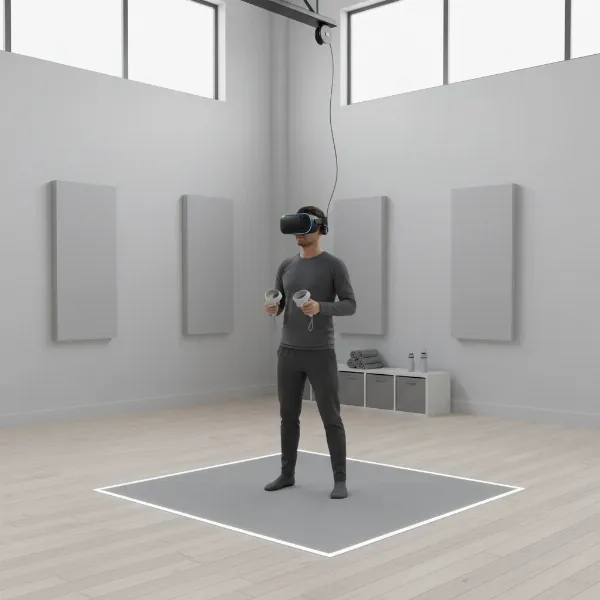
Stepping into the world of Virtual Reality (VR) for professional use can feel like navigating uncharted territory, yet it holds immense potential to revolutionize how we work. Imagine collaborating with colleagues across continents in a shared virtual space, visualizing complex 3D models with unparalleled clarity, or conducting immersive training simulations that boost retention and skill transfer. With numerous VR headsets available, selecting the right one for your specific workspace needs is crucial for maximizing productivity and achieving a tangible return on investment. This guide will help you understand the core aspects of VR technology and navigate the choices to find the perfect headset for your professional applications.
VR Headsets: An Overview and Their Workplace Benefits
At its core, a VR headset is a device that envelops your field of vision, presenting a simulated, three-dimensional environment that responds to your head movements. This immersive experience is created through a combination of high-resolution displays, specialized optics, and sophisticated motion tracking systems that trick your brain into believing you are present in a virtual world. For today’s dynamic workplaces, VR headsets are transcending their gaming origins to become powerful tools across various sectors.
These devices are transforming entertainment, education, and professional work by offering enhanced immersive experiences. In business, VR headsets are increasingly adopted for applications such as detailed product design and prototyping, collaborative virtual meetings that foster stronger connections, and data visualization that makes complex information more digestible and actionable. They are also invaluable for creating highly effective training and simulation programs, allowing employees to practice skills in a safe, controlled virtual environment. The benefits are significant: VR can enhance learning efficiency, improve problem-solving through hands-on virtual experience, and expand work capabilities by enabling new forms of interaction and presence, especially for remote teams.
Types of VR Headsets for Business Environments
The VR headset market offers diverse options, primarily categorized by their operational independence. Understanding these distinctions is key to selecting the most appropriate device for your professional workspace.
Standalone VR Headsets
Standalone VR headsets are all-in-one units that do not require an external computer or smartphone to operate, offering unparalleled freedom of movement and ease of deployment. They integrate processing power, displays, and batteries directly into the headset, making them highly portable and simple to set up.
- Pros: High portability, no cables, quick setup, easier to manage at scale, often more affordable for initial deployment. They are ideal for scalable training and collaboration.
- Cons: Generally less powerful than PC-powered headsets, which can limit graphical fidelity for highly complex applications. Battery life can also be a consideration for extended sessions.
- Popular Models:
- Meta Quest 3/3S: A versatile choice balancing price and performance, offering full-color passthrough for mixed reality. The Meta Quest 3 is widely deployed in enterprise environments globally due to its balance of price, performance, and ecosystem.
- Pico 4 Enterprise Ultra: Designed specifically for business, it is ergonomic, lightweight, and offers advanced hand-tracking with 4K resolution and mixed reality capabilities.
- HTC Vive Focus Vision (or Focus 3): A premium standalone headset built for enterprise, boasting high-resolution displays (5K combined), robust device management, and mixed reality capabilities, suitable for design review and simulation.
|
Our Picks for the Best VR headset in 2026
As an Amazon Associate I earn from qualifying purchases.
|
||
| Num | Product | Action |
|---|---|---|
| 1 | Meta Quest Pro Headset with Virtual Reality Field Trips 1-Month Subscription |

|
| 2 | Pimax Crystal Light VR Headset for PC, 2880x2880 per Eye, 8K QLED Display with Local-Dimming, Inside-Out Tracking, PC VR Headset for Flight Sims, iRacing & Gaming (Full Payment Version) |
|
| 3 | Meta Quest 3S 128GB | VR Headset — Thirty-Three Percent More Memory — 2X Graphical Processing Power — Virtual Reality Without Wires — Access to 40+ Games with a 3-Month Trial of Meta Horizon+ Included |
|
| 4 | Meta Quest 3 512GB | VR Headset — Thirty Percent Sharper Resolution — 2X Graphical Processing Power — Virtual Reality Without Wires — Access to 40+ Games with a 3-Month Trial of Meta Horizon+ Included |
|
| 5 | HTC Vive Focus Vision — Mixed Reality and PC VR Headset + Controllers — Consumer Edition |
|
| 6 | HTC Vive XR Elite with Deluxe Pack — Mixed Reality and PC VR Headset + Controllers |
|
| 7 | Meta Quest 2 128GB - Advanced All-in-One Virtual Reality Headset (Renewed) |
|
| 8 | Meta Quest 3S 128GB | VR Headset — Thirty-Three Percent More Memory — Virtual Reality Without Wires — Access to 40+ Games with a 3-Month Trial of Meta Horizon+ Included (Renewed Premium) |
|
| 9 | DESTEK V5 VR Headset for Kids & Phone w/Controller & 100+ Apps, Anti-Blue Light HD Lenses, 110° FOV, Compatible with iPhone & Android, Ideal for Family Entertainment & Gifting - Black |
|
| 10 | TECKNET VR Headset for Phone with Bluetooth Controller, 4.7-7.2" VR Headsets with HD 110°FOV Anti-Blue Light Lenses & Adjustable Gears, 3D VR Headset for Kids Compatible iPhone Samsung Android |
|
PC-Powered VR Headsets
PC-powered (or tethered) VR headsets connect to a high-performance computer, leveraging its processing power to deliver superior graphics, advanced physics, and more sophisticated virtual environments.
- Pros: Unmatched graphical fidelity, wider field of view, higher refresh rates, and access to the most demanding VR applications and content.
- Cons: Requires a powerful gaming PC, tethered cables can restrict movement, less portable, and typically more expensive for the full setup.
- Popular Models:
- Varjo XR-4 Series: Designed for high-end professional use, particularly in industrial design, engineering, and complex simulations, offering human-eye resolution and advanced autofocus.
- HTC Vive Pro 2/XR Elite: Known for high-resolution displays and precise tracking, suitable for detailed design, engineering, and simulation work. The VIVE XR Elite also offers flexibility between VR and AR-style passthrough.
- Valve Index: While often associated with gaming, its high fidelity and precise tracking can be beneficial for specific high-end simulation labs.
While mobile VR headsets that use smartphones were an entry point, they are largely superseded by standalone headsets for professional applications due to limited capabilities and the rise of dedicated enterprise solutions.
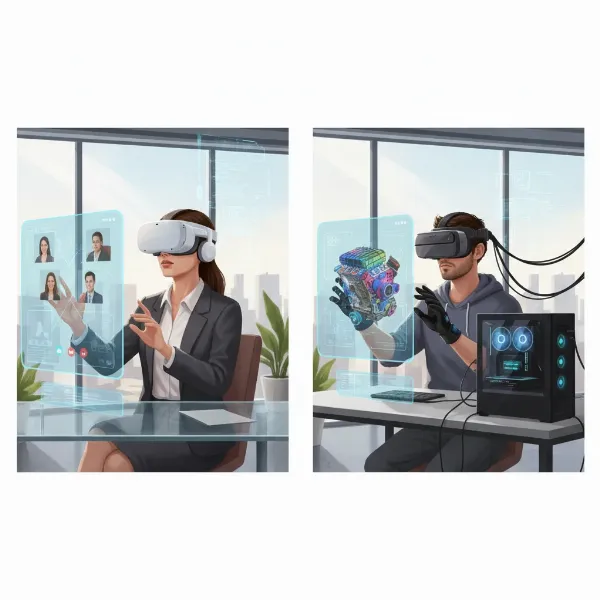 An illustrative image showing various types of VR headsets, including standalone and PC-powered models, in a modern office or design studio environment.
Comparing Leading VR Headsets for Professional Use
Choosing the ideal VR headset for your workspace often comes down to balancing performance needs with budget and specific use cases. Here’s a comparison of some top contenders in the enterprise VR market:
| Product Name | Resolution (per eye) | Refresh Rate | Field of View (FOV) | Price (Approx.) | Key Pros | Key Cons | General Assessment |
|---|---|---|---|---|---|---|---|
| Meta Quest 3 | 2064×2208 | 90Hz (120Hz experimental) | 103.8 degrees | $499 | Excellent value, mixed reality, strong ecosystem, scalable deployment | Battery life can be limited (2-3 hours), less powerful than high-end PC VR for complex simulations | Best all-around for most scalable training and collaboration needs. |
| Pico 4 Enterprise | 2160×2160 | 90Hz | 105 degrees | ~$899 | Ergonomic, lightweight, advanced hand-tracking, strong enterprise management | Ecosystem might be smaller than Meta’s, content availability can vary | Strong for hands-on training and business controls. |
| HTC Vive Focus Vision | 2448×2448 | 90Hz | 116 degrees | ~$999 | High-resolution, mixed reality, robust device management, IT-friendly | Higher cost than Quest 3, heavier than some standalone options | Excellent for detailed design review, simulation, and mixed reality use cases. |
| Varjo XR-4 Series | 3840×3744 | 90Hz | 120 degrees | $3,990+ | Human-eye resolution, advanced eye-tracking, ideal for complex industrial design and simulation | Very high cost, often requires powerful PC, niche applications, specialized content | Reference platform for high-end simulation, defense, and industrial visualization. |
| Apple Vision Pro | 3660×3200 (effective) | Up to 100Hz | ~100 degrees | $3,499+ | Premium spatial computing, exceptional visual quality, intuitive eye and hand tracking | Very high price, less of a traditional VR headset, primarily geared towards premium spatial UI and executive demos | Best for premium spatial computing, high-end product visualization, and executive demos. |
“The right VR headset isn’t just about raw specifications; it’s about how well it integrates into your existing workflows and supports your specific business objectives, whether that’s enhanced collaboration or precision training.” – Dr. Evelyn Reed, Senior XR Consultant at Innovate Solutions
Essential Factors When Selecting a Business VR Headset (Buying Guide)
Choosing the optimal VR headset for your professional environment requires careful consideration of several technical and practical elements. These factors directly influence user experience, application performance, and overall return on investment.
Resolution and Refresh Rate
- Resolution: This refers to the number of pixels displayed per eye. Higher resolution leads to sharper images and reduced “screen-door effect” (seeing individual pixels), which is crucial for tasks requiring fine detail like design review, data visualization, or reading text. For professional use, aim for at least 2K per eye, with 4K or higher being ideal for demanding visuals.
- Refresh Rate: Measured in Hertz (Hz), this indicates how many times per second the image updates. A higher refresh rate (90Hz or more) provides a smoother, more fluid experience, significantly reducing motion sickness and improving overall comfort during extended use.
Field of View (FOV)
The field of view is the extent of the observable world seen through the headset at any given moment. A wider FOV (typically measured in degrees, e.g., 90-120 degrees) contributes to a more immersive and natural experience, as it more closely mimics human peripheral vision. For tasks where environmental awareness is critical, such as simulations or virtual walkthroughs, a larger FOV is highly beneficial.
Tracking (Motion Tracking)
Effective tracking is paramount for an immersive and interactive VR experience.
- Degrees of Freedom (DoF): Most professional headsets offer 6DoF, meaning they track both position (forward/backward, up/down, left/right) and orientation (pitch, yaw, roll), allowing for natural movement within the virtual space.
- Hand Tracking: The ability to use your bare hands to interact with virtual objects, eliminating the need for physical controllers. This is excellent for intuitive collaboration and hands-on training simulations where natural interaction is desired.
- Eye and Face Tracking: Increasingly important for advanced collaboration, these features allow your virtual avatar to convey facial expressions and gaze, enhancing non-verbal communication in virtual meetings and improving realism in simulations. Eye tracking also enables foveated rendering, where only the area you’re looking at is rendered in high detail, optimizing performance.
Ergonomics and Comfort
Users often wear VR headsets for extended periods in professional settings, making comfort a non-negotiable factor.
- Weight and Balance: Lighter headsets with balanced weight distribution reduce neck strain.
- Adjustability: Easy-to-adjust head straps, interpupillary distance (IPD) settings (distance between pupils), and face gaskets ensure a comfortable fit for various users.
- Hygiene: For shared workspaces, easily cleanable materials and replaceable facial interfaces are essential for maintaining hygiene.
Platform and Content Ecosystem
Consider the software ecosystem the headset supports.
- Compatibility: Ensure the headset is compatible with the VR applications, development platforms (e.g., Unity, Unreal Engine), and enterprise solutions you plan to use.
- App Stores and Management: Investigate dedicated business platforms (e.g., Meta Quest for Business, Pico Business Store) that offer device management, app distribution, kiosk modes, and security policies for large-scale deployments.
- Open Standards: Some platforms prioritize open standards, offering greater flexibility for developers and content creators.
Price and Budget
VR headsets vary significantly in price, from consumer-grade entry-level options to highly specialized enterprise devices.
- Entry-level (e.g., Meta Quest 3): Offers a good balance of performance and affordability for initial exploration and scalable deployments.
- Mid-range (e.g., Pico 4 Enterprise, HTC Vive Focus Vision): Provides enhanced features, better management tools, and higher fidelity for more demanding applications.
- High-end (e.g., Varjo XR-4, Apple Vision Pro): Designed for niche, high-fidelity applications like industrial design, complex simulations, or premium spatial computing, with a correspondingly higher investment. Remember to factor in hidden costs such as content development, accessories, and IT support.
Optimizing VR Headset Usage and Maintenance in the Workplace
Integrating VR headsets into your workspace effectively goes beyond just purchasing the hardware; it also involves proper setup, safe usage, and diligent maintenance to ensure longevity and consistent performance.
Installation and Setup Guidance
Upon receiving your VR headset, the initial setup is critical. For standalone units, this typically involves a simple power-on, Wi-Fi connection, and account login, often guided by the headset itself. PC-powered headsets require connecting to a powerful computer via display cables and USB, followed by installing necessary software drivers and platform clients (e.g., SteamVR, Vive Console). Always ensure your workspace has adequate clear space for movement, especially for 6DoF tracking, and follow the manufacturer’s instructions for guardian or boundary setup to prevent collisions. For enterprise deployments, IT departments should consider device management software for remote configuration, application distribution, and security policy enforcement.
Safe and Effective VR Headset Use
Safety and comfort are paramount for productive VR sessions.
- Clear Play Area: Always ensure your physical workspace is clear of obstacles before starting a VR session to avoid accidental bumps or falls.
- Breaks: Take regular breaks to prevent eye strain and motion sickness, especially during initial use or long sessions.
- Adjust Fit: Properly adjust the headset’s straps and IPD settings to ensure a clear image and comfortable fit, preventing discomfort or headaches.
- Supervision: For collaborative or training sessions, a facilitator can help manage the experience and address any technical issues or user discomfort.
Maintenance Tips for Extended Longevity
Proper care extends the life of your VR headsets and maintains optimal performance.
- Lens Cleaning: Use a microfiber cloth specifically designed for optics to gently clean lenses. Never use abrasive materials or liquid cleaners, as they can damage coatings.
- Headset Body: Wipe down the headset body and straps with a soft, damp cloth. For hygiene in shared environments, use disinfectant wipes that are safe for electronics, focusing on areas that contact skin. Many enterprise solutions offer replaceable facial interfaces for better hygiene.
- Storage: Store headsets in a cool, dry place, away from direct sunlight, which can cause permanent damage to the lenses. Consider a protective case for transport and storage to prevent dust and scratches.
- Battery Care: For standalone units, follow manufacturer guidelines for charging and battery maintenance to maximize battery lifespan. Avoid leaving batteries fully charged or fully depleted for extended periods.
Useful Accessories for Your Business VR Setup
Enhancing your VR headset with the right accessories can significantly boost the overall experience, comfort, and functionality within a professional workspace. These additions can refine audio, improve interaction, and ensure your equipment is always ready for use.
External Headphones
While many VR headsets include integrated audio, external headphones, especially over-ear models, can provide superior sound quality and better immersion. This is crucial for applications demanding clear audio cues, such as language training, virtual presentations, or sensitive collaborative discussions where ambient noise cancellation is beneficial. High-quality headphones can make virtual voices sound more realistic and enhance the sense of presence in a virtual environment.
Advanced Controllers
Most VR headsets come with standard 6DoF controllers, allowing for natural interaction within virtual spaces. However, some professional applications can benefit from more specialized input devices.
- Enhanced Hand Tracking: If your headset supports it, advanced hand tracking can remove the need for physical controllers entirely, allowing for more intuitive and natural interactions. This is particularly useful for surgical simulations, design, or artistic creation.
- Haptic Feedback Devices: Specialized gloves or haptic feedback vests can add a tactile dimension to virtual experiences, making training simulations feel more realistic by allowing users to “feel” virtual objects or forces.
- Motion-Tracking Wristbands: These can be paired with headsets for specific hands-on training simulations, offering more granular tracking of hand and arm movements for tasks requiring precision.
Charging and Connectivity Solutions
Efficient power management and connectivity are vital for uninterrupted workflow.
- Charging Docks and Stations: For environments with multiple headsets, multi-device charging docks streamline the charging process, ensuring all units are ready for deployment.
- Longer Cables/Wireless Adapters: For PC-powered VR, longer, high-quality display and USB cables can provide more freedom of movement. Wireless adapters, if available and compatible, can convert tethered setups into more flexible, cable-free experiences, albeit with potential latency implications.
- Power Banks: For standalone headsets with limited battery life, a portable power bank can extend usage time, crucial for longer training sessions or virtual events.
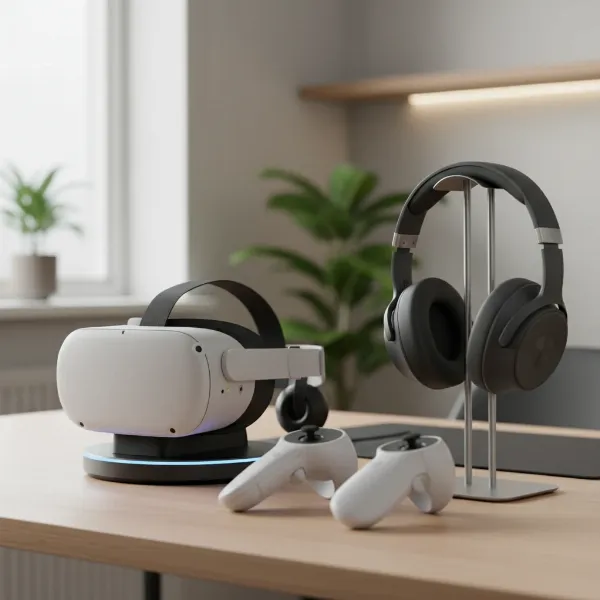 A clean, organized workspace featuring a VR headset on a charging dock, an external pair of headphones, and a set of VR controllers, highlighting accessories for professional VR use.
Conclusion
The journey into leveraging VR headsets for your workspaces is one filled with exciting possibilities, offering new avenues for collaboration, training, and innovation. By carefully evaluating factors such as resolution, refresh rate, field of view, and tracking capabilities, you can select a device that aligns perfectly with your professional demands. Remember to consider the comfort, platform ecosystem, and overall cost to ensure a sustainable and impactful integration into your daily operations. The right VR headset is more than just a piece of hardware; it’s a gateway to transforming productivity and unlocking unprecedented immersive experiences for your team.
Which VR innovations do you believe will have the most significant impact on the future of professional workspaces?
Câu Hỏi Thường Gặp
What is the most important feature to look for in a VR headset for professional training?
For professional training, strong motion tracking (6DoF, hand, and potentially eye tracking) combined with high resolution is paramount. Accurate tracking ensures realistic interaction and movement, while high resolution provides clarity for detailed instructions and environments, reducing motion sickness and enhancing learning retention.
Are standalone VR headsets powerful enough for complex business applications?
Many modern standalone VR headsets, like the Meta Quest 3 and Pico 4 Enterprise, are equipped with powerful processors that can handle a wide range of business applications, including collaboration, virtual meetings, and many training simulations. However, for extremely graphically intensive tasks like high-fidelity industrial design or advanced simulations, PC-powered headsets often offer superior performance.
How important is comfort when choosing a VR headset for long work sessions?
Comfort is extremely important for long work sessions. An uncomfortable headset can cause fatigue, headaches, and reduce user adoption. Look for devices with good weight distribution, adjustable straps, and breathable, hygienic facial interfaces to ensure employees can use the headset comfortably for extended periods without distraction.
Can VR headsets improve remote team collaboration?
Absolutely. VR headsets can significantly enhance remote team collaboration by providing immersive virtual meeting spaces where colleagues can interact as avatars, share 3D models, and engage in more natural non-verbal communication through eye and face tracking. This fosters a greater sense of presence and connection compared to traditional video conferencing.
What are the typical “hidden costs” associated with deploying VR headsets in a business?
Beyond the initial hardware purchase, hidden costs can include content creation or licensing for specific applications, necessary accessories (like hygiene kits, specialized controllers, or charging stations), IT setup and ongoing support, and subscription fees for enterprise device management platforms. Planning for these costs is crucial for a successful VR deployment.