Are you tired of juggling multiple monitors and fighting distractions in a bustling agency office? Imagine a workspace without physical limits, where you can instantly transport yourself to a serene virtual environment, surrounded by an infinite array of screens, collaborating seamlessly with colleagues across the globe. This isn’t a futuristic fantasy; it’s the tangible reality offered by modern VR headsets, poised to revolutionize how busy agency office workers approach productivity, focus, and collaboration. This comprehensive guide will navigate the exciting landscape of VR headsets, helping you discover the ideal device to transform your daily work experience.
VR Headset: Overview and Benefits for the Modern Agency
A VR headset, or Virtual Reality headset, is a head-mounted device that immerses users in a simulated digital environment, either completely virtual or an enhanced version of the real world (mixed reality). For busy agency office workers, these devices are more than just entertainment gadgets; they are powerful tools designed to boost productivity, foster deeper focus, and enable richer collaboration. By stepping into a virtual workspace, you can overcome common office challenges, creating an optimized environment tailored to your specific tasks and preferences.
The applications of VR headsets in a professional setting are expanding rapidly. They enable virtual meetings where avatars convey non-verbal cues through eye and face tracking, making remote interactions feel more personal and engaging. For individual tasks, VR headsets can provide an expansive multi-monitor setup that far surpasses physical desk limitations, allowing users to arrange countless virtual screens of any size around them. This spatial computing capability helps agency workers manage complex projects, visualize data, and perform deep work without the constant interruptions of an open-plan office. The ability to switch between intense individual focus and collaborative sessions seamlessly, often without removing the headset, marks a significant evolution in workplace flexibility and efficiency.
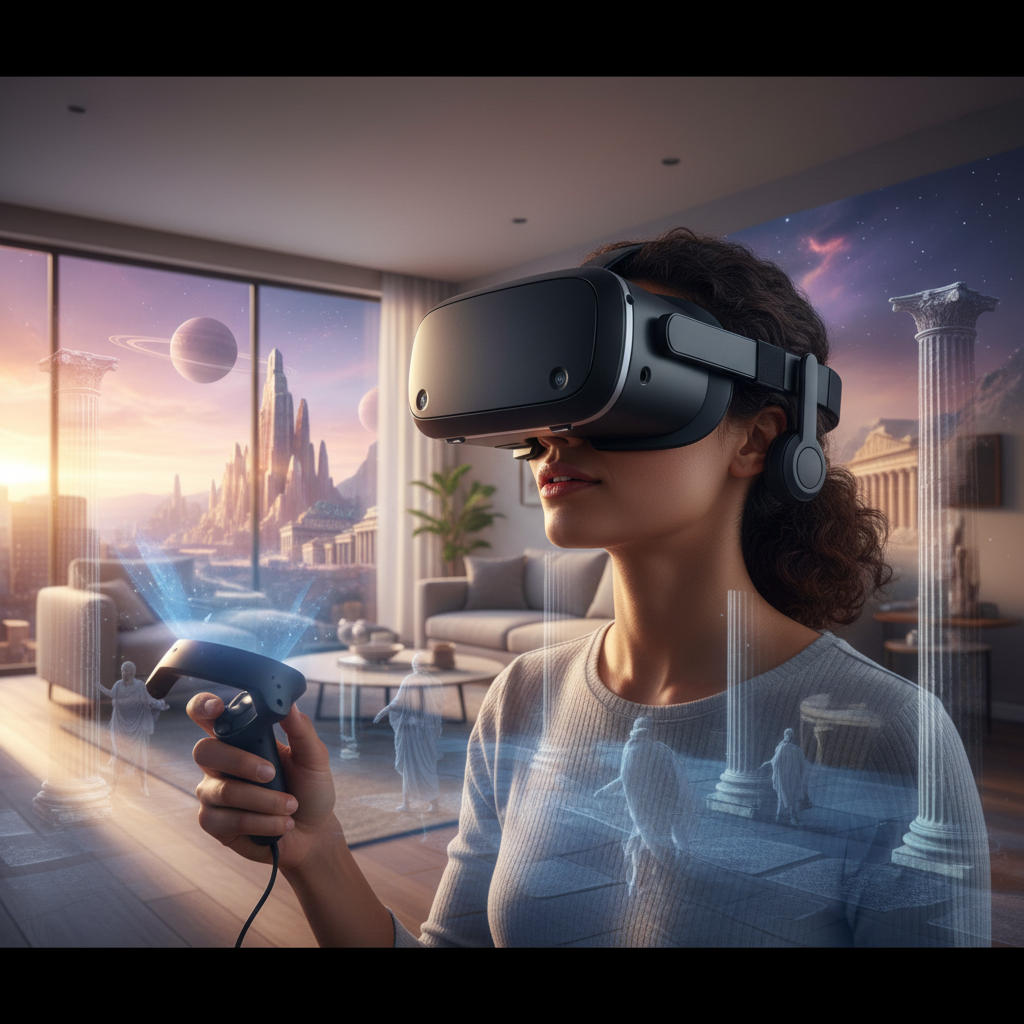
 A busy agency office worker focused on tasks within a virtual reality headset, with multiple floating screens for enhanced productivity.
Types of VR Headsets Popular Today
The VR market offers a diverse range of headsets, each catering to different needs and preferences. Understanding the primary categories will help you identify which type best suits the dynamic demands of an agency office environment.
Standalone VR Headsets
Standalone VR headsets are self-contained units that don’t require external computers or phones to operate. They offer exceptional portability and ease of setup, making them ideal for agencies that value flexibility and minimal technical hassle.
- Pros: Highly portable, easy to set up, wireless freedom, often more affordable for entry-level models.
- Cons: Generally less powerful than PC-tethered options, which can affect graphics fidelity and complex application performance. Battery life can be a limitation for extended sessions.
- Popular Models for Business: Meta Quest 3, known for its versatility and full-color passthrough for mixed reality; Meta Quest Pro, designed with advanced eye and face tracking for enhanced collaboration; Pico 4 Enterprise Ultra, offering high resolution and an ergonomic design suitable for long use; HTC Vive Focus Vision, a premium standalone with 5K resolution and remote management capabilities.
|
Our Picks for the Best VR headset in 2026
As an Amazon Associate I earn from qualifying purchases.
|
||
| Num | Product | Action |
|---|---|---|
| 1 | HTC Vive Focus Vision — Mixed Reality and PC VR Headset + Controllers — Consumer Edition |

|
| 2 | Pimax Crystal Light VR Headset for PC, 2880x2880 per Eye, 8K QLED Display with Local-Dimming, Inside-Out Tracking, PC VR Headset for Flight Sims, iRacing & Gaming (Full Payment Version) |
|
| 3 | Meta Quest 3S 128GB | VR Headset — Thirty-Three Percent More Memory — 2X Graphical Processing Power — Virtual Reality Without Wires — Access to 40+ Games with a 3-Month Trial of Meta Horizon+ Included |
|
| 4 | Meta Quest Pro Headset with Virtual Reality Field Trips 1-Month Subscription |
|
| 5 | HTC Vive XR Elite with Deluxe Pack — Mixed Reality and PC VR Headset + Controllers |
|
| 6 | DESTEK V5 VR Headset for Kids & Phone w/Controller & 100+ Apps, Anti-Blue Light HD Lenses, 110° FOV, Compatible with iPhone & Android, Ideal for Family Entertainment & Gifting - Black |
|
| 7 | Meta Quest 3S 128GB | VR Headset — Thirty-Three Percent More Memory — Virtual Reality Without Wires — Access to 40+ Games with a 3-Month Trial of Meta Horizon+ Included (Renewed Premium) |
|
| 8 | Meta Quest 2 128GB - Advanced All-in-One Virtual Reality Headset (Renewed) |
|
| 9 | Meta Quest 3 512GB | VR Headset — Thirty Percent Sharper Resolution — 2X Graphical Processing Power — Virtual Reality Without Wires — Access to 40+ Games with a 3-Month Trial of Meta Horizon+ Included |
|
| 10 | TECKNET VR Headset for Phone with Bluetooth Controller, 4.7-7.2" VR Headsets with HD 110°FOV Anti-Blue Light Lenses & Adjustable Gears, 3D VR Headset for Kids Compatible iPhone Samsung Android |
|
PC-Powered VR Headsets
These headsets connect to a high-performance computer, leveraging its processing power to deliver superior graphics, faster refresh rates, and a wider range of sophisticated applications.
- Pros: Best visual fidelity and performance, access to a vast library of powerful PC VR applications, ideal for high-fidelity design, simulation, and complex data visualization.
- Cons: Requires a powerful gaming PC, less portable due to cables and external hardware (base stations), typically more expensive overall.
- Popular Models for Business: Varjo XR-4 Series and Varjo VR-3, recognized for their extremely high-resolution displays and advanced features for professional design and engineering; HTC Vive Pro 2, offering high resolution and wide field of view for immersive experiences.
Mobile VR Headsets (and AR Glasses)
While traditional mobile VR (using a smartphone) is less common for professional use, a new category of AR (Augmented Reality) glasses is emerging as a portable solution for productivity. These devices project virtual displays into your real-world view.
- Pros: Extremely lightweight, highly portable, less isolating than full VR headsets.
- Cons: Limited immersion compared to VR, often simpler applications, not suitable for fully immersive virtual environments.
- Examples: Nreal Air or XREAL Air are noted for creating multiple virtual screens from a phone or laptop, ideal for mobile productivity without the bulk of a full VR headset.
Comparing Top VR Headsets for Office Productivity
Choosing the right VR headset means weighing specific features against your agency’s needs and budget. Here’s a comparison of leading models that excel in productivity and collaboration for office workers.
| Product Name | Resolution (per eye) | Refresh Rate (Hz) | Field of View (FOV) | Price Range (Approx.) | Key Advantages for Office Workers | Potential Disadvantages for Office Workers |
|---|---|---|---|---|---|---|
| Meta Quest 3 | 2064×2208 | 90, 120 | 110° horizontal | $499 | Versatile, full-color passthrough for mixed reality, wide app ecosystem, good value. | Limited battery life (~2-3 hrs), comfort for very long sessions may vary. |
| Meta Quest Pro | 1800×1920 | 90 | 106° horizontal | $999 | Advanced eye/face tracking for realistic avatars, open peripheral vision, premium comfort. | High price point, battery life similar to Quest 3, slightly older processor. |
| Pico 4 Enterprise Ultra | 2160×2160 | 90 | 105° horizontal | $900-1100 | Ergonomic, lightweight, 4K resolution, advanced hand tracking, enterprise focus. | Smaller developer ecosystem than Meta, less prevalent in consumer space. |
| HTC Vive Focus Vision | 2448×2448 | 90 | 105° horizontal | $1300-1500 | High-res 5K display, full-color passthrough, enterprise device management. | Higher price, specific to enterprise use cases. |
| Samsung Galaxy XR | (Not specified, high) | (Not specified) | (Not specified) | $1800 | Android XR, full Play Store access, open ecosystem, 360-degree workspace. | Higher price point, relatively new ecosystem, details still emerging. |
| Varjo XR-4 Series | 3840×3760 (foveated) | 90 | 120° x 105° | $9900+ | Industry-leading fidelity, human-eye resolution, advanced XR for demanding design/engineering. | Extremely high price, requires powerful PC, primarily for specialized workflows. |
“For agencies, the Meta Quest 3 strikes a fantastic balance between cost, performance, and versatility, making it an excellent entry point into VR for productivity and collaboration.” – Tech Advisor, VR for Business Solutions
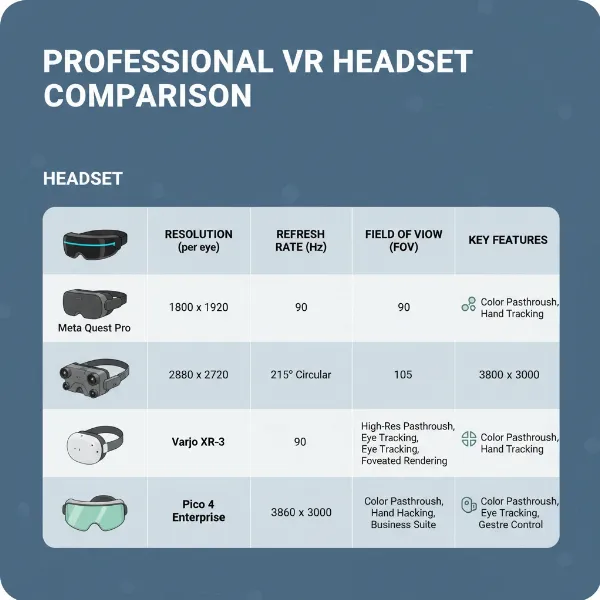 A futuristic infographic comparing specifications of various VR headsets, highlighting features relevant to office productivity.
Essential Factors When Choosing a VR Headset (Buying Guide)
Selecting the best VR headset for your busy agency requires careful consideration of several technical and ergonomic factors, ensuring it meets both your productivity demands and comfort expectations.
Resolution and Refresh Rate
These two factors significantly impact visual clarity and fluidity, which are critical for reading text and avoiding eye strain during long work sessions.
- Resolution: Higher resolution (e.g., 2000×2000 per eye or more) means sharper text and clearer images, making it easier to work with virtual monitors and detailed designs.
- Refresh Rate: A higher refresh rate (90Hz or 120Hz) reduces motion sickness and creates a smoother visual experience, essential for prolonged use.
Field of View (FOV)
The FOV dictates how wide your virtual world appears. A broader FOV (100 degrees or more) enhances immersion, making the virtual workspace feel more natural and less like looking through binoculars. This is crucial for spatial computing, where you might have multiple virtual screens spread around you.
Tracking Capabilities
Precise tracking is vital for seamless interaction within VR.
- Positional Tracking (6DoF): Most modern headsets offer six degrees of freedom (6DoF), allowing you to move naturally in 3D space.
- Hand Tracking: The ability to interact with virtual objects using your bare hands can be intuitive for certain tasks and presentations.
- Eye and Face Tracking: Advanced features like those in the Meta Quest Pro enhance collaborative meetings by allowing your avatar to convey realistic facial expressions and eye contact, making virtual interactions feel more human.
Ergonomics and Comfort
Busy agency workers will spend hours in their headsets, so comfort is paramount.
- Weight Distribution: Headsets with balanced designs (e.g., battery at the back) reduce front-heavy discomfort.
- Adjustability: Customizable straps and interpupillary distance (IPD) adjustments ensure a snug fit for various head shapes and eye spacings.
- Materials: Breathable facial interfaces and padding prevent overheating and skin irritation.
- Glasses Compatibility: If you wear glasses, check for sufficient space or consider prescription lens inserts.
Platform and Content Ecosystem
The software ecosystem determines which applications you can run and how easily you can integrate VR into your existing workflow.
- Business-focused platforms: Look for headsets with robust business features like device management, secure data handling, and compatibility with enterprise applications (e.g., Microsoft Office apps, collaboration tools). Meta’s Horizon ecosystem and Google’s Android XR are key players here.
- Mixed Reality (MR) capabilities: Full-color passthrough allows you to see your physical surroundings while interacting with virtual objects, enabling hybrid work environments where you can switch between real and virtual seamlessly.
Price
VR headset prices vary significantly.
- Entry-level (around $500): Offers a great starting point for productivity and basic collaboration.
- Mid-range ($500-$1000): Provides enhanced features like better tracking, comfort, and resolution.
- High-end ($1000+): Caters to specialized professional needs with top-tier fidelity, advanced XR, and robust enterprise support.
Maximizing Your VR Headset in the Office
Integrating a VR headset into your agency workflow can unlock new levels of productivity and engagement. Here’s how to get started and maintain your device effectively.
Setup and Configuration
Most standalone VR headsets are straightforward to set up, often requiring just a smartphone app to pair and configure. For PC-powered units, ensure your computer meets the minimum specifications for the headset.
- Workspace Calibration: Define your guardian boundary or play space carefully to avoid collisions, especially if you plan to use room-scale VR for presentations or interactive experiences.
- Network Connection: A stable, high-speed Wi-Fi connection is essential for cloud-based applications, virtual meetings, and wireless PC streaming.
- Software Installation: Download necessary productivity apps like virtual desktop environments (e.g., Immersed, Virtual Desktop) that allow you to bring your computer screens into VR.
Safe and Effective Use
While VR offers incredible benefits, mindful usage is key for long-term comfort and health.
- Breaks: Take regular breaks (e.g., every 20-30 minutes) to rest your eyes and stretch.
- Lighting: Ensure your physical environment has adequate, but not harsh, lighting, especially for mixed reality passthrough.
- Ergonomics: Adjust headstraps and IPD for optimal comfort and visual clarity. Ensure your seated posture is good if working from a desk in VR.
- Motion Sickness: If you experience discomfort, try reducing motion in VR applications, using a seated experience, or taking a short break.
Maintenance Tips
Proper care will extend the lifespan and performance of your VR headset.
- Lens Cleaning: Use a microfiber cloth specifically designed for lenses. Never use abrasive materials or chemical cleaners, which can damage coatings.
- Facial Interface: Clean the foam or silicone facial interface regularly with gentle, non-abrasive wipes to remove sweat and oils. Some interfaces are removable and washable or can be replaced.
- Storage: Store the headset away from direct sunlight, which can cause severe lens damage (sunburn), and in a protective case to prevent dust accumulation and accidental damage.
- Software Updates: Regularly update your headset’s firmware and applications to ensure optimal performance, security, and access to the latest features.
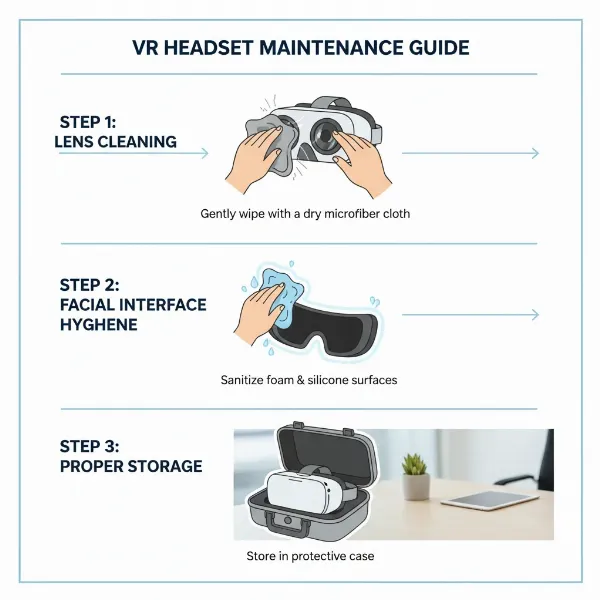 A clear, step-by-step visual guide showing how to clean and maintain a VR headset for long-term use in an office setting.
Complementary Accessories for Your VR Workspace
To fully optimize your VR experience for agency office work, consider investing in a few key accessories that can significantly enhance comfort, immersion, and functionality.
High-Quality Audio Solutions
While many headsets have integrated speakers, dedicated audio accessories can elevate your experience.
- External Headphones/Earbuds: For critical virtual meetings or deep focus work, noise-canceling headphones or high-fidelity earbuds can provide superior sound quality and block out office distractions, ensuring crystal-clear communication and immersive audio environments.
- Spatial Audio: Some headsets and platforms offer spatial audio, making sounds in the virtual environment seem to come from their true direction, which is crucial for realistic collaboration.
Enhanced Controllers
While hand tracking is advancing, physical controllers still offer precision and haptic feedback for many applications.
- Ergonomic Controllers: Ensure your controllers fit comfortably in your hand for prolonged use, especially for tasks involving pointing, selecting, or interacting with detailed virtual objects.
- Specialized Input Devices: For specific design or engineering tasks, you might explore specialized haptic feedback gloves or stylus controllers that offer more tactile interaction.
Power Management and Portability
For standalone headsets, managing battery life is crucial for uninterrupted work.
- External Battery Packs: Attachable or pocketable battery packs can significantly extend your working hours, essential for all-day productivity or long virtual events.
- Longer USB-C Cables: For charging while in use or connecting to a PC for wired tasks, a high-quality, long USB-C cable offers flexibility.
- Protective Cases: A durable carrying case is vital for protecting your investment, especially for agency workers who might transport their headset between home, office, or client sites.
Conclusion
The evolution of VR headsets has ushered in an exciting era for busy agency office workers, offering unprecedented opportunities for enhanced focus, boundless virtual workspaces, and deeply immersive collaboration. From the versatile Meta Quest 3 to the high-fidelity Varjo XR-4 Series, the ideal headset empowers you to break free from traditional desktop limitations, transforming your productivity and redefining your work environment. By carefully considering factors like resolution, comfort, and ecosystem, you can select a device that not only meets your professional needs but also ignites a new passion for your daily tasks. Are you ready to step into the future of work and unlock your agency’s full potential in the virtual realm?
Frequently Asked Questions
Which VR headset is best for creating a multi-monitor setup in VR?
Many standalone headsets like the Meta Quest 3 and Quest Pro, along with PC-powered options, excel at creating virtual multi-monitor setups using apps like Immersed or Virtual Desktop. These applications allow users to replicate and expand their physical computer screens in a virtual space, offering a truly expansive workspace for busy agency workers.
Can VR headsets replace my physical monitors for full-time office work?
While VR headsets can replicate and expand upon physical monitor setups, fully replacing them for 8+ hours a day is still evolving. Current limitations often include battery life, weight, and potential eye strain for some users. However, for focused sprints, collaborative meetings, or managing multiple virtual screens, they offer a powerful and often superior alternative to traditional monitors.